
For professional shops, Availzye Machinist Pro is the top pick among CNC calculator apps — it's the only option that pairs precision engineering calculators (feeds & speeds, chip thinning, tool deflection, chatter prediction) with full shop management in one cloud platform. For everyone else, the right choice depends on where you work and what you actually need at the machine.
Here's the short version:
- Full-featured pro platform (Availzye Machinist Pro): Best for production shops that need calculation tools, tool crib management, G-code generation, and job tracking under one login. Subscription-based, 7-day free trial.
- Lightweight offline Android calculator: Best for shop-floor operators and hobbyists who need fast RPM/IPM lookups, tap drill charts, and basic G-code snippets with zero login friction.
- Polished iOS speeds-and-feeds app: Best for individual machinists and apprentices who want a clean interface, quick lathe/mill calculations, and a one-time Pro unlock.
- Advanced desktop engine: Best for process engineers running batch simulations, detailed power and torque modeling, and CAM integration.
Pro Tip: If you run a production shop with more than one operator, start with the Availzye Machinist Pro 7-day free trial before committing to any single-purpose calculator. The shop-management layer alone changes how your team shares process parameters.
Table of Contents
- What are the best CNC calculator apps at a glance?
- Why Availzye Machinist Pro is the recommended pro-shop choice
- What lightweight offline Android calculators do well
- What polished iOS calculator apps offer individual machinists
- What advanced desktop engines bring to production engineering
- How to choose the right CNC calculator app for your shop
- How we evaluated these apps
- Key Takeaways
- The case for starting with an integrated platform
- Availzye Machinist Pro: where it delivers the most value
- Useful sources and further reading
What are the best CNC calculator apps at a glance?
| Category | Best For | Platform | Key Features | Pricing | Offline | Shop Management | Trust & Support |
|---|---|---|---|---|---|---|---|
| Availzye Machinist Pro | Pro shops, multi-seat teams | Web/cloud | Feeds & speeds, chip thinning, deflection, chatter, G-code, tool crib, job tracker, CAD viewer, AI assistant | Subscription ($9.99–$49.99/mo), 7-day trial | Cloud-dependent; local session caching | Full (job tracker, tool crib, maintenance log) | Active dev, documented methodology |
| Lightweight Android calculator | Hobbyists, single-operator shops | Android | RPM/IPM, tap drill, basic G-code snippets, material tables | Free / freemium | Yes, fully offline | None | Community-validated; verify against cutter maker data |
| Polished iOS app | Individual machinists, apprentices | iOS | End-mill/lathe calcs, tap drill, G-code reference, tool library | Free + one-time Pro unlock or subscription | Usually yes | Minimal (tool library only) | App Store ratings; active updates |
| Advanced desktop engine | Process engineers, CAM programmers | Windows/desktop | Deep engineering models, batch quoting, large material DB, plugin APIs | Desktop license or subscription | Yes (local install) | Reporting and export; no live shop floor | Established dev pedigree; forum support |
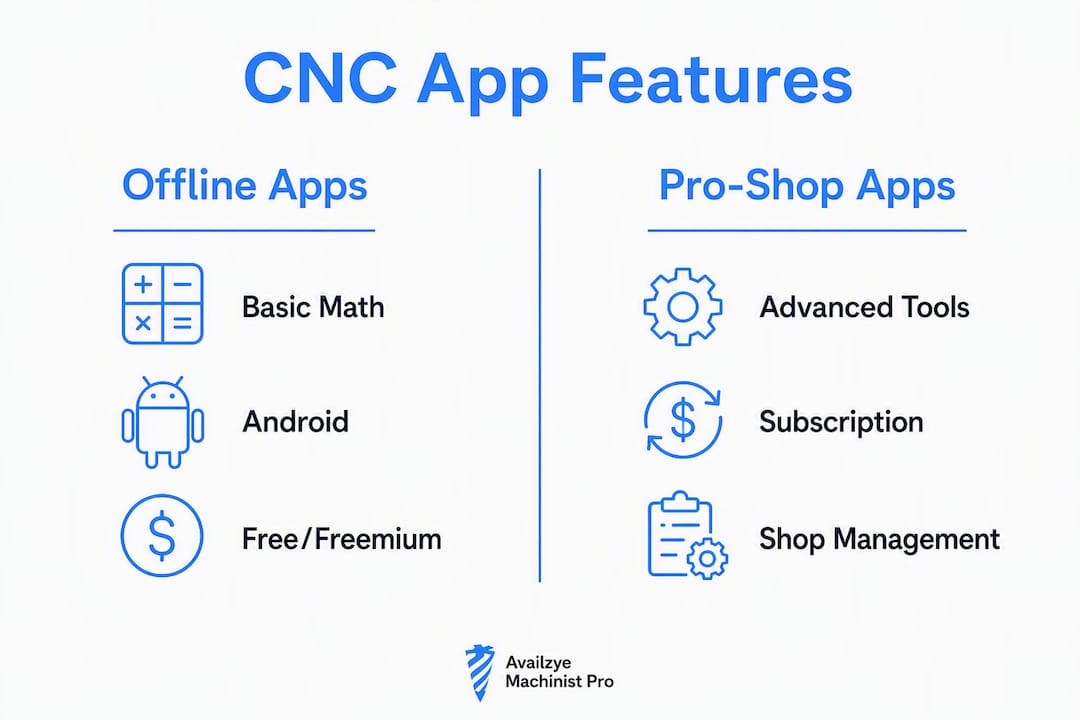
A few things the table can't show: offline reliability matters more than most buyers realize before they're standing in a shielded plant with no signal, and shop-management integration only pays off once you have repeatable jobs to track.
Why Availzye Machinist Pro is the recommended pro-shop choice
No other app on this list combines engineering-grade calculators with live shop management. That gap is exactly where production shops lose time and money.
Calculation tools:
- Feeds & speeds for milling, turning, drilling, and tapping
- Chip thinning and High Speed Machining (HSM) parameters
- Tool deflection to catch chatter before it scraps a part
- Power and torque to validate cuts against machine limits
- Chatter prediction, G-code generation and analysis
- Specialized calculators: taper, bolt circle, thread drill, counterbore, surface finish, tolerances, sine bar
Shop management:
- Job Tracker for work orders and status
- Maintenance log for machine downtime and service history
- Tool Crib inventory with low-stock alerts, tool life logging, check-in/check-out, and CSV export
- CAD file viewer with STEP-to-STL conversion
- Shift notes, document management, and role-based team access
Pros:
- Single platform replaces a stack of disconnected apps and spreadsheets
- Integrated platforms that combine calculators with job tracking make parameter data discoverable across shifts and operators
- AI Assistant for machining guidance and troubleshooting
- Cost estimator for quote-ready pricing
Cons:
- Subscription model (not a one-time purchase) — plan your budget accordingly
- Cloud-dependent for full functionality; not ideal for shops with zero internet access
Pricing: Individual at $9.99/mo, Small Shop at $24.99/mo, Team at $49.99/mo. All tiers include a 7-day free trial.
Pro Tip: Use the G-code wizard to generate and verify programs before they reach the machine — it's one of the fastest ways to catch cycle errors without a dry run.
What lightweight offline Android calculators do well
Free and freemium Android calculators fill a specific, real need: fast answers at the machine with no account, no ads, and no internet required. Apps in this category typically cover RPM and IPM calculations, tap drill charts for UNC, UNF, and metric threads, basic G-code snippets for common cycles, material chip-load tables, and drill size references.
Pros:
- Fully offline — works in shielded plants and basement shops alike
- No login required for basic calculations, which keeps the workflow fast
- Free entry point for hobbyists and apprentices learning the fundamentals
- Lightweight enough to run on older Android hardware
Cons:
- No tool deflection, chatter prediction, or power and torque modeling
- No job tracking, tool crib, or multi-user features
- Material databases are usually limited to common grades; specialty alloys require manual SFM input
- Accuracy depends on the developer's source data — always verify chip-load values against your cutter manufacturer before production cuts
Best for: Hobbyists, apprentices, and single-operator shops that need quick offline references between cycles. Not a replacement for a validated process in a production environment.
Platform: Android-focused, free or freemium. Some apps offer a one-time Pro unlock for advanced features.

What polished iOS calculator apps offer individual machinists
Well-designed iOS machinist apps have raised the bar for usability in this category. The best ones feel purpose-built for the phone: clean input fields, instant results, and a tool library you can actually maintain. ShopCalc, available on the App Store, is a representative example — it covers speeds and feeds, tap drill, threading, drilling, boring, G-code generators, bolt circle, lathe jaw bore, surface finish (Ra/Rz), and metal weight, all offline with no account required for the free tier. The Pro unlock is a one-time purchase ($79.99) or yearly subscription ($35.99/yr).
Common features in this category:
- End-mill and lathe speeds and feeds (RPM, SFM, IPM, IPR)
- Tap drill charts (UNC, UNF, metric, pipe)
- G-code reference and basic cycle generators (Pro tier)
- Tool library to save and recall shop-specific setups
- Surface finish conversions (Ra/Rz)
Pros:
- Excellent UX — minimal learning curve, fast to use mid-job
- Offline-first architecture; no data collection in the best apps
- One-time Pro purchase avoids ongoing subscription costs for individuals
- Active update history is a good trust signal in this category
Cons:
- Advanced features (G-code generators, bolt circle, tool library) often sit behind a paywall
- No shop management, job tracking, or multi-user capability
- iOS-only limits use on Android-heavy shop floors
Best for: Individual machinists, apprentices, and hobbyists who want a polished daily-driver calculator on their iPhone. Confirm offline capability and export options before committing to the Pro tier.
What advanced desktop engines bring to production engineering

Desktop-first calculation engines occupy a different tier entirely. These are tools for process engineers and CAM programmers who need deep modeling, not quick lookups. They typically include detailed tool deflection and power and torque analysis, batch quoting across multiple operations, large material databases with validated cutting data, plugin APIs for CAM integration, and detailed reporting for process documentation.
Spindle power and torque calculators are a core feature here — they let engineers check load against machine capabilities before a single chip flies. That kind of pre-production validation is where desktop engines earn their cost.
Pros:
- Highest calculation depth available in any category
- Batch processing for multi-operation quoting
- Extensible via plugins and API connections to CAM software
- Local install means no cloud dependency
Cons:
- Longer learning curve than mobile apps
- Desktop-first workflow is less practical on the shop floor
- Licensing costs can be significant for small shops
Best for: Process engineers, CAM programmers, and shops that run detailed simulations before production release. Desktop engines fit best as the upstream tool that feeds validated parameters down to mobile calculators and cloud platforms for day-to-day use. Integrated CAD/CAM platforms that combine simulation with post-processing can extend this workflow further.
How to choose the right CNC calculator app for your shop
The wrong app costs more than its price tag — it costs the time you spend working around its limits.
Match features to your role:
- Hobbyist / apprentice: You need offline operation, basic feeds and speeds, tap drill charts, and a clean UI. Free tier of an iOS or Android app covers this completely.
- Shop-floor operator: Add offline reliability, no-login access, material chip-load tables for your common grades, and basic G-code snippets. A freemium Android calculator or a one-time iOS Pro unlock handles this well.
- Production shop / process engineer: You need validated feeds and speeds, tool deflection, power and torque, G-code generation, tool crib management, job tracking, and multi-user access. This is where a platform like Availzye Machinist Pro justifies its subscription cost.
Questions to ask before you commit:
- Does it work offline, or does it require a live connection for basic math?
- Can you export tool data as CSV for integration with your existing systems?
- Does it support multi-user seats, or is it single-license only?
- How often does it receive updates, and is there a support channel?
- Are the calculation sources documented, or is the methodology opaque?
Red flags to watch for:
- Cloud-only with no offline fallback
- Mandatory account creation just to calculate RPM
- No update history or visible support channel
- Calculation sources not disclosed
Pricing reality check: Free tools cover basic math. One-time purchases ($35–$80) suit individuals. Subscriptions ($10–$50/mo) make sense when you're managing a team, tracking jobs, and quoting from the same platform. Calculate total cost of ownership across your seat count before deciding — cost-per-part tools that factor machine time, operator rate, and tooling wear give you a cleaner picture of what a platform actually costs versus what it saves.
Pro Tip: Treat every calculator's output as a baseline, not a final answer. The right process loop is: baseline calculation → first-piece validation → single-variable tuning → parameter freeze. Any app that skips that framing in its documentation is worth scrutinizing.
How we evaluated these apps
Recommendations here are based on a consistent set of criteria applied across all categories.
Evaluation criteria:
- Calculation accuracy: Does the app document its methodology? Are outputs consistent with published cutter manufacturer data and independent industrial calculators?
- Offline capability: Can the app perform core calculations without an internet connection?
- Platform coverage: iOS, Android, Windows, web — and whether the platform matches where machinists actually work
- Real-world workflow fit: Does the feature set match the job-to-be-done for each shop profile?
- Integration potential: CSV export, API access, CAM handoff, multi-user support
- Update frequency and support: Active maintenance and a visible support channel are non-negotiable trust signals
- Pricing fairness: Free tiers evaluated for genuine utility; paid tiers evaluated against what they unlock
- U.S. availability: All apps and platforms referenced are available in the United States with USD pricing
App Store and Play Store ratings were reviewed as community trust signals, not as primary accuracy indicators. Vendor product pages, independent calculator collections, and community forum discussions informed category characterizations. Where geographic limitations exist (e.g., a reference app developed for European standards), those are noted in context.
Key Takeaways
For production shops, Availzye Machinist Pro is the strongest option because it combines engineering calculators with shop management in a single platform — no other app in this comparison does both.
| Point | Details |
|---|---|
| Match app to shop profile | Hobbyists need offline basics; production shops need calculators plus job tracking and tool management. |
| Offline capability is non-negotiable | Shielded plants and busy floors need apps that work without a live connection for core calculations. |
| Treat outputs as baselines | Every calculator result needs first-piece validation before production release — no app changes that rule. |
| Subscription TCO beats single-tool stacking | A multi-seat platform at $24.99–$49.99/mo often costs less than licensing several disconnected tools separately. |
| Availzye Machinist Pro for pro shops | Combines feeds & speeds, tool deflection, G-code generation, tool crib, and job tracking in one 7-day free trial. |
The case for starting with an integrated platform
The conventional wisdom in this space is to grab a free calculator app and upgrade later when you "really need it." That logic works fine for a hobbyist running a Tormach in a garage. For a shop with two or more operators, it breaks down fast. Parameters live in someone's notebook. Tool data is in a spreadsheet no one updates. Quoting is guesswork because no one connected the feeds-and-speeds output to actual machine time and tooling cost.
The real argument for a unified platform isn't the feature count. It's that calculation outputs become process records. When a setup works, you freeze those parameters and they're there for the next operator, the next shift, the next job. That's what separates a shop that runs repeatable first-pieces from one that re-proves the same cuts every time.
Simple offline calculators still have a place. A floor operator who needs RPM in 10 seconds doesn't need a subscription platform. But the moment a shop starts tracking jobs, managing tool inventory, or quoting from real cycle times, a single-purpose calculator becomes the bottleneck.
Availzye Machinist Pro: where it delivers the most value
If you're running a production shop and still stitching together a free calculator, a spreadsheet tool crib, and a separate quoting sheet, Availzye Machinist Pro is the cleaner path. The platform covers feeds and speeds, chip thinning, tool deflection, chatter prediction, and G-code generation alongside a full tool crib, job tracker, and CAD viewer — all under one subscription.
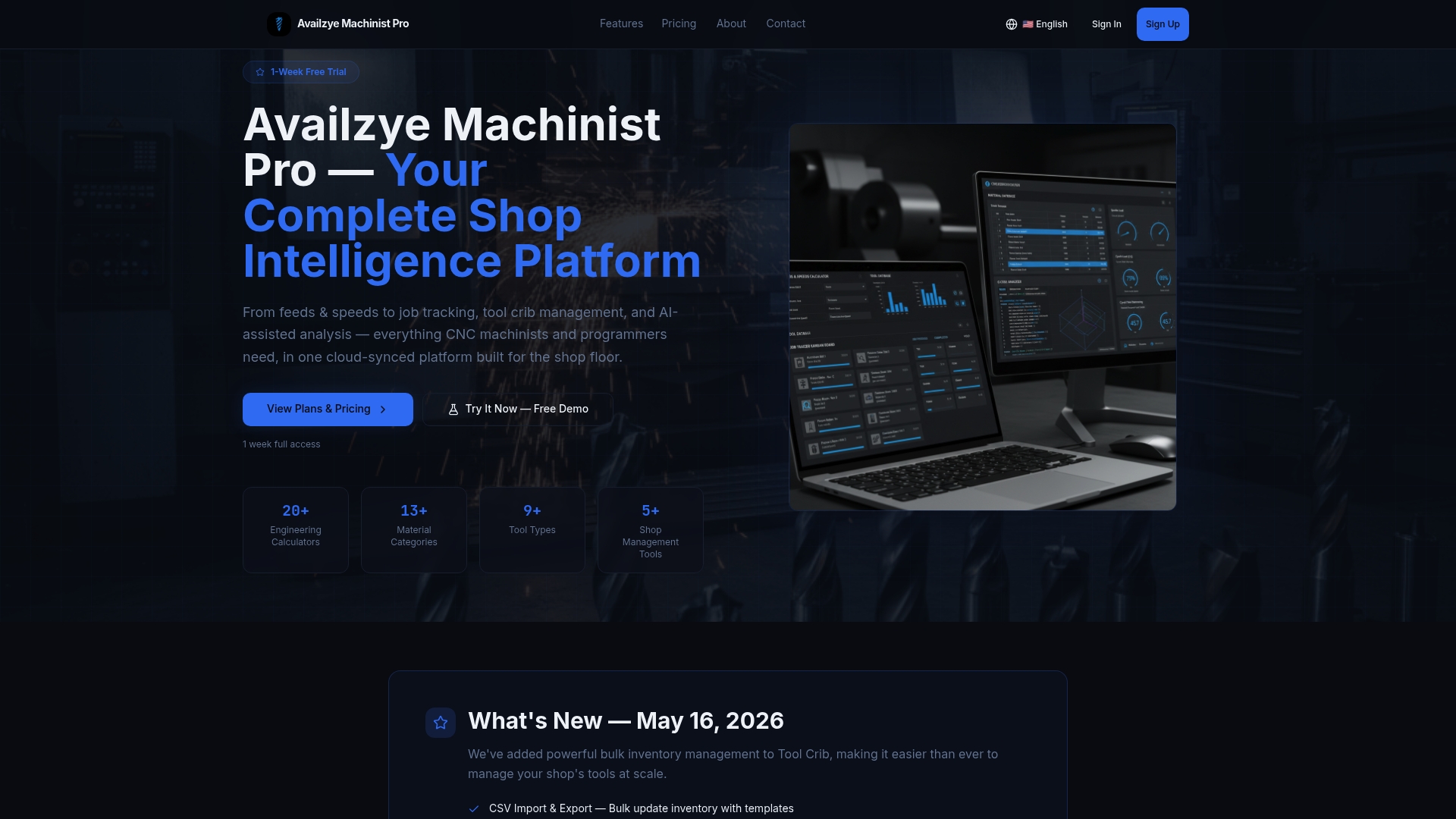
Three tiers cover every shop size: Individual at $9.99/mo, Small Shop at $24.99/mo, and Team at $49.99/mo. The 7-day free trial gives you enough time to run real jobs through the platform and see whether the tool database and shop-management layer actually replace what you're currently doing manually. Start the trial, load your common tools and materials, and run one job end-to-end. That's the fastest way to know if it fits your shop.
Useful sources and further reading
- AI CNC — AI vs. Traditional CNC — Industry guidance on treating calculator outputs as engineering baselines and following a validation loop before production release.
- AI CNC — Feed & Speed Calculator — Covers spindle power and torque tools that let engineers check load against machine capabilities.
- Availzye Machinist Pro — Platform documentation covering all calculation tools, shop management features, and subscription tiers.
- TWC Industrial — Free CNC Calculators — Independent collection of metric and imperial calculators, material chip-load tables, and cost/ROI tools; useful as a free baseline reference.
- CNC Optimization Command Center — High-density planning tools covering feeds and speeds, machining time, cost estimation, ROI, and total cost of ownership for production engineers.
- SpeedCalculator.net — Speed and Feed Calculator — Free web calculator covering milling, drilling, lathe turning, and tapping across 30+ materials; supports both imperial and metric units.
- Autodesk Fusion — CNC Machining Software — Overview of integrated CAD/CAM platforms that combine simulation and post-processing for CAM-to-machine handoff.
- ShopCalc on the App Store — Representative iOS machinist calculator; review App Store update history and ratings before committing to the Pro tier.
- FSWizard on Google Play — Android speeds-and-feeds calculator with chip thinning and HSM support; check Play Store reviews for current version stability.
This article is general information for machinists evaluating software options. Verify current pricing, availability, and calculation methodology directly with each vendor before making a purchasing decision.