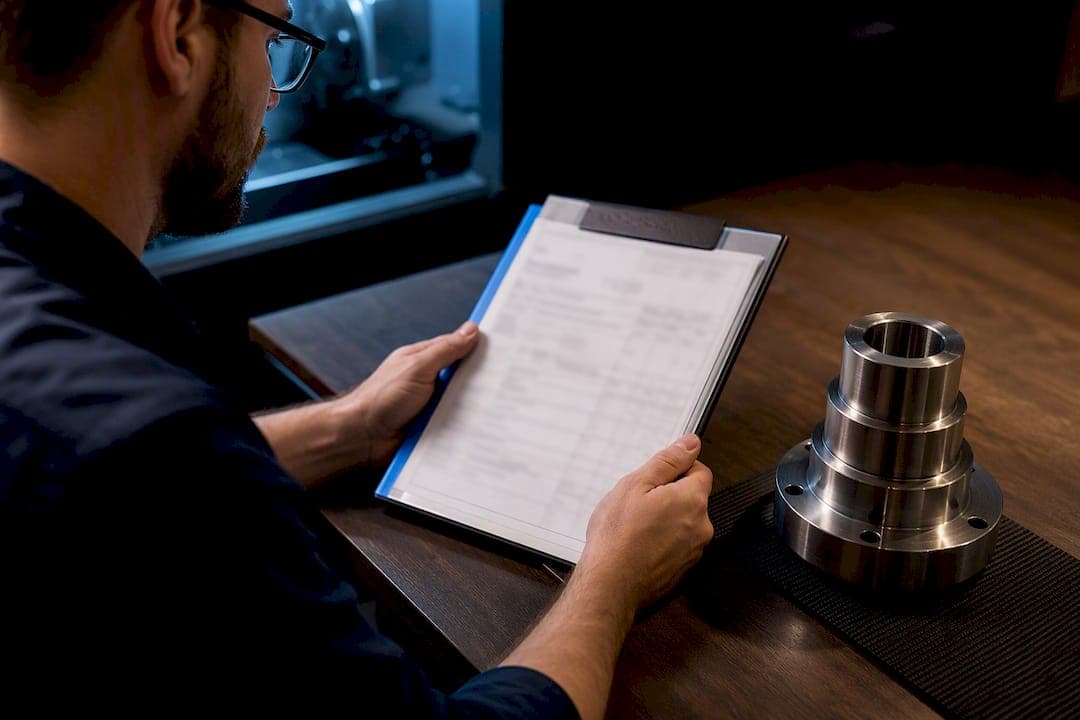
A job traveler is the document that binds a work order's route, specs, drawings, and acceptance criteria into one packet that physically or digitally follows the part through production. Its core benefit is control: it forces the right steps in the right order and leaves a record of who did what, when. That record is what turns a shop's word into proof.
TL;DR:
- Digital travelers reduce revision errors by enforcing instant updates and integration with ERP or MES systems, unlike paper which depends on manual discipline.
- Barcode and QR code workflows enable real-time job monitoring by automating job opening, time tracking, and lot verification, especially in high-mix shops.
- A well-designed traveler features clear, step-by-step checklists with device integration and hard stops to minimize operator guesswork and deviations.
- Key metrics to validate traveler effectiveness include scan adherence, first-pass yield, rework rates, and time per step, feeding into overall equipment effectiveness.
- Phased implementation focusing on high-volume, well-understood jobs, with parallel run and KPI tracking, ensures smoother adoption without disrupting production.
Table of Contents
- What A Job Traveler Is (And How It Fits With Work Orders)
- Core Contents Every Traveler Should Include
- Paper Vs. Digital Travelers: Where Version Control Breaks Down
- Barcode And QR Workflows For Real-Time Job Tracking
- Designing A Traveler Operators Will Actually Follow
- Metrics That Prove A Traveler Is Working
- Rolling Out A New Traveler Without Disrupting Production
- Where Shop Software Fits Into A Traveler Rollout
- Bringing Traveler Discipline Into Your Shop Software
- Sources
What A Job Traveler Is (And How It Fits With Work Orders)
A job traveler is the working document, and the work order is the transaction that authorizes it. The work order tells accounting and scheduling that a job exists; the traveler tells the machinist exactly how to build it. A job traveler defines routing, work instructions, and specifications, and it accompanies that work order from release all the way through final inspection.
A job ticket, by contrast, is often just the short-form authorization slip clipped to the front of the packet, listing part number, quantity, and due date.
The traveler outlives the ticket. It gets used by:
- The programmer or setup machinist, who confirms revision and tooling before the first cut.
- The operator running the job, step by step, shift after shift.
- Quality, verifying inspection points and sign-offs.
- The shop manager or planner, archiving the completed record for audits or warranty claims.
Core Contents Every Traveler Should Include
A traveler that's missing fields forces operators to guess, and guessing is where scrap starts. Build your checklist around these items:
- Header data: part number, revision, customer, quantity, due date, and job number.
- Bill of materials: raw stock, hardware, and any purchased components with lot or heat numbers.
- Drawing reference: current revision letter and a link or path to the controlled master file, not a saved-to-desktop copy.
- Operation sequence: each machine, work center, and setup in order, with cycle time targets.
- Per-step instructions: feeds, speeds, tooling, fixturing notes, and any program call-outs.
- Inspection points: in-process checks, final inspection criteria, and acceptance bands (not just "check dimension," but the actual tolerance).
- User-defined fields: space for lot tracking, heat treat certs, or customer-specific paperwork.
Common components on a solid traveler include job header details, required quantities, operation sequences, and measurement fields, and skipping any of them tends to surface as a rework ticket two weeks later.
Paper Vs. Digital Travelers: Where Version Control Breaks Down
Paper travelers are cheap, fast to deploy, and require zero training. They're also where most revision disasters happen. A machinist runs a job off a printed drawing that's two revisions behind, and nobody catches it until the part fails inspection or, worse, ships.
Digital travelers close that gap because they enforce prerequisites before the operator can proceed, and they update instantly instead of waiting on someone to reprint a stack of paper. Digital travelers integrated into ERP or MES systems provide real-time visibility and reduce errors from wrong revisions, compared with paper that has to be manually redistributed every time a drawing changes.
Pro Tip: If you're not ready for a full digital rollout, at least kill manual "v1, v2, v3" file naming. It's the single most common source of running the wrong revision, and it's entirely avoidable.
Watch for the PDF trap: scanning a paper traveler into a PDF and emailing it around isn't digitization, it's just a slower paper process with extra steps. Real digital travelers change the workflow, not just the file format. Automatic version history with attribution and safe restore options beats manual naming conventions because it removes the human step where errors creep in.
- Paper: low cost, no IT lift, but revision control depends entirely on manual discipline.
- Digital: higher setup cost, but built-in gating and audit trails.
- Hybrid: batch-print travelers for the floor, scan for live updates.
Barcode And QR Workflows For Real-Time Job Tracking
A license-plate barcode, printed once on the traveler header, is the cheapest bridge between a physical job and a live digital record. Scan it at setup, and the system opens the job and pulls the correct revision automatically instead of relying on someone typing a job number into a terminal.
Scanning should trigger three things at minimum:
- Opening the job record and confirming it matches the physical part in front of the operator.
- Clocking time to the specific operation, not just the job as a whole.
- Verifying material lot or heat number against what's called out on the BOM.
Barcoding or QR-coding a traveler lets operators scan to open a job, clock time, and update work-in-process in real time, which matters most for shops running dozens of jobs at once where a paper-only system creates a lag between what's happening on the floor and what the scheduling board shows. Hybrid shops get real mileage here: batch-print the travelers for the physical packet, then let scans handle every status update after that.
Designing A Traveler Operators Will Actually Follow
The best traveler reads like a checklist, not a memo. One step per screen or page, with the acceptance band and a reference image right next to it, beats a dense paragraph of instructions every time. Operators skim; they don't read.
Device integrations earn their keep here. A traveler that pulls a reading directly from a scale or gauge and logs it automatically removes the temptation to eyeball a number and write down what "should" be true. Device integrations like scales and cameras capture readings and photos and write pass/fail events to the audit trail, which gives quality something concrete to review instead of a checkmark with no evidence behind it.
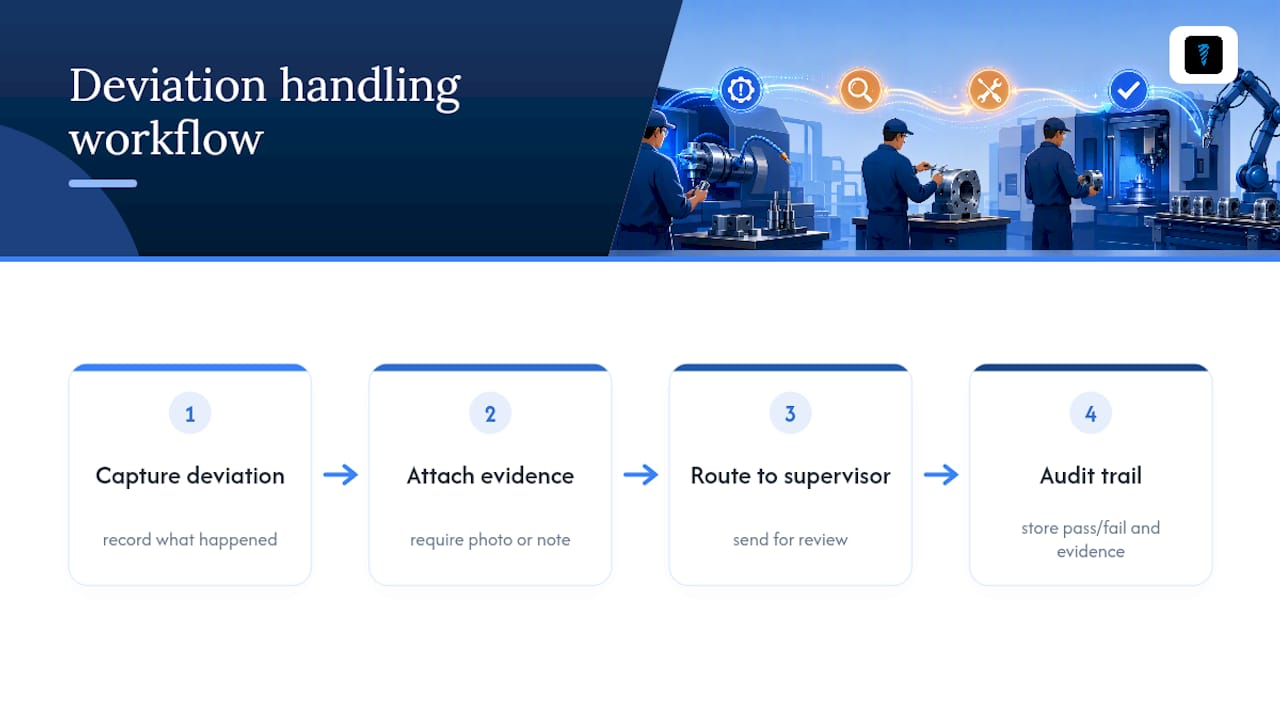
Use hard stops sparingly, for things that genuinely cannot proceed (missing calibration, wrong material lot). Soft stops, a warning the operator can acknowledge and move past, work better for judgment calls. And when something does go wrong, make the deviation process itself instructive: capture what happened, require a photo or note, and route it somewhere a supervisor will actually see it.
Pro Tip: Treat the traveler as the operator's single source of truth. If the instructions are vague, deviations follow, and so does the retraining every time someone new steps up to that machine.
Metrics That Prove A Traveler Is Working
A traveler redesign is hard to justify to ownership without numbers attached to it. Track these from day one of any pilot:
- Scan adherence: how consistently operators complete the required scans during production.
- First-pass yield: parts that clear inspection without needing rework, tracked by job family.
- Rework and scrap per job: monitored relative to the traveler revision currently in use.
- Time per step: measures to identify bottleneck operations and unclear instructions.
This data feeds directly into overall equipment effectiveness calculations and lets quality move to review-by-exception instead of checking every single job. At minimum, record the operator, timestamp, and device reading for every logged step; that's the floor for travelers that enforce readiness checks and write results to a tamper-evident audit trail. Without that trio, a "completed" checkbox proves nothing if a customer ever asks for evidence.
Rolling Out A New Traveler Without Disrupting Production
You don't need a six-month transformation project to fix a traveler system that's leaking errors. Run it in stages:
- Pick one job family. Choose something high-volume and well-understood, not your most complex part.
- Lock down controlled masters. Every drawing and instruction referenced needs one authoritative source, not three versions floating on different desktops.
- Set up a license-plate scheme. Decide what gets scanned, print a short reference card, and train operators in under 30 minutes.
- Run side-by-side. Keep the old process running in parallel for one or two cycles while you validate the new one.
- Track KPIs, then scale. Once scan adherence and first-pass yield hold steady, expand to the next job family.
Successful pilots tend to focus on a single job family and keep the operator at the center of the redesign, rather than digitizing paper forms without changing the underlying workflow itself. If a partner is handling document capture for you, tools built for automating manufacturing document processing can take some of the manual extraction work off your plate during that transition.
Where Shop Software Fits Into A Traveler Rollout
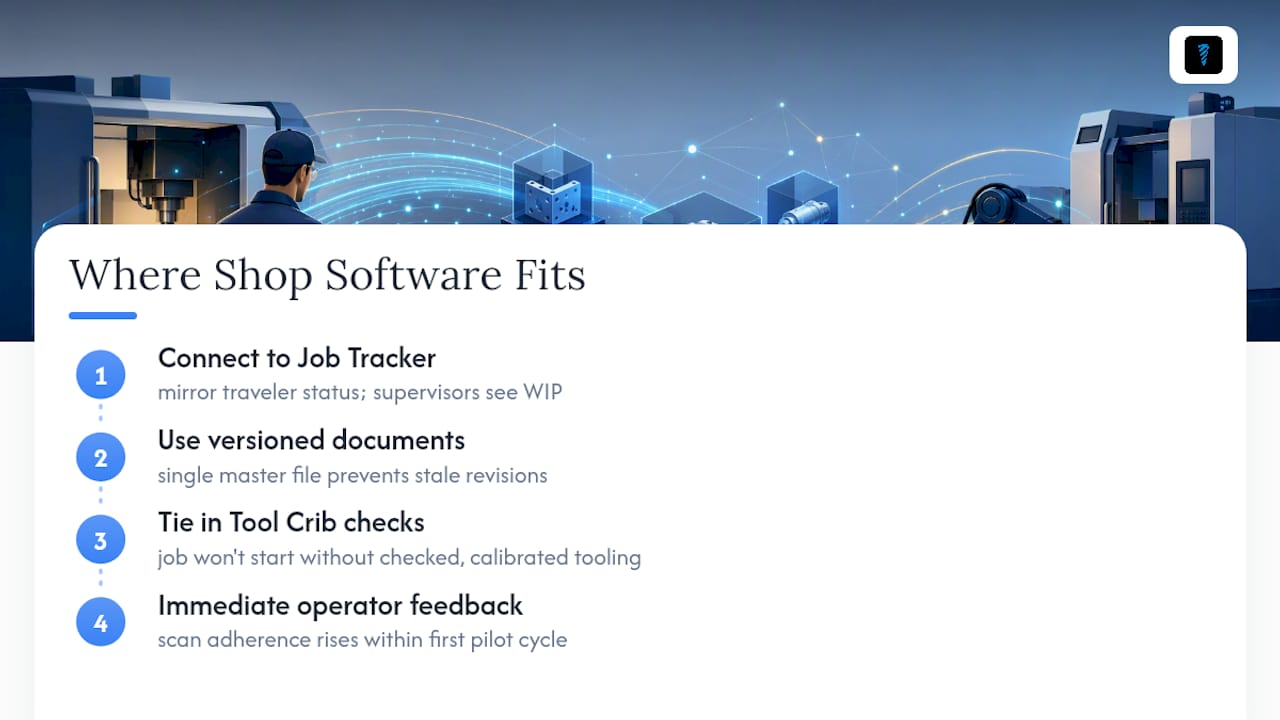
Travelers work best when they connect to something live. A Job Tracker view that mirrors traveler status means a supervisor sees WIP without walking the floor, and versioned document storage means nobody's running a stale revision because the master file only lives in one place. Tie in Tool Crib checks as a prerequisite gate, and a job literally can't start without the right tooling checked out and calibrated.
A shop that pairs a digital traveler with a live job tracker typically sees scan adherence climb within the first pilot cycle, simply because operators get instant feedback instead of a paper form that disappears into a filing cabinet.
— Availzye
Bringing Traveler Discipline Into Your Shop Software
Availzye Machinist Pro is the practical middle ground between staying on paper forever and building a custom MES from scratch. It gives you the Job Tracker, versioned document storage, and Tool Crib gating a good traveler system needs, without the six-figure integration project.
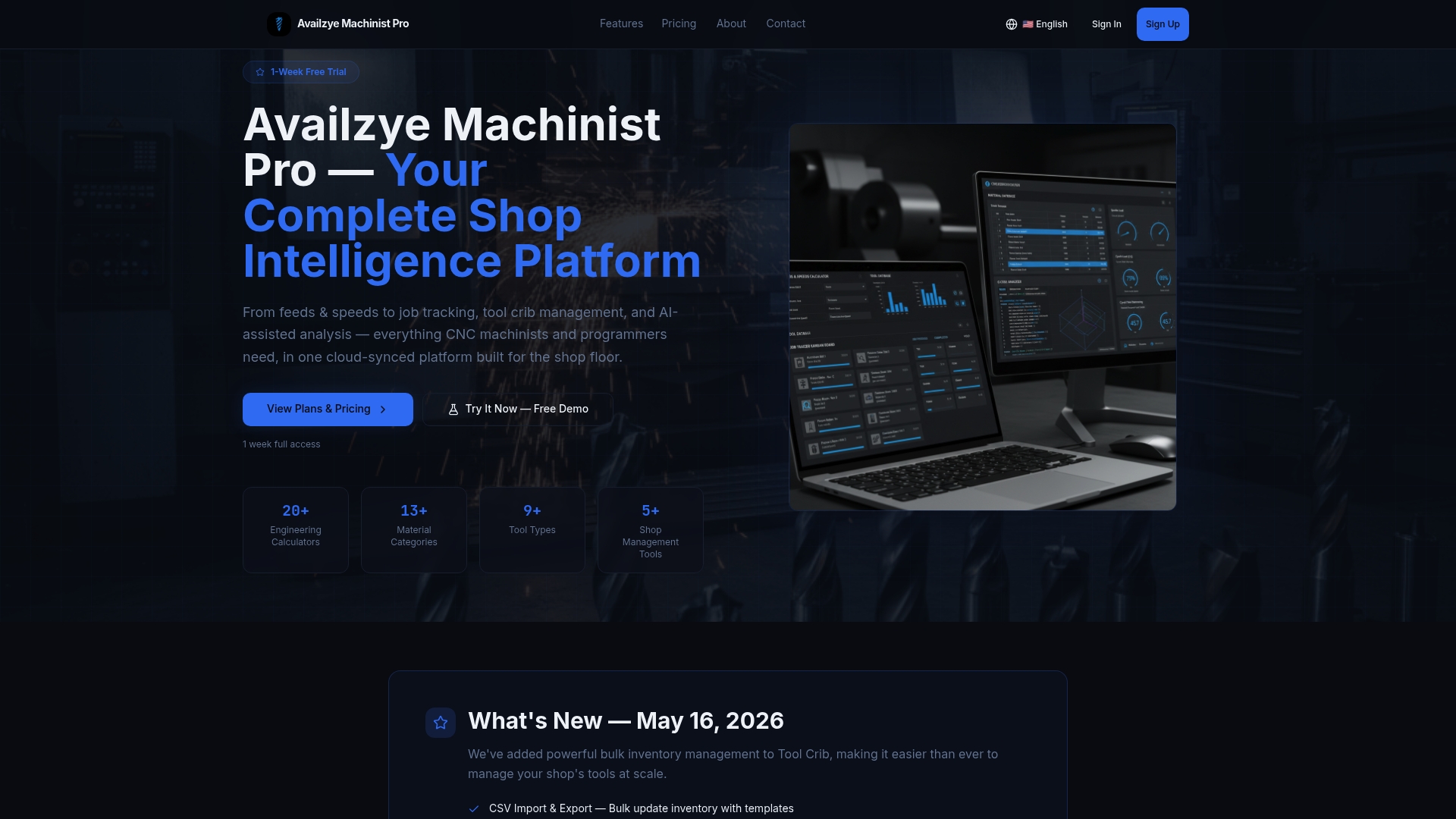
Here's what maps directly onto everything covered above:
- Job Tracker for live work order status instead of a paper board.
- Tool Crib inventory with check-in/check-out so tooling prerequisites actually gate the job.
- Document management for controlled masters and revision history.
- AI Assistant for quick machining reference when an operator hits an unfamiliar setup.
Plans run from Individual at $9.99/month up through Team at $49.99/month, and every tier starts with a 7-day free trial. If you're ready to see how it fits your floor, visit the G-code generator and shop tools overview or start a trial directly.
Sources
For deeper detail on gating and audit trails, see the SG Systems glossary and Cetec ERP's barcode workflow guide.
- Job Traveler — Digital routing & work instructions — SG Systems Global
- Job traveler manufacturing — Synctile resources
- What barcoded travelers do for a work order — Cetec ERP
- Document version control: a guide for businesses — Proton