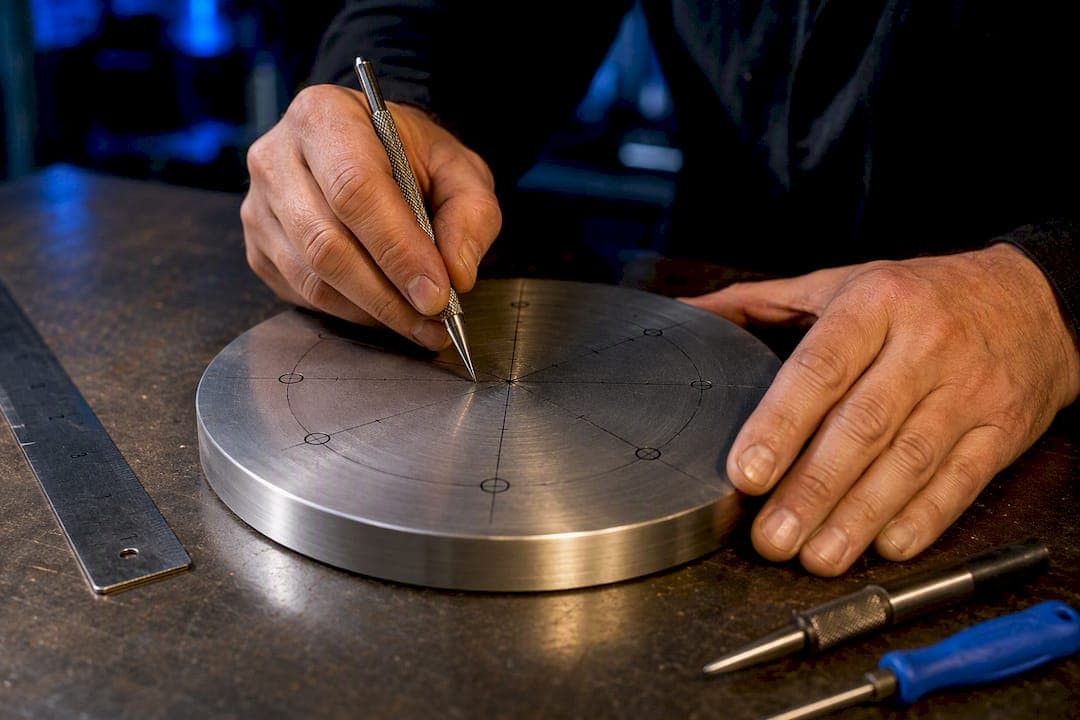
Get exact hole coordinates by running X = Xc + R·cosθ and Y = Yc + R·sinθ for each hole angle, or find bolt circle diameter (BCD) from a measured chord with BCD = C / sin(180°/n). A bolt circle calculator does both instantly, spitting out a coordinate table, chord length, CSV file, and often a ready G-code snippet. A bolt circle tool builds all of that into one export, so you skip the hand trig entirely.
TL;DR:
- Calculating bolt circle coordinates requires knowing the number of holes, radius, start angle, and center coordinates, with angles converted to radians for accuracy.
- Manual methods work for coarse tolerances, but for precise and repeatable layouts, absolute coordinate entry and digital calculators significantly reduce errors.
- Reverse calculations using measured chords are essential for odd hole counts where direct diameter measurement isn't feasible, requiring high caliper precision.
- The Availzye Machinist Pro bolt circle calculator automates all trigonometric and unit conversions, offers CSV and G-code exports, and helps prevent common setup mistakes.
- For tight tolerances or production runs, digital coordinate calculation is strongly recommended over manual layout methods.
Table of Contents
- What Is the Bolt Circle Layout Formula?
- How Do You Lay Out a Bolt Circle by Hand?
- What Do Bolt Circle Calculators Actually Output?
- What Are Common Bolt Circle Patterns and Coordinates?
- What Mistakes Ruin a Bolt Circle Layout?
- How Availzye Machinist Pro Handles Bolt Circle Layouts
- When Should You Go Digital Instead of Manual?
- Try the Bolt Circle Calculator in Availzye Machinist Pro
- Sources
- FAQ
What Is the Bolt Circle Layout Formula?
Every bolt circle layout comes down to five inputs: the number of holes (n), the bolt circle diameter (BCD), the radius (R = BCD / 2), a start angle, and the center coordinates (Xc, Yc). The angular step between holes is Δθ = 360° / n, and each hole angle is θᵢ = θstart + (i − 1) × Δθ.
Once you have θᵢ, the coordinates fall straight out of trigonometry:
X = Xc + R·cos(θᵢ) Y = Yc + R·sin(θᵢ)
Code libraries and CNC controllers work in radians, so convert degrees to radians (θ × π / 180) before feeding angles into a sine or cosine function. The Omni Calculator bolt circle tool automates this exact sequence and hands back a coordinate list without you touching a trig table.
Two conventions trip people up constantly. First, 0° sits on the positive X axis, the 3 o'clock position, not straight up. If you want your first hole at 12 o'clock, add 90° to your start angle. Second, always plug in the radius, never the diameter, into the cosine and sine terms. That single swap is the most common source of a bolt circle that comes out twice as wide as it should.
Here's a 4-hole pattern on a bolt circle with diameter about 3 inches, centered at (0,0), starting at 0°:
- Keep every input consistent in one unit system.
- Use the radius (half the diameter) in the trig functions.
- Confirm your start-angle reference before you proceed.
How Do You Lay Out a Bolt Circle by Hand?
Not every job has a calculator open, and manual methods still hold up fine for coarse tolerances.
- Four holes: Scribe two perpendicular centerlines through your center point with a combination square, then swing an arc at the radius along each line. The four intersections are your holes, spaced at exactly 90°.
- Three and six holes: Set a divider or compass to the radius, strike the circle, then walk the compass around the circumference using the chord length for 60° (six holes) or 120° (three holes) spacing. Check your work by confirming opposite holes on a 6-hole pattern land exactly on a diameter line.
- Rotary table or dividing head: Zero the table at your center, index by Δθ for each hole, then feed out to the radius before drilling as recommended in this manual rotary-table workflow. Convert your calculated θᵢ values directly into rotary table degrees; no extra math needed since they're the same angle.
Skip incremental indexing on a DRO whenever you can. Entering each hole as an absolute X/Y coordinate stops small errors from compounding into a lopsided pattern by hole number six.
Pro Tip: Scribe a witness mark at your intended 0° reference before you start swinging arcs. It's the fastest way to catch a rotated pattern before you've drilled a single hole.
What Do Bolt Circle Calculators Actually Output?
A typical calculator asks for BCD, hole count, start angle, center offset (X/Y), units, and rotation direction (clockwise or counterclockwise). Change any one of those and every downstream coordinate shifts, which is exactly why a calculator beats hand math for anything beyond four or six holes.
The CSV export usually lists four columns: hole index, angle, X, and Y, in the order the holes get cut. That format pastes directly into a spreadsheet or a CNC controller's conversational editor without reformatting.
G-code exports follow a predictable structure worth checking every time:
- Unit declaration first: G20 for inches, G21 for millimeters.
- Absolute positioning mode: G90, so every coordinate references the part origin instead of the last position.
- A rapid move (G00) to each X/Y pair, followed by a drill canned cycle like G81 or G83, with a verified safe retract height above the part.
Reverse-mode calculation runs the other direction: measure the chord (C) between two adjacent holes with calipers, then solve BCD = C / sin(180°/n). This is the go-to method for odd hole counts, where a straight diameter measurement across the pattern isn't possible. Caliper accuracy matters here since even a small chord error compounds through the sine function. Calculators like CircleCalculator's bolt circle tool run this reverse formula automatically once you enter the measured chord and hole count.
What Are Common Bolt Circle Patterns and Coordinates?
A 6-hole pattern on a 100 mm bolt circle diameter (radius half that), centered at (0,0), starting at 0°, generates coordinates at radius distance around the circle. Verify any pattern against the neighbor-chord formula: chord = BCD × sin(180°/n). For six holes, that simplifies roughly to half the BCD, providing a practical verification measurement with calipers as noted in EngBench's coordinate reference.
- 3 holes: 120° spacing, chord = 0.866 × BCD.
- 4 holes: 90° spacing, chord = 0.707 × BCD.
- 6 holes: 60° spacing, chord = 0.500 × BCD.
- 8 holes: 45° spacing, chord = 0.383 × BCD.
Recognizable automotive sizes like 4×100 mm, 5×114.3 mm, and 6×139.7 mm show up constantly in wheel work and fixture design, and both "bolt circle diameter" and "pitch circle diameter" refer to the same measurement in different corners of the industry.
What Mistakes Ruin a Bolt Circle Layout?
Radius and diameter confusion tops the list. Punch BCD straight into a cosine term instead of halving it first, and every hole lands exactly twice as far from center as it should. Mixing inches and millimeters mid-calculation is the second most common wreck, usually from copying a spec sheet in one unit into a calculator set to the other.
Start-angle mismatches cause holes to rotate off their intended clock position, and incremental DRO entry lets small rounding errors stack up hole after hole until the last one misses its mark entirely. Absolute coordinate entry avoids that accumulation problem completely.
- Measure at least one chord with calipers before you commit to drilling the full pattern.
- Confirm one absolute X/Y coordinate against a dial indicator or edge finder.
- Check the widest span across the pattern against your calculated diameter.
- Verify your start angle matches the part's intended orientation, not just 0° by default.
Pro Tip: If you catch an error after drilling two or three holes, stop and re-zero your center from the holes you've already cut rather than trusting your original setup. It's often faster than starting the fixture over.
How Availzye Machinist Pro Handles Bolt Circle Layouts
The bolt circle calculator inside Availzye Machinist Pro runs the same parametric math covered above, but it adds center offsets, unit toggles, and direct CSV and G-code generator exports so you never retype a coordinate by hand.
That matters on the shop floor for a few concrete reasons:
- Fewer manual trig errors, since the radius/diameter and degree/radian conversions happen automatically.
- G-code ready to load onto a CNC controller the moment the pattern is confirmed.
- Saved bolt circle templates inside the Job Tracker, so a repeat job doesn't mean recalculating from scratch.
- Thread and tap sizing for the holes you just laid out through the linked thread drill calculator.
Pair that with feed and speed guidance from a resource like this feeds and speeds reference and the whole drilling operation, from layout math to cutting parameters, stays in one workflow instead of scattered across spreadsheets and sticky notes.
When Should You Go Digital Instead of Manual?
Manual layout with a square, divider, or rotary table works fine for tolerances looser than roughly 0.5 mm (0.02 in), where a small scribing error won't sink the part. Anything tighter, or any job you'll repeat more than once, calls for calculated coordinates and absolute positioning.
Production runs should default to absolute DRO or CNC coordinates every time, not incremental indexing. The math doesn't change between a one-off bracket and a 500-piece run, but the cost of a compounding error does.
— Availzye
Try the Bolt Circle Calculator in Availzye Machinist Pro
Skip the hand trig entirely: enter hole count, BCD, and start angle to get a full coordinate table plus a CSV or G-code file ready for your controller.

That's the real advantage over working from a scratch pad or a spreadsheet formula you have to rebuild every job: one calculator, one export, no re-deriving sine and cosine terms at 6 AM before a setup. The bolt circle tool sits alongside thread drill, taper, and feeds and speeds calculators in the same platform, with plans starting at $9.99 CAD per month for individual machinists and $24.99 CAD per month for small shops running multiple jobs at once. A 7-day free trial covers every plan, so run your next bolt circle through it before your next setup and see the coordinate table for yourself.
Sources
- Bolt circle calculator — Omni Calculator
- Bolt Circle: Free PCD Coordinates and G-Code — CircleCalculator
- Bolt Circle Coordinate Calculator — EngBench
- Bolt Circle Calculator | SteelSolver
FAQ
How Do You Figure Out a Bolt Circle?
Pick a hole count and BCD, then solve X = Xc + R·cos(θᵢ) and Y = Yc + R·sinθᵢ for each hole angle, where θᵢ increases by 360°/n per hole. A calculator does this instantly and exports the full coordinate table.
What Is the Bolt Circle Diameter?
Bolt circle diameter, also called pitch circle diameter, is the diameter of the imaginary circle running through the center of every hole in the pattern. It's the number you halve to get the radius used in the coordinate formulas.
How Do You Figure Out the Bolt Pattern?
Count the holes and measure the chord distance between two adjacent ones with calipers, then solve BCD = C / sin(180°/n). This reverse calculation works even on odd hole counts where a straight diameter measurement isn't possible.
Can I Convert Bolt Circle Measurements?
Yes, as long as you convert both the BCD and any chord measurements to one unit system before running the formulas. Mixing inches and millimeters mid-calculation is one of the most common causes of a bolt circle that comes out the wrong size.