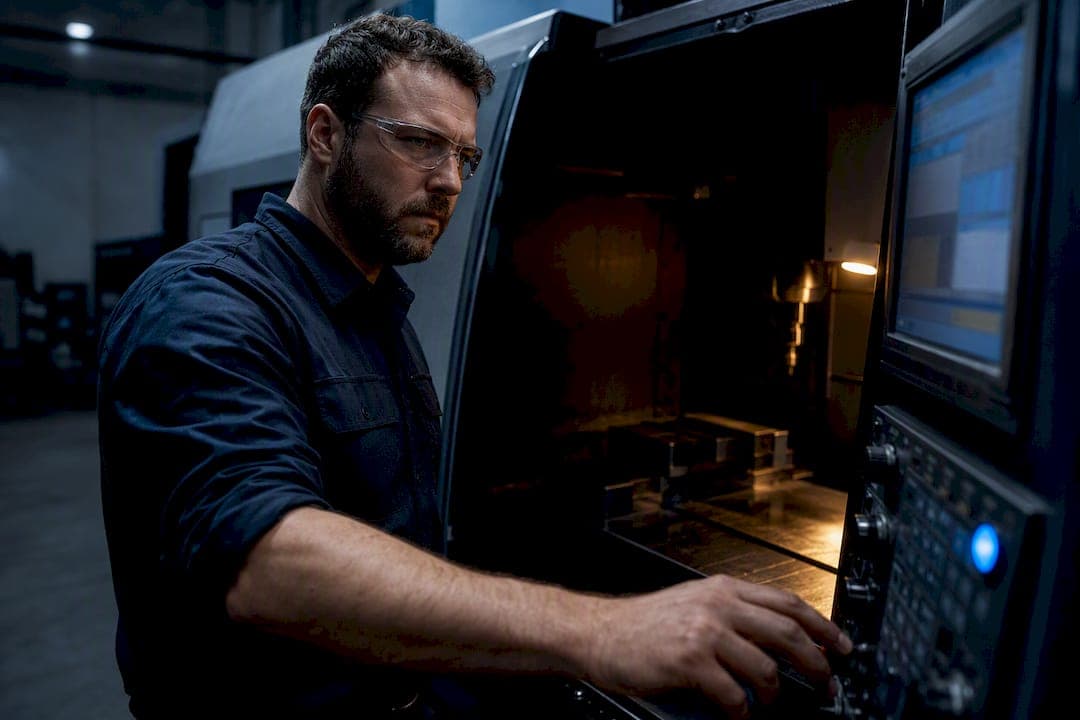
A safe startup block resets every modal state the control might have inherited from the last program, so the machine starts from a known, predictable condition instead of guessing. A canonical example looks like G17 G40 G49 G80 G90 G20 G54, which sets the XY plane, cancels cutter and tool-length compensation, cancels canned cycles, forces absolute positioning, sets inches, and calls the correct work offset. The core payoff is simple: it stops the machine from executing leftover commands from whatever ran before it, which is the root cause of most unexplained crashes.
TL;DR:
- Ensuring units, distances, and modes are explicitly set at the start prevents scale errors, crashes, and miscuts caused by inherited states or forgotten commands.
- Canceling previous compensations and canned cycles, and clearly defining work offsets, avoids unpredictable tool behavior and incorrect cuts.
- Control-specific templates for Fanuc, Haas, and Siemens standardize safe starts, but each must account for unique handling of plane, units, and transforms.
- Ignoring common crash patterns such as XY rapid moves before Z clearance, or stale tool offsets, can be prevented with mandatory, rule-based startup procedures.
- Automating verification and incorporating safe-start routines into macros help maintain consistency across all programs, reducing operator errors and control assumptions.
Table of Contents
- What Belongs in a Safe Startup G Code Checklist
- Why Each Code Is There: The Failure It's Actually Preventing
- Control-Specific Templates: Fanuc, Haas, Siemens
- The Crash Patterns That Keep Repeating
- Verifying Before You Cut: Dry Runs and Restart Checks
- Catching Modal-State Errors Before They Reach the Spindle
- What to Do When a Startup Block Throws an Error
- Building Safe Starts Into Your Machine Initialization Routine
- Author's Recommendation: One Standard, Enforced
- Generate and Verify Safe Starts Without Retyping Them
- Sources
What Belongs in a Safe Startup G Code Checklist
Every safe start line exists to answer one question: what state was the control left in, and what do I need to force it back to before this program touches metal? Run through this checklist before trusting any header block on your machine.
- Units first (G20/G21). A program written in inches that runs in millimeters scales every move by roughly 25x. That single omission has bent more tools than almost any other mistake, according to Practical Machinist's breakdown of common safety-line habits.
- Distance mode and plane (G90/G91, G17/G18/G19). Absolute mode should be the default assumption unless a specific operation calls for incremental moves, and the plane selection has to match the axis you're actually cutting on.
- Cancel compensation and cycles (G40, G49, G80). Cutter compensation, tool-length compensation, and any active canned cycle from the previous program need to be explicitly canceled, not assumed off.
- Work offset (G54 through G59). Naming the offset explicitly, rather than trusting whatever was active last, removes an entire category of "why did it cut in the wrong spot" calls.
- Feed mode, spindle, coolant (G94/G95, M5, M9). Feed per minute versus feed per revolution changes behavior dramatically on threading or facing operations, so state it.
- First-motion rule. Retract Z before any XY rapid. This single habit prevents the most common crash pattern in the entire list.
Treat this as an audit, not a formality. If your header block skips even one line, you're trusting the previous operator's program to have left things the way you need them.
Why Each Code Is There: The Failure It's Actually Preventing
Every line in a safe startup block is a direct response to a specific, documented failure mode. Knowing what each one prevents makes it much harder to skip it out of habit.
- G17/G18/G19 (plane selection). Cutting a bore on the wrong plane sends the tool into material at the wrong angle entirely, often at rapid speed. Machines don't reset this automatically between programs.
- G20/G21 (units). The classic version of this mistake: a metric part programmed in millimeters runs on a control still set to inches, and every dimension balloons by nearly 2.5 times. It's rarely subtle, and it's rarely cheap.
- G40, G43, G49 (compensation). Leaving cutter compensation active from a prior tool means the next tool offsets from the wrong edge. Leaving tool-length compensation stale means your Z-heights are wrong before the spindle even turns.
- G80 (canned cycle cancel). A drilling cycle left active can fire the next rapid move as if it were a peck cycle, plunging into material that was never supposed to see a drill.
- G90/G91 (absolute vs incremental). A move meant to be relative, executed in absolute mode, can send a tool clear across the table. This is one of the fastest ways to snap a spindle.
- G28 vs G53 (home versus machine-zero retract). G28 typically routes through an intermediate point and can trigger fixture offsets in ways operators don't expect; G53 moves in machine coordinates directly, ignoring work offsets entirely. Confusing the two routinely causes overtravel or unexpected part strikes.
Control-Specific Templates: Fanuc, Haas, Siemens
Every control interprets modal state slightly differently, so a header block that's bulletproof on one machine can behave oddly on another. Here's a working starting point for each of the three most common shop controls.
- Fanuc. The gold-standard opening on most Fanuc-based mills is
G17 G20 G40 G49 G80 G90 G54, followed by a tool call and a Z-first retract usingG91 G28 Z0or, where machine-zero retraction is preferred,G53 Z0. Fanuc programs also support macroizing this entire header into a single O-code call, which keeps every program consistent and avoids line-length issues on older controls, a practice detailed in machine tool help's guide to safety program code. - Haas. Haas controls follow a nearly identical pattern, but shops commonly favor
G53 Z0for retracts because it moves in machine coordinates without depending on a correctly set work offset. That's a meaningful safety difference if the offset itself is in question. - Siemens. Siemens uses a conceptually similar start (plane, units, cycle cancel, absolute mode) but adds transformation handling. If a
TRAFOOFor active kinematic transform is on from a prior 5-axis operation, it needs to be explicitly turned off before a 3-axis program runs, or moves will be calculated through the wrong kinematic model entirely.
Every one of these templates assumes the machine has already been homed. A safe start doesn't replace homing. It replaces guessing about what state the control is in after homing.
The Crash Patterns That Keep Repeating
Three failure patterns account for the overwhelming majority of "mystery crashes" shops deal with, and all three are preventable with an enforced standard rather than operator memory.
- XY rapid before Z clearance. Moving in X or Y before Z has retracted above the part is the single most common crash pattern on record, and it's entirely a sequencing problem, not a programming error.
- Wrong units or distance mode left active. A program inherits whatever the last job set, and if nobody forced it back to a known state, the next job runs on assumptions instead of facts.
- Stale tool-length or cutter compensation. A compensation value that was correct for the last tool is almost never correct for the next one.
The fix isn't more caution. It's a rule that removes the decision entirely: no XY move is allowed below a defined clearance height, full stop. Pair that with mandatory explicit modes on every program and tool-change discipline that forces a fresh height check on every tool swap, and most of these incidents stop happening.
Pro Tip: Build your safe-start header into a macro or a standard header file once, then call it from every program. A shop that enforces one canonical block across every machine eliminates the version-drift that causes half of these crashes in the first place.
Verifying Before You Cut: Dry Runs and Restart Checks
A safe-start block only earns trust once it's been verified, not assumed. Run through this sequence before any new or edited program touches material.
- Simulate first. Graphics simulation or a digital-twin run catches startup-state failures, like a cancel that didn't actually cancel, before the spindle ever moves. This step exists specifically because some modal states behave differently in simulation than shops expect once the real control interprets them.
- Single-block the first moves. Step through the header and the first few motion lines one block at a time, watching the position readout match your expectation exactly.
- Run the restart checklist. Reassert units, confirm the active work offset, verify the tool number and H/D register, check spindle direction and coolant state, and confirm the first move is a Z retract, not an XY move.
- Sign off before handoff. Whoever verifies the first run should initial or log it, so the next shift trusts the program instead of re-checking it from scratch.
Shops that build safe-start verification into every restart, not just new programs, catch the majority of "mystery crashes" before they become incidents, according to industry guidance on crash-proof program templates.
Catching Modal-State Errors Before They Reach the Spindle
Manually auditing every header line across dozens of programs is exactly the kind of repetitive check that gets skipped under deadline pressure. Automated G-code analysis flags a missing cancel or an unset unit command before the program ever loads on the control, catching the same modal-state leaks a human reviewer might miss on a Friday afternoon.
- Automated analysis scans a program's header for missing G40, G49, or G80 calls and flags them before cycle start.
- A connected tool database checks H and D register values against what's actually loaded, so a stale tool-length offset gets caught instead of trusted.
- AI-assisted suggestions can recommend safe retract heights based on part geometry and flag headers that deviate from your shop's standard template.
The goal isn't replacing the operator's judgment. It's removing the specific class of error that comes from checking the same twelve lines by eye, program after program, shift after shift.
What to Do When a Startup Block Throws an Error
An alarm during the safe-start sequence is the control doing exactly what it's supposed to do: refusing to proceed on an assumption it can't verify. Treat every one of these as information, not an obstacle to clear and move past.
If the machine alarms on a work offset call, don't assume it's a fluke and re-run the block. Check whether G54 (or whichever offset you called) has actually been touched off for the current setup. Running an uncorrected offset is far more dangerous than the alarm itself.
A compensation-related fault, often something like an illegal offset value or a G41/G42 call with no D register set, usually means a previous tool's cutter comp never got properly canceled. Don't clear the alarm and continue; step back through the header and confirm G40 actually executed before anything else ran.
If a canned-cycle alarm fires unexpectedly, look for a stray G80 that's missing or misplaced. Some controls interpret a canned cycle as still active until it's explicitly canceled on its own line, not just implied by the next block.
Overtravel alarms during a Z-first retract almost always mean the machine's actual position doesn't match what the program assumed, often because the machine wasn't homed after a power cycle. Home the machine and re-verify the retract in single block before doing anything else.
The pattern across all of these: an alarm during a safe start is the system protecting you from an assumption that turned out to be wrong. Never bypass one without understanding exactly which assumption failed.
Building Safe Starts Into Your Machine Initialization Routine
A safe-start block works best when it's not something an operator types from memory every time, but a fixed element of how every program on the machine begins. That means building it into your initialization macros rather than trusting habit.
Store the header as a single callable macro or subprogram, referenced with one G-code or M-code call at the top of every job. This is the same approach recommended for Fanuc controls to avoid line-length limits and keep every program's header identical, regardless of who wrote it. When the shop standard changes, updating one macro updates every program that calls it, instead of requiring a search-and-replace across a folder full of files.
Version-control your header macro the same way you'd version any other critical shop document. If a change is made, log what changed and why, and push it to every machine at once rather than letting machines drift out of sync with each other.
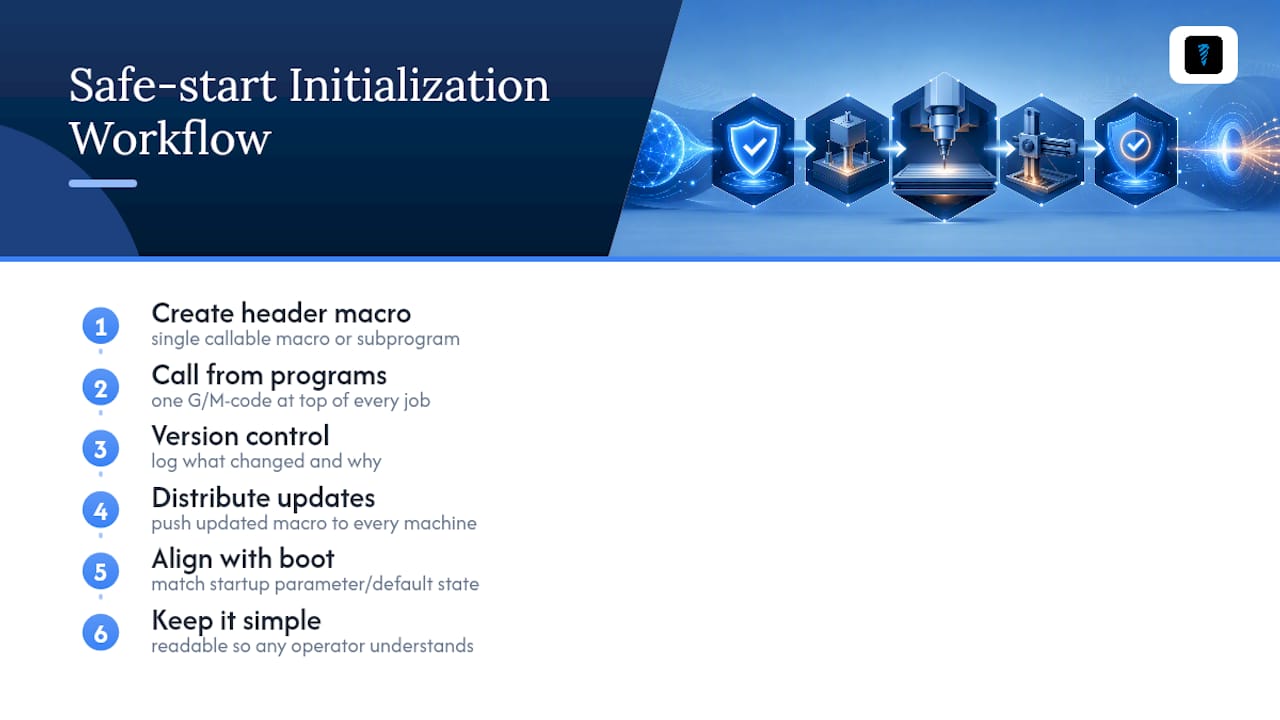
Pair the macro with your machine's actual power-up sequence, not just the start of the G-code file. If your control supports a startup parameter or default state on boot, align it with what your safe-start block asserts, so the two reinforce each other instead of contradicting each other on the rare program that skips the header.
Finally, keep the macro simple enough that a new operator can read it and understand what each line does. A safe-start block that only the person who wrote it understands isn't a shop standard. It's a liability waiting for that person's day off.
Author's Recommendation: One Standard, Enforced
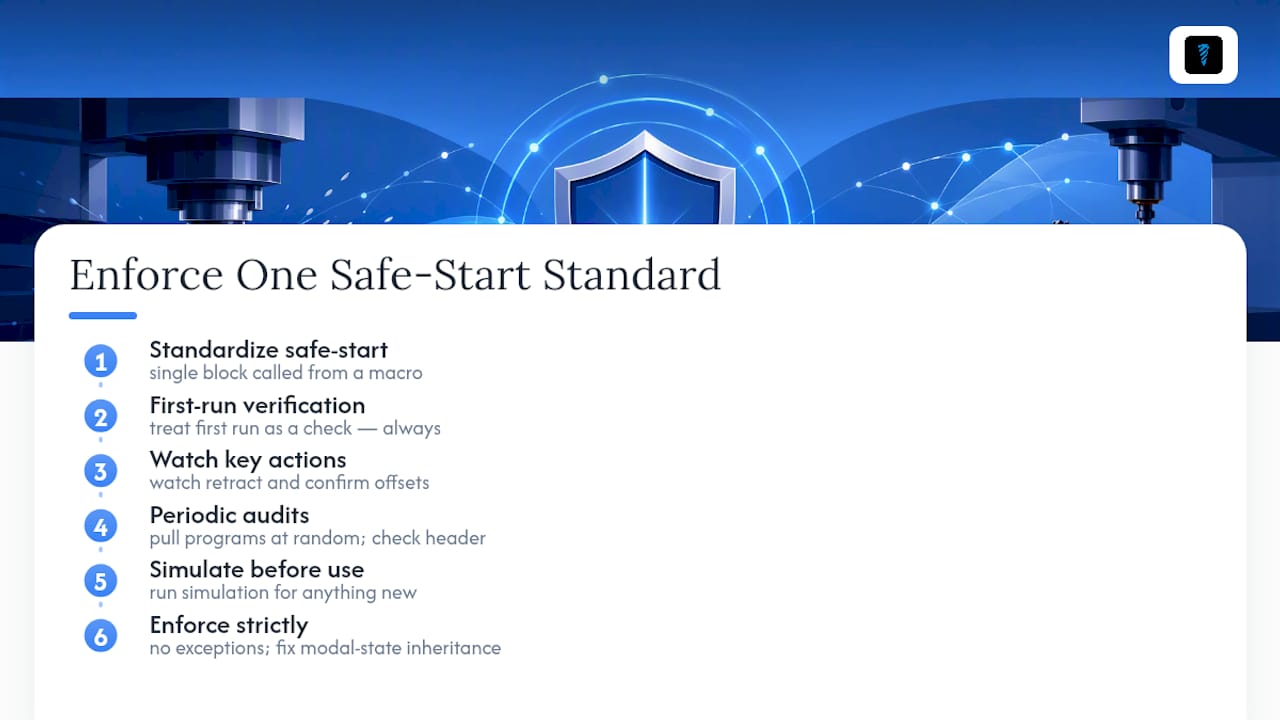
The biggest mistake shops make isn't skipping safe-start code. It's letting every programmer write their own version of it. A safe start only works as a system-wide habit if it's the same block everywhere, called from a macro rather than retyped from memory, because retyping is where lines get dropped.
Train every operator to treat the first run of any program as a verification event, not a formality: single block, watch the retract, confirm the offset, every time. Pair that with periodic audits, pulling programs at random and checking the header against your shop standard, and simulation-based checks before anything new goes near material. Modal-state inheritance is the single most fixable cause of CNC crashes, and fixing it doesn't take new equipment. It takes one standard, enforced without exception.
— Availzye
Generate and Verify Safe Starts Without Retyping Them
Building a safe-start header from memory every time is exactly the kind of repetitive task that eventually gets skipped under deadline pressure. Availzyemachinistpro's GCode Generator builds standardized safety headers into your exported programs automatically, so every job leaves the shop with the same verified block instead of whatever the programmer remembered that day.

The GCode Wizard checks a header block against modal-state rules before it ever reaches the control, catching a missing G40 or an unset offset the same way a second set of eyes would. Pair that with the connected tool database to confirm H and D register values match what's actually loaded, and you've closed the two biggest gaps between a written safe start and a verified one. A 7-day free trial gets your shop's header template built and checked without committing to anything first.
Sources
Control behavior varies enough between manufacturers that no single article replaces the manufacturer's own documentation. Use these alongside your control's programming manual for anything mission-critical.
- What Should Every CNC Safe Start Block Include?
- CNC Safety Lines Explained
- CNC Safe Start Lines & Best Practices: Preventing Tool Breakage and Overtravel