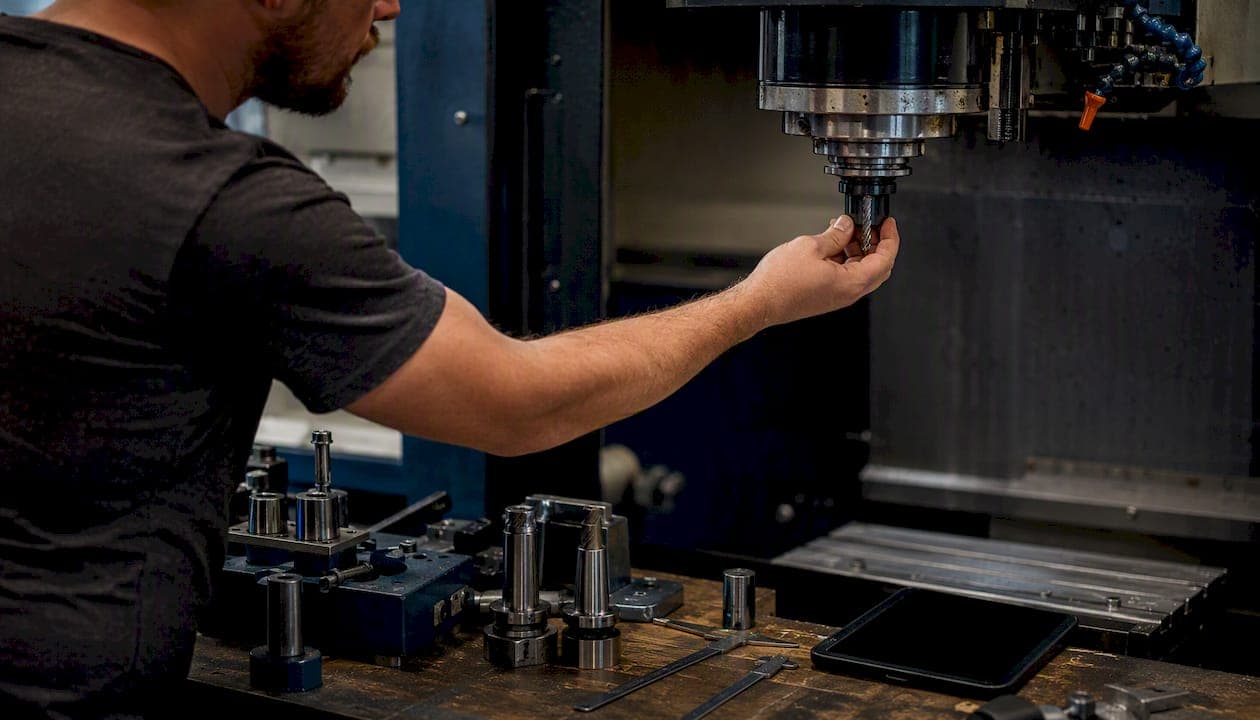
Yes, AI can automate and accelerate quoting in both sales and manufacturing contexts while keeping humans in control of margins and exceptions. The right next step for most shops is a scoped pilot on a narrow product family using real RFQs, not a platform-wide rollout.
Immediate benefits you can expect from adding AI to your quoting workflow:
- Faster first response: real-time or same-day quotes instead of multi-day turnarounds
- Fewer data-entry errors: automated extraction from emails, PDFs, and CAD files removes manual transcription
- Consistent discounting: rules-based pricing logic applied uniformly across every quote
- Higher throughput: estimators shift from repetitive entry to exception handling and negotiation
Start with a baseline measurement of your current cycle time and quote-to-order rate before you touch anything. That data is what makes your pilot results defensible to leadership.
Key Takeaways
AI quoting delivers the most value when extraction accuracy, ERP integration, and human-in-the-loop controls are all in place from the start of the pilot.
| Point | Details |
|---|---|
| Start with a baseline | Capture an appropriate amount of cycle time and quote-to-order data before the pilot begins. |
| Map your catalog first | Data cleanup and synonym harmonization determine your extraction accuracy ceiling. |
| Require bi-directional ERP sync | One-way integrations create data silos that erase efficiency gains. |
| Keep humans on margins | Use tiered approvals by dollar amount and margin variance during the initial months. |
| Availzye Machinist Pro | Combines AI Assistant, Cost Estimator, CAD Viewer, and Job Tracker in one platform built for CNC shops. |
Table of Contents
- What is AI-powered quoting and how does it differ from traditional quoting?
- How AI quoting works in manufacturing: the real-time quoting workflow
- What concrete benefits does AI bring to quoting?
- What capabilities should you require from an AI quoting solution?
- How do you implement AI quoting, and how long does it take?
- What risks and governance practices should you plan for?
- How Availzye Machinist Pro applies AI to quoting
- What KPIs should you track to prove ROI from AI quoting?
- What questions should you ask vendors during demos?
- What the shop floor actually teaches you about AI adoption
- Availzye Machinist Pro puts AI quoting within reach for CNC shops
- Sources
What is AI-powered quoting and how does it differ from traditional quoting?
Traditional quoting is either fully manual (an estimator reads an RFQ, opens a spreadsheet, and types line items) or rule-based CPQ (Configure, Price, Quote), where a rigid decision tree applies preset pricing logic. Both approaches break down the moment an RFQ arrives as an unstructured PDF, a hand-marked drawing, or a free-text email with non-standard part descriptions.
AI-powered quoting replaces that fragility with learned behavior. The system uses natural language processing (NLP) to parse unstructured RFQs, computer vision or CAD parsers to extract features from drawings and STEP files, and machine learning models to estimate costs and match parts to your internal catalog. A rules engine then applies your business constraints: margin floors, customer-specific discounts, and approval thresholds. The result is a draft quote generated in minutes rather than hours, with every decision logged and explainable.
The critical distinction from rule-based CPQ is learning from historical data. A CPQ system does what you tell it. An AI quoting system improves its part matching and cost estimates as it processes more RFQs, surfacing patterns a human estimator would take years to internalize. That said, the rules engine still matters: ML handles the probabilistic work, and the rules engine enforces the business guardrails that protect margin.
Core technology building blocks to understand:
- NLP: parses free-text emails, PDFs, and spec sheets to extract part numbers, quantities, materials, and tolerances
- Computer vision / CAD parsers: read STEP, DXF, and PDF drawings to identify features (holes, pockets, threads) that map to machining operations
- ML cost-estimation models: predict operation time and scrap rates from historical job data
- Rules engine: applies pricing logic, discount tiers, and approval routing
- Integrations: bi-directional connections to ERP, CRM, CAD/CAM, and shop-management platforms
How AI quoting works in manufacturing: the real-time quoting workflow
The end-to-end workflow for a machined-parts shop looks like this:
- Ingest the RFQ. The system receives an email, PDF, or STEP file. NLP extracts line items, quantities, materials, and delivery requirements. CAD parsers pull geometric features from drawings.
- Map to internal catalog or BOM. Extracted part descriptions are matched to your existing part numbers or bill-of-materials entries. Fuzzy matching handles minor description variations; unmatched items are flagged for human review.
- Estimate operations and scrap. The ML model predicts machining time per operation (turning, milling, drilling, finishing), scrap allowance, and setup time based on historical job data and the part's geometric complexity.
- Apply pricing rules and margin targets. The rules engine layers in material costs, overhead rates, customer-specific discounts, and margin floors. Any quote that falls below a margin threshold is automatically routed for approval.
- Route for approval. Tiered approval logic sends high-value or low-margin quotes to a senior estimator or sales manager before they leave the building.
- Export the quote and convert to order. Once approved, the quote is formatted with your branded template and sent. On acceptance, it converts to a sales order and pushes to your ERP and job tracker.
AI systems can parse drawings and RFQs to automate quoting, but they require careful mapping from extracted items to the internal parts catalog, and human review remains standard practice for custom parts and new SKUs. The mapping step is where most implementations stall: a part described as "6061 AL bracket, 3-hole pattern" in one RFQ might appear as "aluminum mounting plate, qty 3 holes" in the next. Building a robust synonym and alias library before go-live is unglamorous work, but it determines whether your extraction accuracy is low or high.
ERP and shop-management sync happens at two points: when the quote is created (pulling current material costs and inventory) and when it converts to an order (pushing job details to the production floor). Without bi-directional ERP sync, quoting automation creates a parallel data silo that requires manual reconciliation and erodes every efficiency gain you expected.
Pro Tip: Keep a human estimator in the loop for custom parts and new SKUs for the first 3–6 months of production use. Set an automatic flag for any part that has fewer than five historical jobs in your data. The model's confidence on thin data is low, and a single mispriced custom job can wipe out weeks of efficiency gains.
What concrete benefits does AI bring to quoting?
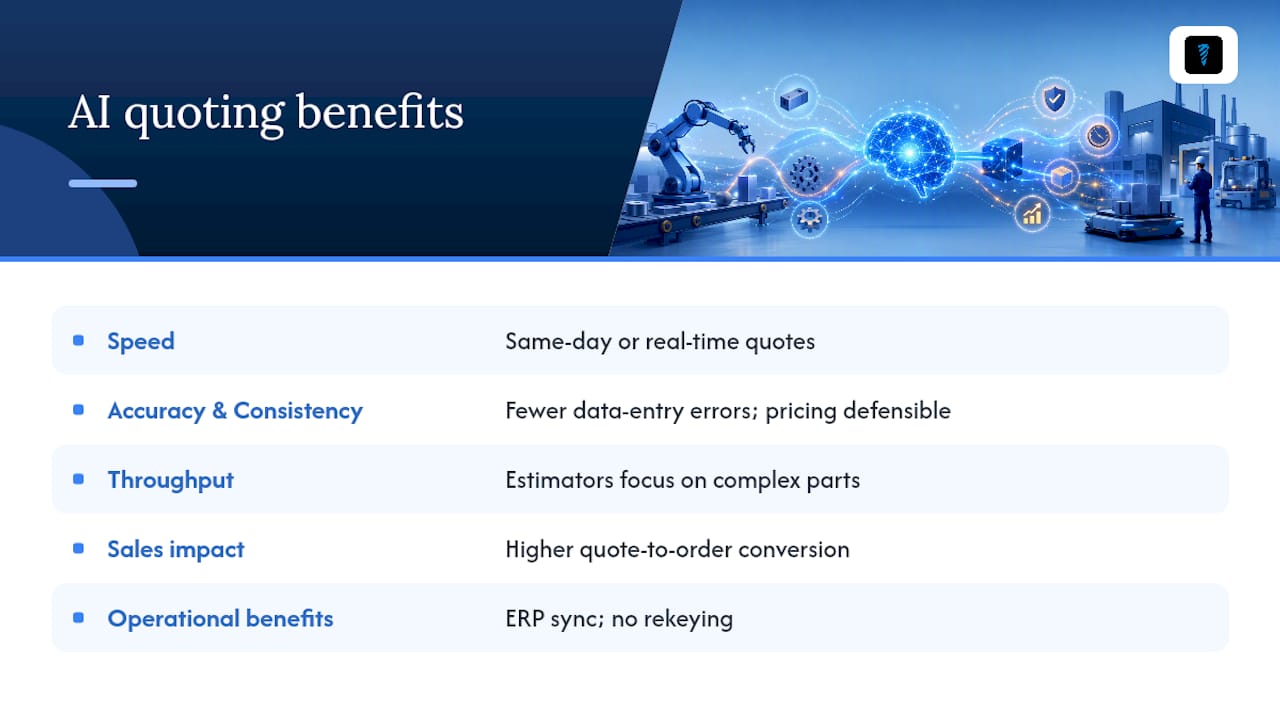
Speed is the most visible gain. A shop that currently takes two to three days to return a quote can realistically target same-day or real-time responses on standard parts once the catalog mapping is solid. Faster replies correlate directly with higher win rates: buyers who send RFQs to three vendors often award the job to the first credible quote they receive.
Accuracy and consistency matter more than speed over the long run. AI applies the same rules every time, which protects margin and makes your pricing defensible in a sales review. Fewer data-entry errors also mean fewer order corrections downstream, which saves production time and customer goodwill.
Throughput shifts the estimator's job description. Instead of spending six hours a day on repetitive entry, a skilled estimator spends that time on complex custom parts, supplier negotiations, and customer conversations. That reallocation tends to improve both quote quality and employee satisfaction.
Sales impact shows up in quote-to-order conversion. Faster responses and personalized offers (correct pricing for a customer's volume tier, correct lead time for their delivery window) reduce the friction that causes buyers to go elsewhere. Vendor claims about conversion improvements should be validated with your own pilot data rather than taken at face value, but the directional logic is sound.
Operational benefits compound over time. When quotes sync directly to your ERP and job tracker, rekeying disappears, order errors drop, and production scheduling gets more accurate inputs from day one of a job.
What capabilities should you require from an AI quoting solution?
Not every platform delivers the same depth. Before you issue an RFP or sit through a demo, lock down your must-have list.
Essential capabilities
| Capability | What it means operationally | Risk if missing |
|---|---|---|
| Accurate line-item extraction (NLP + CV) | Pulls part numbers, quantities, materials, tolerances from unstructured RFQs | High manual correction burden; defeats the purpose |
| Part/catalog matching | Maps extracted descriptions to internal SKUs or BOM entries | Mismatches create wrong pricing and order errors |
| Configurable pricing rules engine | Applies margin floors, discount tiers, and customer-specific logic | Inconsistent pricing; margin leakage |
| Approval workflows | Routes quotes by dollar value or margin variance | Unauthorized discounts leave the building |
| Audit logs and explainability | Records every pricing decision with a reason | Compliance exposure; no way to investigate errors |
| Branded quote templates | Formats output with your logo, terms, and layout | Unprofessional output; manual reformatting |
| Quote-to-order conversion | Pushes accepted quotes directly to ERP/job tracker | Manual rekeying; order errors |
Integration expectations
- Bi-directional ERP sync: pulls live material costs in; pushes orders out
- CRM connectivity: links quotes to customer records and opportunity pipelines
- CAD/CAM file ingestion: accepts STEP, DXF, and PDF drawings natively
- Shop-management compatibility: connects to job tracking, tool inventory, and maintenance logs
Security and governance
Role-based access controls, a full change history on every quote, and the ability to lock pricing rules to prevent unauthorized edits are non-negotiable in any regulated or high-volume environment. Ask specifically how the vendor handles pricing rule version control: when you update a margin floor, does the system log the old value and who changed it?
How do you implement AI quoting, and how long does it take?
Implementation breaks into five phases. The timeline ranges below assume a mid-size job shop with an existing ERP and a parts catalog of a few hundred to a few thousand SKUs.
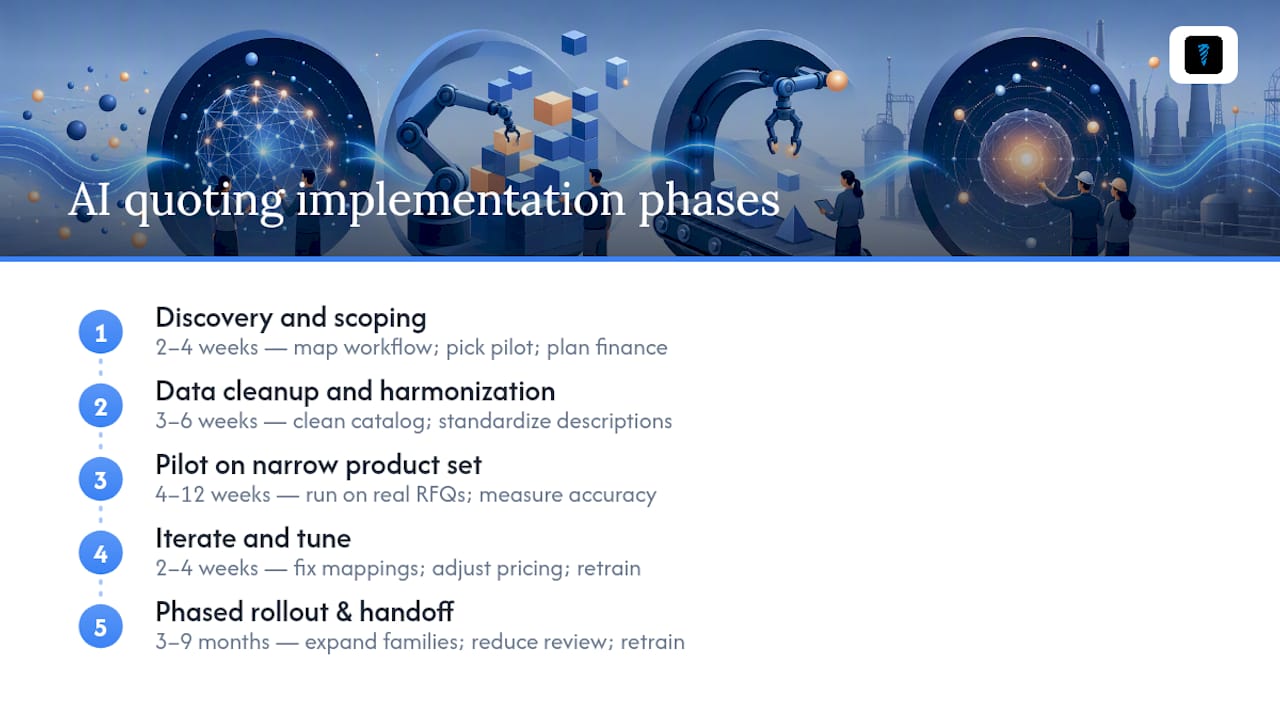
Phase 1: Discovery and scoping (2–4 weeks). Map your current quoting workflow, identify the product families with the most RFQ volume and the most historical job data, and define your pilot scope. Small-business financial planning is worth doing here: integration and data-cleanup costs arrive before efficiency gains do, so confirm your working capital position before committing.
Phase 2: Data cleanup and catalog harmonization (3–6 weeks). This is the phase most teams underestimate. Clean your parts catalog, standardize material descriptions, and build your synonym library. The quality of this work determines your extraction accuracy ceiling.
Phase 3: Pilot on a narrow product set (4–12 weeks depending on complexity). Run the system on one product family with real RFQs. Keep estimators reviewing every output. Measure extraction accuracy, cycle time, and margin variance against your pre-pilot baseline.
Phase 4: Iterate and tune (2–4 weeks). Fix the mapping errors the pilot surfaces, adjust pricing rules, and retrain or fine-tune the model on your corrected data.
Phase 5: Phased rollout and full operations handoff (3–9 months for full scope). Expand product families incrementally. Reduce human review thresholds as confidence in the model builds. Establish a retraining schedule (quarterly is typical for most shops).
Main cost drivers: data cleansing and catalog harmonization (often the largest line item), ERP and CAD/CAM integration work, custom mapping logic for non-standard part descriptions, user training, and ongoing model maintenance. For early integration tasks, a time-and-materials contract gives you flexibility; once you reach production, a subscription plus support agreement is easier to budget.
Workforce planning data from the BLS is useful for sizing your training effort: machinists and estimators vary widely in their comfort with software-driven workflows, and underestimating training load is one of the most common reasons AI adoption stalls on the shop floor.
What risks and governance practices should you plan for?
The risks in AI quoting are specific and manageable if you plan for them before go-live.
Data quality and mapping errors are the most common failure mode. If your parts catalog has inconsistent material codes or duplicate SKUs, the AI inherits that mess and amplifies it. A quote that misidentifies 304 stainless as 316 will be wrong on material cost, lead time, and supplier routing simultaneously.
Model misclassification happens when a part falls outside the training distribution. A new geometry, a new material, or an unusual tolerance stack can produce a cost estimate that is confidently wrong. The model does not know what it does not know, which is why human-in-the-loop review for low-confidence outputs is a structural requirement, not an optional feature.
Price leakage from misapplied discounts is subtler. If a customer-specific discount rule is misconfigured or a new pricing tier is added without updating the rules engine, the system can systematically under-price a customer segment for weeks before anyone notices.
Data silos emerge when quoting automation is deployed without ERP integration. The quoting system becomes a source of truth that contradicts your ERP, and reconciling them manually costs more time than the automation saved.
Governance checklist
- Define human-in-the-loop triggers: any part with fewer than five historical jobs, any quote above a dollar threshold, any margin below the floor
- Set tiered approval by dollar amount and margin variance for the first 3–6 months
- Enable full audit logs on every pricing decision
- Maintain a test dataset of known RFQs with verified correct outputs; run it after every model update
- Document a rollback procedure: if a model update degrades accuracy, you need to revert in hours, not days
- Schedule quarterly model retraining as your job history grows
How Availzye Machinist Pro applies AI to quoting
Availzye Machinist Pro is built around the workflow a CNC shop actually uses, not a generic sales quoting abstraction. The platform's relevant modules for quoting include:
- Cost Estimator: translates extracted RFQ line items into operation-level cost estimates, accounting for material, setup, cycle time, and scrap. This is the core quoting engine inside the platform.
- CAD Viewer with STEP-to-STL conversion: lets estimators open customer-supplied STEP files directly in the browser without external CAD software, inspect geometry, and confirm feature counts before the cost model runs.
- Job Tracker: converts an accepted quote into a work order, so the quote-to-job handoff is a single action rather than a rekeying exercise.
- Tool Crib: feeds live tooling inventory and tool-life data into cost estimates, so a quote reflects actual tooling availability rather than theoretical costs.
- Audit logs and role-based access: every pricing decision and approval action is logged with a timestamp and user ID.
A sample one-RFQ workflow inside Availzye: a customer emails a STEP file and a PDF spec sheet. The estimator opens the CAD Viewer to inspect the geometry, then hands the part requirements to the AI Assistant, which identifies the operations (facing, boring, threading) and suggests feeds and speeds. The Cost Estimator calculates operation time, material cost, and scrap allowance. The estimator reviews the margin, adjusts if needed, approves, and exports a formatted quote. On acceptance, one click creates a Job Tracker work order. The whole sequence, for a standard turned part, takes minutes rather than the better part of an afternoon.
The platform's AI shop assistant guide covers practical deployment examples for shops that want to see how the AI Assistant performs on real machining scenarios before committing to a full workflow change.
What KPIs should you track to prove ROI from AI quoting?
Five metrics cover the full picture:
Quote cycle time is the elapsed time from RFQ receipt to quote delivery. Capture your 30-to-60-day pre-pilot average, then track it weekly during the pilot. A meaningful reduction here is visible to customers and directly affects win rate.
Quote-to-order conversion rate measures the percentage of quotes that become orders. Faster, more accurate quotes tend to improve this, but isolate the effect: if your sales team is also running a new outreach campaign during the pilot, attribution gets murky.
Average margin variance tracks how far actual job margins deviate from quoted margins. Tightening this variance is the clearest signal that your pricing rules and cost model are working correctly.
Time spent per quote captures estimator hours per quote, not just calendar time. This is the metric that justifies headcount reallocation or growth without hiring.
Manual entries eliminated counts the data-entry touchpoints removed from the workflow. This is a leading indicator: if manual entries are dropping, errors and rework will follow.
Set your baselines before the pilot starts. Thirty days of clean pre-pilot data is the minimum; sixty is better. Log everything the system touches: extraction confidence scores, approval decisions, and any manual overrides. Those override logs are gold for model retraining.
What questions should you ask vendors during demos?
Run every vendor through the same checklist before you spend time on a proof-of-concept.
- Show extraction accuracy on my RFQs. Bring five to ten real RFQs from your most common product family and ask the vendor to run them live. The output tells you more than any slide deck.
- Which ERP and CAD systems do you integrate with natively, and is the sync bi-directional?
- What are your SLAs for uptime and data sync latency?
- How does the system explain a pricing recommendation? You need to be able to tell a customer why their price changed.
- What does your audit log capture, and who can access it?
- How do I add or modify a pricing rule, and how is that change versioned?
- Will you run a paid proof-of-concept on our own data before we sign a production contract?
Red flags to watch for:
- A vendor that promises 99%+ extraction accuracy without human review on custom parts. No production system achieves that on unstructured industrial RFQs.
- A closed-source model with no explainability layer. If you cannot see why a price was generated, you cannot govern it.
- One-way integrations only. If the vendor's ERP connector pushes quotes out but does not pull live costs in, you are back to manual updates.
- Unwillingness to run a proof-of-concept on your actual RFQs. A vendor confident in their product will do this.
The buying guidance is simple: prefer vendors who will run a short pilot on your own data and deliver measurable baseline-versus-pilot metrics. Any vendor who resists that request is telling you something important about their confidence in the product.
What the shop floor actually teaches you about AI adoption
The gap between a successful AI quoting pilot and a failed one almost never comes down to the technology. It comes down to whether the estimators trust the output enough to stop second-guessing every line.
That trust is earned, not installed. Shops that get past the adoption friction share a few habits: they started with one product family where the estimators already had strong intuitions about correct pricing, so they could spot a bad output immediately. They kept estimators in control of the margin decision, using the AI output as a draft rather than a verdict. And they cleaned up their quote templates and pricing rules before widening scope, because every ambiguity in the rules becomes a training problem for the model.
Industry voices in 2026 consistently frame AI adoption as augmentation: the technology handles the repetitive extraction and calculation work, while humans retain pricing authority and customer relationship ownership. That framing is not just reassuring. It is the operationally correct model for any shop where a mispriced custom job has real financial consequences.
The machinist and estimator workforce is technically skilled but not always software-native. Training investment is not optional. Shops that treated training as a one-day event and moved on saw adoption stall within weeks. Shops that embedded a champion estimator in the rollout team and ran weekly review sessions for the first two months saw the model improve faster and the team trust it sooner.
Start small. Keep humans in control of margins. Fix the rules before you scale.
Availzye Machinist Pro puts AI quoting within reach for CNC shops
Most quoting tools are built for generic sales teams. Availzye Machinist Pro is built for machinists: the Cost Estimator calculates operation-level costs from real machining parameters, the AI Assistant interprets part requirements and suggests operation sequences, and the CAD Viewer opens STEP files in the browser so estimators can inspect geometry before the cost model runs. Quotes convert to Job Tracker work orders in one click, with full audit logs on every pricing decision.
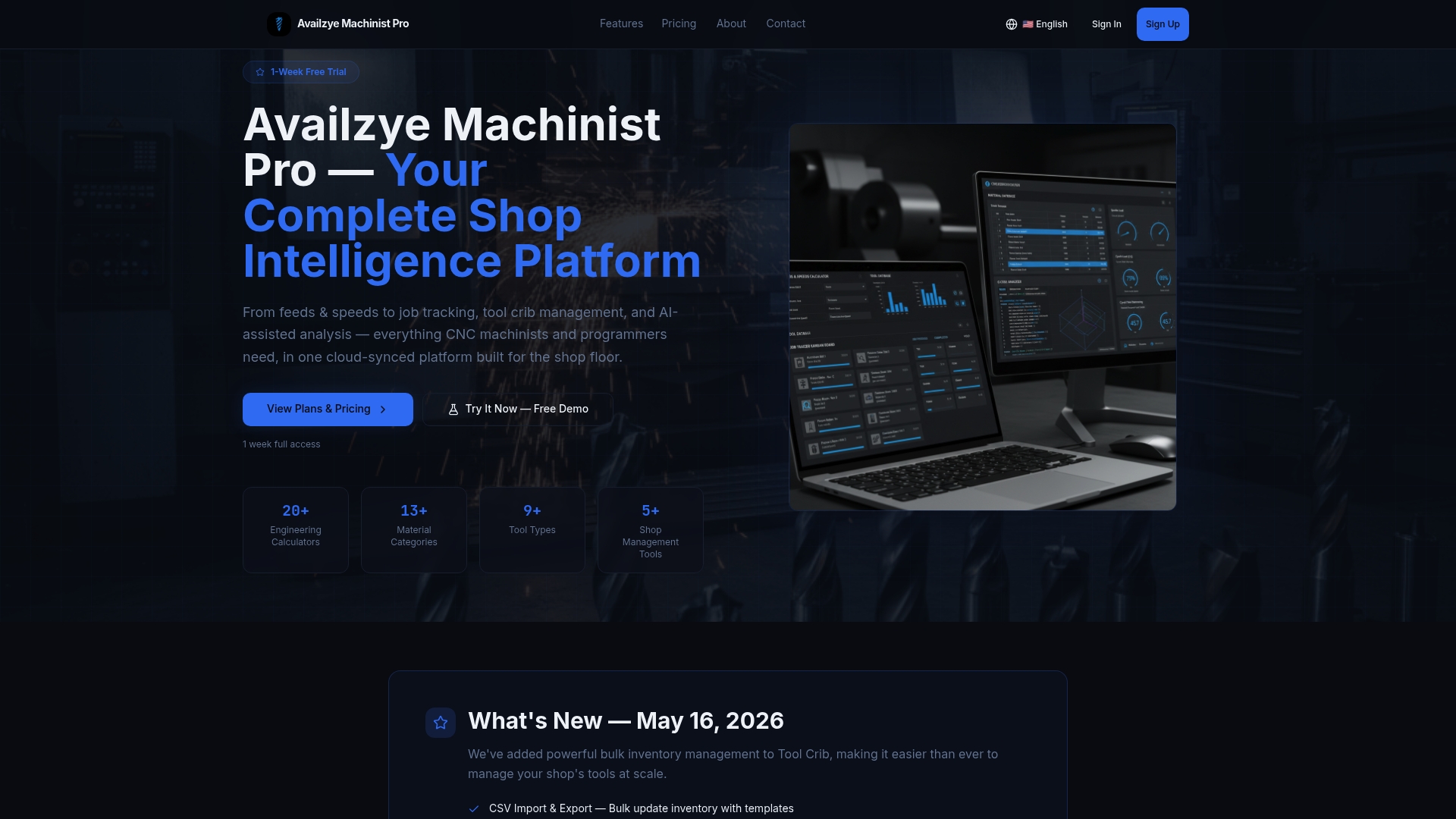
Plans start at $9.99/month with a 7-day free trial. Bring three to five real RFQs and a simple list of your current ERP and CAD tools to your trial session. That is enough to see whether the Cost Estimator and AI Assistant fit your workflow before you commit to anything.