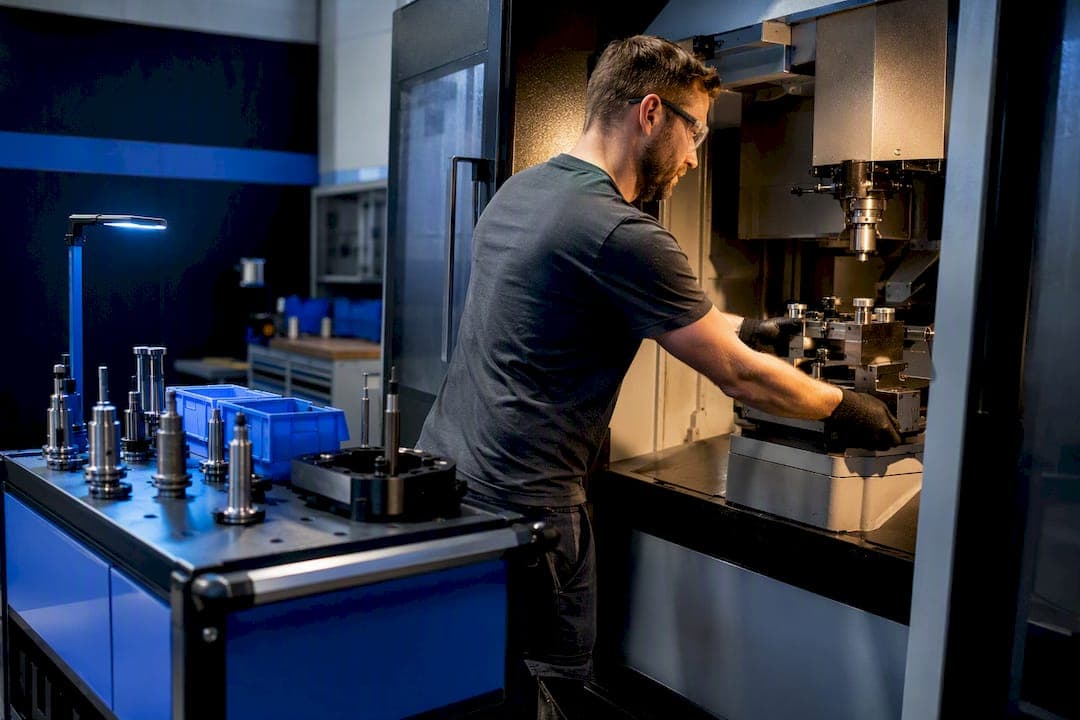
The fastest gains come from four moves: converting internal setup steps to external ones (the core of SMED), pre-staging and kitting tools before the machine stops, switching to quick-change tooling, and sequencing jobs by family to avoid unnecessary tool changes. Shops that apply these together typically see a 30 to 70 percent reduction in setup time on the machines they target. Start on your worst bottleneck: film one changeover today, and pre-stage tomorrow's tooling before the current job even finishes.
TL;DR:
- Moving tasks such as tool pre-staging and fixture setup outside of machine downtime can reduce setup time by up to 70 percent.
- Standardizing instructions, photographs, and torque specs significantly cuts setup time without requiring new equipment.
- Using quick-change tooling and modular fixtures minimizes re-verification and realigns the tool and fixture position, speeding up changeovers.
- Sequencing jobs by family reduces the number of full changeovers, with a setup matrix helping to optimize the order without delaying due dates.
- Applying targeted automation, like sensors and automatic tool changers, complements manual improvements to tackle the most variable delay points effectively.
Table of Contents
- Quick Wins to Reduce Setup Time This Week
- How Do You Run a SMED Kaizen Event?
- Quick-Change Tooling and Modular Fixtures
- Scheduling by Job Family Cuts Total Setup Hours
- Making Reduced Setups Stick
- Kitting and Layout: Where Things Live Matters
- Where to Start: An 8 to 12 Week Pilot Plan
- How Availzye Machinist Pro Supports Faster Setups
- Common Causes of Setup Delays and How to Fix Them
- The Role of Automation and Sensors in Reducing Setup Time
- Getting Buy-In: Change Management for Setup Reduction
- Cost-Benefit Analysis of Setup Time Reduction
- Why Setup Reduction Deserves Strategic Priority
- Faster Setups Start With Better Data, Not Just Better Habits
- Sources
Quick Wins to Reduce Setup Time This Week
You don't need capital to shave minutes off a changeover. Most of the waste is walking, searching, and waiting, not the actual work of swapping tooling.
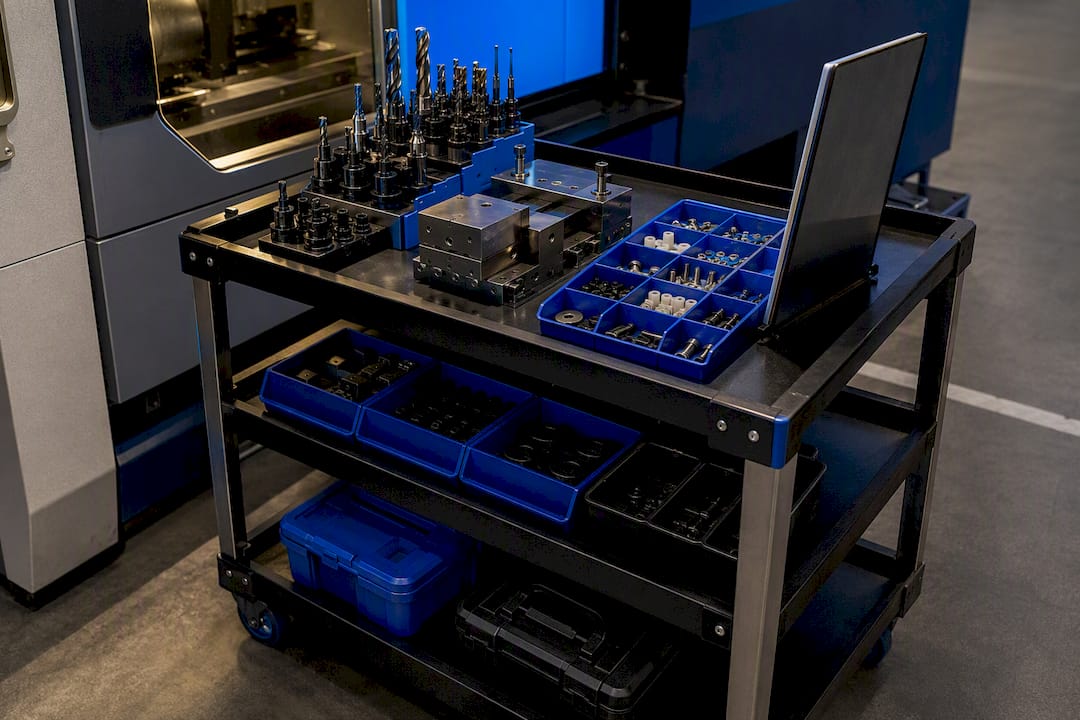
Start by moving anything that can happen while the machine is still running. That's the essence of converting internal setup time to external time, and it's usually the cheapest fix available. Pre-staging the next job's tools, fixtures, and paperwork on a cart before the current run ends is the single fastest win most shops skip.
- Pre-stage and kit the next job's tooling, fixtures, and prints while the machine is still cutting the previous part.
- Apply 5S to the work cell and mount shadow boards so every wrench and gauge has one obvious home.
- Photograph the setup sequence for your top five recurring jobs and turn it into a one-page checklist.
- Assign roles ahead of time. Deciding who loads the fixture and who dials in the offsets during the changeover, not during it, saves real minutes.
- Run a two-week time-boxed trial on one machine before rolling changes shopwide.
Pro Tip: Time the walk, not just the wrench work. Operators often lose more minutes hunting for a missing collet than actually tightening it.
How Do You Run a SMED Kaizen Event?
SMED, or single-minute exchange of dies, is a structured method for shrinking changeovers, and it works in stages rather than all at once. The approach was formalized to let manufacturers run smaller lot sizes without losing throughput, and its staged methodology still holds up decades later.
- Measure. Video the full changeover and build a spaghetti chart tracking every step and every walk path.
- Separate. Sort each activity into internal (machine must be stopped) or external (can happen before or after).
- Convert. Move as many internal tasks external as possible: pre-heating dies, pre-assembling fixtures, staging bolts and torque wrenches.
- Reduce. Shorten what's left internal with quick-clamps, guide pins, and standardized fasteners instead of loose bolts.
- Standardize. Lock in the new sequence with a written standard and a time target.
One stamping press facility that standardized its setup documentation, adding photographs and specific torque settings to the procedure, cut average setup time from 95 minutes to 62 minutes in three months. That's a 35 percent reduction with no new equipment, just clearer instructions and less guesswork on the floor.
Common conversion targets:
- Pre-heat or pre-assemble dies and molds off the machine.
- Stage fasteners in labeled kits instead of loose bins.
- Replace threaded adjustments with quick-release clamps where tolerance allows.
Quick-Change Tooling and Modular Fixtures
Test cuts eat setup time because every re-clamped tool needs re-verification. Quick-change tool holders remove that step almost entirely by preserving the toolholder's position on the machine, so the offset stays valid from one job to the next.
Side-activation, quick-change systems like Kennametal's KM line let operators swap heads without breaking the taper interface, which cuts insert-exchange time and largely eliminates the need for re-cutting a test part to confirm alignment. Modular fixturing works the same way on the workholding side: standardized baseplates and locating pins mean a new fixture drops into a known position instead of getting shimmed and indicated by hand.
- Start with your highest-changeover machine, not your newest one.
- Track repeatability across ten consecutive changeovers before rolling the system to a second machine.
- Estimate ROI against your current setup labor cost per changeover, not against tool price alone.
Shops running a 20 to 40 percent setup-to-capacity ratio can recover meaningful production hours per machine per day just by trimming 20 minutes off each changeover.
Scheduling by Job Family Cuts Total Setup Hours
Sequencing decides how many changeovers you run in a week, not just how fast each one goes. Grouping similar jobs so the machine moves from one member of a part family to another, instead of jumping between unrelated geometries, avoids a fresh full setup for every single order.
A setup matrix, an n×n table showing the changeover time between every pair of job families, is the input a scheduler actually needs to make that call. MIT research on setup-aware scheduling found that grouping and sequencing by family reduces total changeover time without necessarily pushing jobs later, as long as due dates get weighted into the sequencing rule rather than ignored.
- Build the matrix from real time studies, not estimates from memory.
- Keep family definitions practical. Group by shared fixturing or tool list, not just part shape.
- Update the matrix after every pilot change. A stale matrix produces a schedule that looks efficient on paper and isn't.
- Validate the model against shop-floor feedback before trusting it for a full week's schedule.
Making Reduced Setups Stick
A faster changeover on one shift means nothing if the next shift reverts to old habits. The fix is a setup standard card: one page with photos of each fixture position, torque specs, the exact sequence, and who's responsible for each step.
Cross-train at least two operators per machine on the new standard, and audit actual changeover times monthly against the target, not just once after the kaizen event ends. Track a small set of metrics consistently:
- Average setup time per changeover, by job family
- Ratio of internal to external setup activities
- Variability (the gap between your fastest and slowest changeover on the same job)
- Setup time as a percentage of total available machine hours
Pro Tip: If variability is high even after standardizing, the problem usually isn't the process, it's missing parts. Check your kitting completeness rate first.
Kitting and Layout: Where Things Live Matters
A kit should contain everything needed for one changeover: tooling, fixtures, fasteners, the print, and the setup card, all in one container. Build the checklist from your time study so nothing gets left off.
Mobile carts work better than fixed staging shelves when a machine runs multiple job families in rotation, since the cart travels with the job. Fixed point-of-use storage makes more sense for machines running the same handful of parts repeatedly. Either way, label everything by job number, not by generic part name, and tie kit contents back to your tool crib inventory so nothing gets pulled for one kit while still checked out to another job.
Where to Start: An 8 to 12 Week Pilot Plan
Attack true bottleneck machines first. A setup reduction on a machine that isn't your constraint doesn't move total shop throughput; one on your bottleneck does, disproportionately.
- Weeks 1 to 2: Baseline measure. Time and video current changeovers on the target machine.
- Weeks 3 to 4: Run the kaizen event. Classify internal versus external, convert what you can.
- Weeks 5 to 8: Pilot the new sequence, adjust based on operator feedback.
- Weeks 9 to 10: Measure again against baseline, standardize the winning version.
- Weeks 11 to 12: Scale to a second machine in the same family.
Expect pushback around tooling budget and operator schedules; both usually resolve once the first pilot shows a clear before/after number on paper.
How Availzye Machinist Pro Supports Faster Setups
Software won't run the changeover for you, but it removes the guesswork around what changed. Job Tracker logs actual setup versus run time per work order, so you get real data instead of estimates. Tool Crib inventory flags missing kit items before the machine stops, and preset values in the tool database cut re-calibration time on repeat jobs.
Common Causes of Setup Delays and How to Fix Them
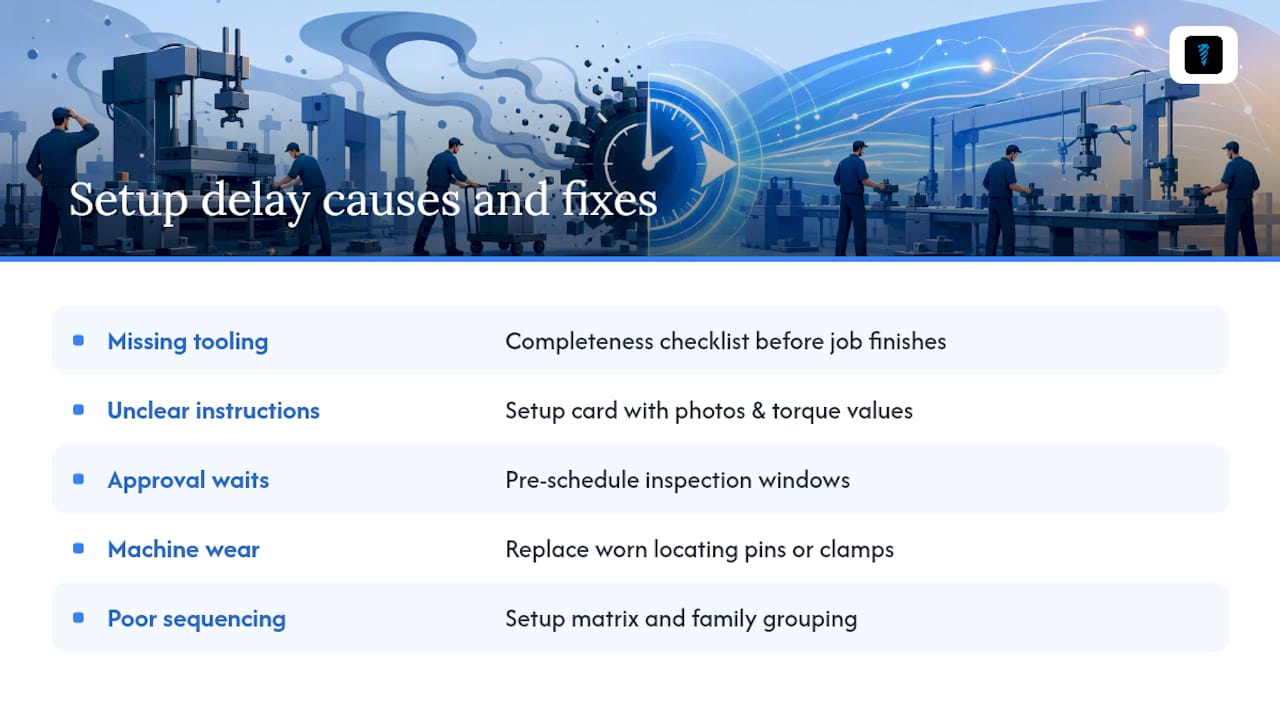
Most setup delays trace back to five repeat offenders, and none of them require new equipment to fix.
Missing or wrong tooling is the most common one. An operator reaches for a collet, an insert, or a fixture bolt that isn't where it should be, or isn't in the shop at all. This is a kitting failure, not a tooling failure, and the fix is a completeness checklist run before the current job even finishes.
Unclear or outdated instructions cause operators to relearn a setup from scratch every time, or worse, guess. A setup card without photos and specific torque values gets interpreted differently by every shift.
Waiting on approvals or inspections stalls changeovers when a first-piece check needs a supervisor's sign-off and that supervisor is on the far side of the building. Pre-scheduling inspection windows around known changeover times removes this bottleneck.
Machine or fixture wear shows up as setups that used to take twenty minutes now taking forty, with no clear cause. This usually means a locating pin, clamp, or fixture surface has degraded and needs replacing, not re-adjusting.
Poor sequencing forces a full changeover between jobs that could have run back-to-back with minor tool swaps. This is a scheduling fix, addressed by the setup matrix and family grouping.
Troubleshooting starts the same way every time: video the delay, ask which of these five categories it falls into, and fix the category, not the symptom.
The Role of Automation and Sensors in Reducing Setup Time
Automation helps most where it removes manual verification, not where it replaces the whole task. Touch-probe systems that automatically find part zero after a fixture change eliminate the manual edge-finding step that used to take several minutes per axis. Tool-presetters measure length and diameter offline, so an operator loads a pre-measured tool instead of touching off on the machine.
Sensor-based fixtures that confirm clamping pressure or part seating catch a bad setup before the first cut, which prevents the far more expensive delay of a scrapped part mid-run. On higher-volume lines, robotic pallet changers and automatic tool changers remove the physical load and unload step from the changeover entirely, though the capital cost only makes sense once changeover frequency is high enough to justify it.
The realistic path for most job shops isn't full automation. It's targeted automation on the two or three steps that cause the most variability, paired with the manual improvements covered earlier. A shop that automates zero-finding but still hunts for missing tooling in a bin hasn't fixed its real bottleneck. Sequence the fixes: standardize and kit first, since that's nearly free, then automate the specific step that still causes delays after the process itself is solid.
Getting Buy-In: Change Management for Setup Reduction
Setup reduction fails more often from resistance than from bad technique. Operators who've run a machine the same way for years reasonably ask why they should change, especially if past improvement projects added steps instead of removing them.
Start with the people who do the changeover, not with a mandate from above. Ask them where they lose time. Operators usually know the exact three friction points before any formal time study confirms it, and involving them early turns the project into something they helped build rather than something imposed on them.
Run the first pilot on a machine with a willing operator, not necessarily the highest-priority one, if buy-in is a real concern. A visible early win, shared in a shift meeting with the actual before-and-after numbers, does more to convert skeptics than any presentation. Small pilot kaizens on a single machine over a single week are consistently the fastest route to genuine operator buy-in, precisely because they produce a concrete result fast.
Keep the standard card creation collaborative. When operators write the steps themselves, with photos they took, they tend to actually follow the standard instead of treating it as a document from management that gets ignored on the floor.
Cost-Benefit Analysis of Setup Time Reduction
The investment side is usually small. A kaizen event costs a few hours of downtime and staff time. Quick-change tooling and modular fixtures carry real upfront cost, but incrementally, one machine at a time. 5S and kitting cost almost nothing beyond labeled bins and a cart.
The return side compounds. Recovering setup time doesn't just save the minutes themselves, it frees machine hours that convert directly to output without adding a shift or a machine. A beverage packaging line that cut changeover from 85 to 36 minutes using pre-staging and standard work picked up roughly 10 additional productive hours per week on that one line, all without adding equipment.
There's a second return that's easy to undervalue: shorter setups let you run smaller batches economically, which lowers work-in-process inventory and shortens lead times. That's a working-capital benefit on top of the throughput gain, and it rarely shows up in the initial project justification even though it often outweighs the labor savings over a full year.
Weigh the investment against your setup-to-capacity ratio. A machine where setups eat 30 percent of available hours has far more room to recover than one where setups are already a small fraction of the day. Target the first pilot where the math is most favorable, then use those numbers to justify the next one.
Why Setup Reduction Deserves Strategic Priority
Setup reduction isn't a one-off project. It unlocks capacity, shrinks inventory, and builds the kind of floor engagement that outlasts the initial kaizen. Pick one machine, run the pilot, and share the numbers.
— Availzye
Faster Setups Start With Better Data, Not Just Better Habits
Every tactic in this guide works better when it's backed by real numbers instead of memory. Job Tracker captures actual setup time against every work order automatically, so you can see which machines and job families are bleeding hours without running a manual time study first.
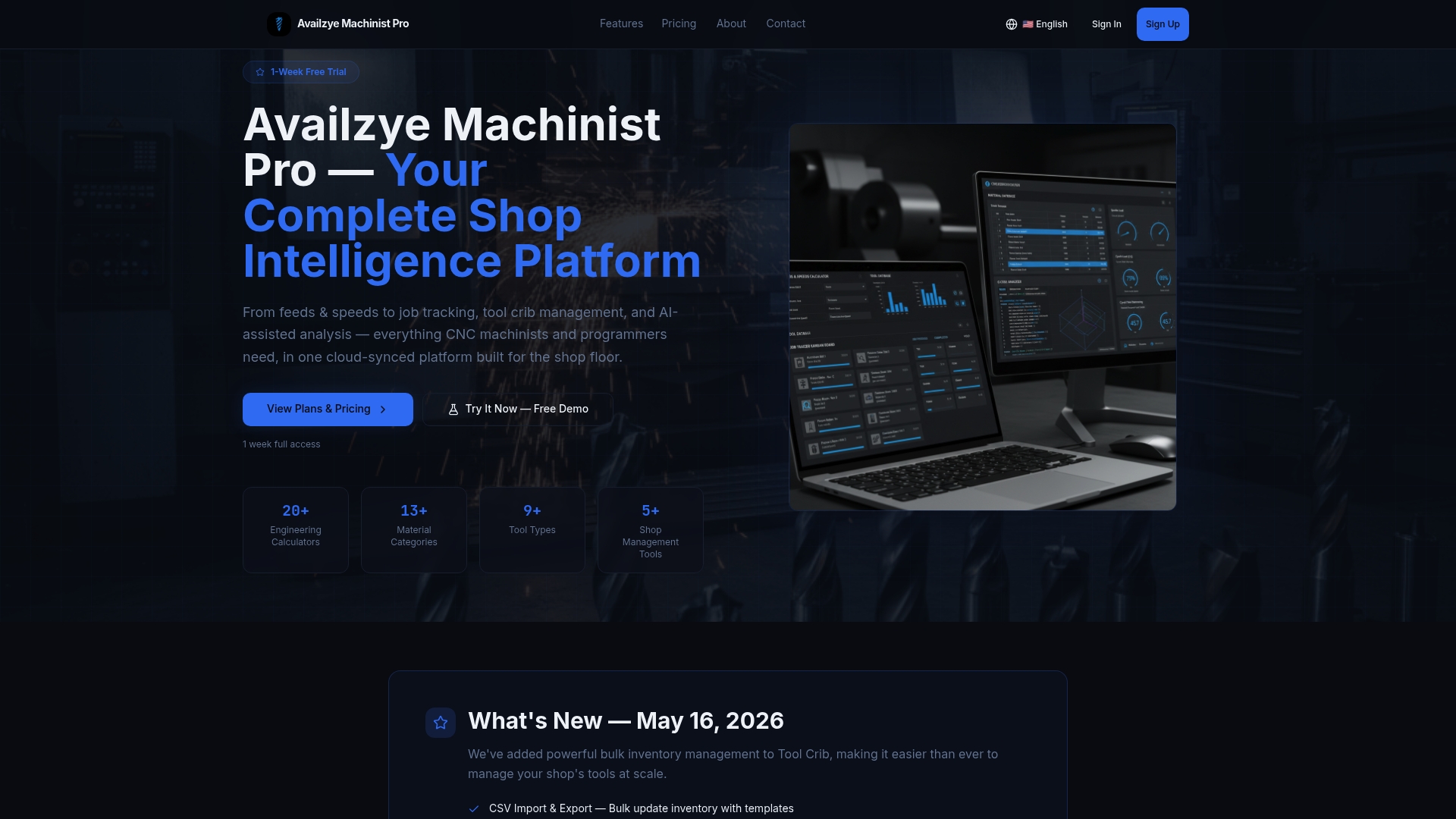
Tool Crib inventory tracking flags a missing collet or fixture bolt before the changeover starts, not after the machine's already stopped. And the tool database stores preset length and diameter values, so repeat jobs skip re-calibration entirely. Availzye Machinist Pro combines these shop-management tools with the feeds, speeds, and deflection calculators your team already needs to dial in a new job fast once the fixture's in place. Start a 7-day free trial and run your next changeover with the full platform behind you.
Sources
- Ask Art: Why Does Setup Time Reduction Matter So Much? - Lean Enterprise Institute
- How to Reduce Setup Time in Job Shops: Practical Strategies | RMDB by User Solutions