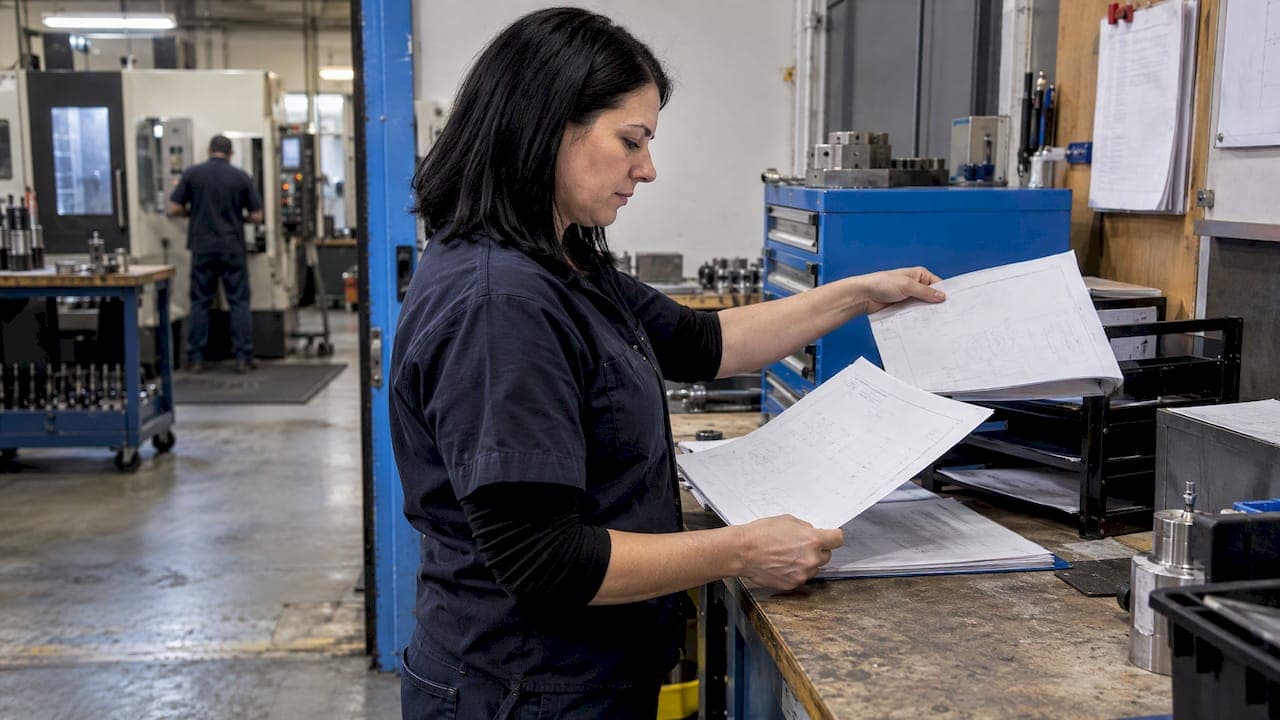
Revision control in machining means every change to a drawing, CAD model or CNC program is approved, recorded and tied to the others, so the person at the machine always runs the current version. The working rule is simple. One part number links to one drawing revision, one CAD revision and one program revision, and nobody runs a program whose links do not match the released print.
This guide shows how to set that up in a real shop, from file naming to change approval to the checks at the machine.
TL;DR
- Treat the released drawing as the controlling document. CAD files and CNC programs must reference its revision, never the other way around.
- Record part number, drawing revision and program revision together, in the program header or file name and on the work order.
- Any program change gets documented, reviewed and re-issued as a new revision, with the prior revision and the reason noted.
- Folder naming alone fails. Fetching the wrong revision is easy, so move to a system that controls the sequence for you.
- Verify before cutting: check the posted file against the current print, then inspect the first piece.
Table of Contents
- What revision control means in a machine shop
- Which document controls: drawing, CAD or program
- What a controlled CNC record contains
- Why folders and spreadsheets break down
- A change procedure that works
- Verifying before you cut
- Keeping operators off superseded drawings and programs
- Documentation and audits
- Backups and configuration management
- Common mistakes and the fix for each
- Put it into practice with Availzye Machinist Pro
- FAQ
- Sources
What revision control means in a machine shop
Revision control is the systematic management of changes to product data, including drawings, CAD files and CNC programs, so every change is intentional, approved and traceable. DemystifyingPLM describes it as producing a formal, immutable snapshot at each release.
That description gives you the distinction every shop needs. A working version is in progress and not yet released. A revision is approved, released and does not change. If someone edits a released file in place, you no longer have a revision, you have a file that happens to carry an old letter.
Software people call the same discipline version control or source control. In a machine shop the stakes are physical: an old revision does not throw an error, it makes scrap, or worse, a part that passes your inspection against the wrong print.
Which document controls: drawing, CAD or program
The engineering drawing typically serves as the controlling specification. As one US precision shop explains, the CAD files used for CNC programming should match that drawing revision, and CNC programs should reference it in turn.
That gives you a chain with one direction of authority:
- Customer print or released drawing, Rev C, for example.
- CAD model used for programming, confirmed to match Rev C.
- CAM file and posted G-code, referencing Rev C and carrying its own program revision.
- Setup sheet and work order, which name the program revision to run.
When a customer sends Rev D, every link downstream is suspect until it is re-checked. This is why a program revision cannot be independent of the drawing revision: the program may stay the same code, but you still re-verify it and record that it now satisfies Rev D.
There is also a structural reason for the care. NIST research notes that converting process plans to G-code strips out almost all product and process data. The G-code on the control does not know what drawing it came from. Your records have to carry that link, because the file will not.
What a controlled CNC record contains
A controlled record normally links the part number, the drawing or print revision and the program revision. Shops commonly place those identifiers in the program header or file name and reference the program on the work order or setup documentation.
A practical minimum looks like this:
| Field | Example | Where it lives |
|---|---|---|
| Part number | 10442-07 | File name, header, work order |
| Drawing revision | Rev C | Header comment, work order, setup sheet |
| Program revision | P3 | File name, header |
| CAD model revision | Rev C | CAM file notes |
| Machine and control | VMC-2 / Fanuc | Header, setup sheet |
| Change reason and date | Rev D print, tolerance change | Revision log |
| Approved by | Initials | Revision log |
The header comment on the first lines of the program is cheap insurance. If a file is copied, emailed or loaded from a USB stick, the part number and revisions travel with the code.
File naming that holds up
East Tennessee State University's CADD/CAM/CNC standards recommend names built like Project_Name-Model_No-Rev_Letter. Adapt it to your own shop, and add the program revision, so a name like 10442-07_RevC_P3.nc says everything at a glance.
Keep two rules. Put the revision in the name, not only in a folder name, because files leave folders. And never reuse a name for a different revision.
Why folders and spreadsheets break down
The most common setup is a shared drive with folders named "Old," "Current" and "Rev B." It works until it does not. The Fabricator notes that folder-based revision naming can make it easy to fetch the wrong revision and that manual controls are easy to forget, while PDM systems control revision sequences automatically.
Typical failure points:
- A programmer saves a tweak over the released file at the machine, then forgets to log it.
- A customer emails a new print and it sits in an inbox while the old one is still on the traveler.
- A program is copied to the control, edited there, and never copied back.
- Two people keep two "latest" folders.
None of these are discipline failures in the moral sense. They are what happens when the system depends on memory. The fix is to make the right path the easy path: one place for released files, a required field for the revision, and a log that is written as part of the job, not afterward.
A change procedure that works
A CNC program change should be documented, reviewed and re-issued as a new revision, with the change description and prior revision recorded. Here is that principle as steps a small shop can run.
- Log the trigger. A new customer print, an engineering change, a tooling change or a fix found at the machine. Write down which one.
- Work in a draft. Edit a working copy marked as not released. Never edit the released file.
- Reverify. Simulate the toolpath, check the posted code, and confirm the model matches the current drawing.
- Review. A second person, such as the lead machinist or quality, signs off.
- Release as a new revision. Increment the program revision, record what changed and which revision it replaces.
- Archive the old one. Move the superseded program out of the active location but keep it. You may need it to explain parts made last year.
- Tell the floor. Update work orders and setup sheets that name the old revision.
This matches how quality-minded shops handle engineering changes in general. OMW Corp's quality document says that on notification of an engineering change the shop immediately archives existing part files and notifies floor personnel, halting production if necessary so the change is implemented correctly. Stopping a run is cheaper than shipping a lot built to a dead print.
Verifying before you cut
Release checks reduce the chance of a bad program reaching a machine. Before release, one shop guide lists what to identify: the drawing and model revision, the CAM source, the postprocessor and machine target, the setup package and the posted file, and verifying that the file reaches the machine unchanged.
A short pre-run checklist for the operator:
- Does the work order's drawing revision match the print at the machine?
- Does the program header's revision match the work order?
- Is the program loaded from the controlled location, not a personal folder or old USB stick?
- Does the setup sheet name the same program revision?
After a new or changed program, first-piece inspection is an important production check. Modern Machine Shop describes it as measuring the initial part against the current drawing before the full run proceeds, and it complements, rather than replaces, program verification and setup reconciliation. Measure against the print on the traveler, then confirm that print is the current revision.
If your programs come from AI tools or generators, add a human gate. Our guide on verifying AI-generated G-code walks through what to check before it touches the spindle.
Keeping operators off superseded drawings and programs
This is where most systems actually fail, and it comes down to a few habits rather than any single tool.
Show one source of truth. Operators should open the print and the program from the same place the work order points to. If paper prints are printed, mark them with the print date and revision and collect old ones when a change releases.
Make the revision visible on the job. The work order should state the drawing and program revision. The operator's first check is comparing three things: print, work order, program header.

Control who can change what. Operators who run programs need read access to released files, not edit access. Programmers draft, a reviewer releases. Role-based permissions enforce this better than reminders do. We cover the reasoning in who should access what in CNC software.
Keep an audit trail. When something does go wrong, you need to know who changed which file and when. A log lets you fix the process instead of guessing.
Stop the line on a mismatch. Tell operators plainly that if the revisions do not agree, they stop and call the lead. No one gets blamed for stopping.
Documentation and audits
If you work toward ISO 9001 or supply customers who audit you, your change records will be read. Auditors assess how changes are implemented and controlled so intended results are achieved.
The standard is flexible about format. According to the ISO 9001 Auditing Practices Group, the organization determines how much documentation it needs for an effective management system, and auditors verify conformity by asking how information is used and how changes are managed rather than checking for specific file formats. In practice: you do not need heavy paperwork, you need a process you can demonstrate. A revision log, a signed release and an archive satisfy most of what an auditor will ask to see.
A quality plan can formalize this. ASQ describes quality plans as specifying the standards, practices, resources and sequence of activities relevant to a product, service, project or contract. For a repeat job, your plan can name the controlled program, its revision and the inspection steps.
Backups and configuration management
Revision control and backup are related but different. Revision control tells you which version is right. Backup lets you recover when a control's memory fails or a laptop dies.
NIST makes the broader point that as manufacturing data grows, configuration management is needed to capture, archive and recover data files. For a shop, that means:
- Store released programs in one controlled, backed-up location.
- Treat anything edited at the control as a draft until it is copied back, reviewed and released.
- Keep superseded revisions archived, not deleted.
- Back up the revision log along with the files.
Associative CAD/CAM can help upstream. Modern Machine Shop reports that it can propagate design changes into manufacturing data and alert the team when earlier operations no longer match new geometry. If you are connecting design and programming, our piece on integrating a CAD/CAM workflow covers the handoffs, and the one on CAD formats that preserve PMI helps keep tolerances attached to the model.
Common mistakes and the fix for each
| Mistake | Why it happens | Fix |
|---|---|---|
| Editing a released program at the machine | Time pressure | Edit a draft copy, review, release as a new revision |
| Revision only in a folder name | Files get copied | Put the revision in the file name and header |
| Program not linked to drawing revision | Separate record systems | Record both on the work order |
| New print sits unprocessed | No intake step | One person owns print intake and triggers the change steps |
| Old revisions deleted | Clean-up | Archive, never delete |
| Tool numbers differ between versions | Ad hoc changes | Standardize tool numbering, see our tool numbering template |
One more worth naming: rolling out a new system all at once. Pilot it on one cell first, as in our CNC software rollout playbook.
Our perspective on revision control
We build Availzye Machinist Pro because we think the machinist's day should not be split across calculators, spreadsheets, paper logs and a shared drive nobody trusts. Revision control is a good example. The problem is rarely that a shop lacks a policy. It is that the policy lives in one place and the work happens in another.
Our approach is to keep the shop floor record in one cloud-synced application: job tracking for work orders, document and CAD file management, shift notes, and role-based access with audit logs. When the job, the files and the people who may change them sit together, the revision on the work order is easier to keep honest.
We design our tools to support the habits described above: one place for released documents, controlled permissions and a trail of who did what. A system cannot replace a shop's review and sign-off, but it can make the correct step the convenient one.
Availzye
Put it into practice with Availzye Machinist Pro
If you want job tracking, document and CAD management, shift notes and role-based access with audit logs in one place, Availzye Machinist Pro offers three plans: Individual at $9.99 CAD per month, Small Shop at $24.99 CAD per month and Team at $49.99 CAD per month, each with a 7-day free trial. See the plans and start a trial.
Pair it with the calculators you already use daily, such as feeds and speeds, so the numbers and the records live together.
FAQ
What is the difference between revision control and version control?
Version control tracks every saved change, including drafts. Revision control refers to the specific, approved and released state of a document or program, as DemystifyingPLM explains. In a shop, the drafts are your working versions and the released letters or numbers are your revisions.
Should the program revision match the drawing revision?
Not necessarily the same letter, but they must be linked. A drawing may go from Rev C to Rev D while the program goes from P3 to P4, or stays P3 after reverification. Record both, plus the date and reason, so anyone can see which program was verified against which print.
What should I do when a customer sends a new drawing revision?
Halt new releases against the old print, log the change, update the CAD and program in a draft, reverify, and get a review. Then release a new program revision, archive the old one and update the work order. If parts are in process, the lead decides whether to stop the run, as in the engineering change practice described by OMW Corp.
Do I need PDM software for a small shop?
No, but you need something stricter than folders. The Fabricator notes that manual folder controls are easy to forget and PDM systems automate the revision sequence. A small shop can start with a single controlled location, naming rules and a revision log, then move to software as the job count grows.
Sources
- What is Revision Control in PLM? DemystifyingPLM
- Why Drawing Revision Control Matters for CNC Machined Parts
- NIST: Tying Together Design, Process Planning and Machining
- CNC Program and Revision Control procedure, Elsmar Cove
- ETSU Standards for CADD/CAM/CNC
- Shop technology and 3-D CAD: Document management, The Fabricator
- CNC Programming Workflow: Best Practices for ISO Compliance
- Quality at OMW
- G Code CNC Program Verification: Release Guide
- Verify CNC Program Correctness, Modern Machine Shop
- ISO 9001 Auditing Practices Group: Auditing Processes
- What is Quality Planning? ASQ
- NIST: The Role of Product Data Management in the Manufacturing Enterprise
- Associative CAD/CAM Increases Shop's Productivity Fivefold, Modern Machine Shop