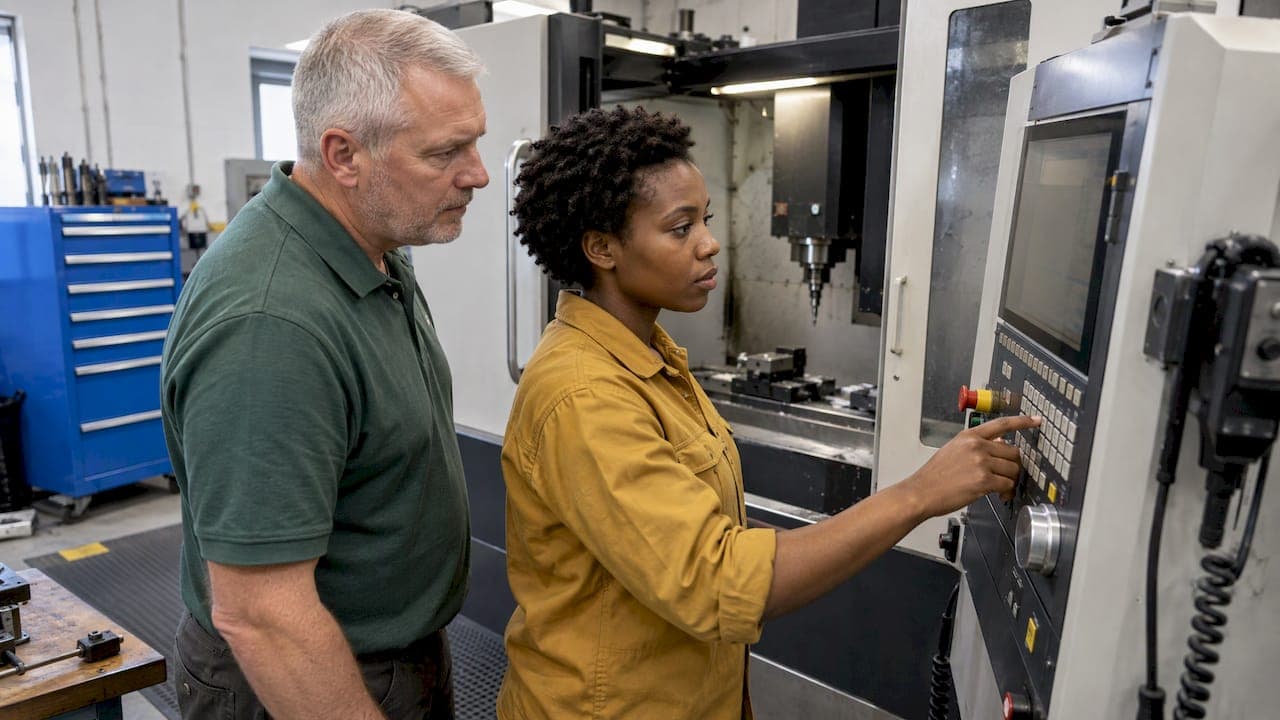
Good operator software training is a short, structured program built around the tasks your operators do every day: working the machine control, reading and editing programs, running shop math, and logging jobs and tools. Start with a skills gap check, teach in role-based sessions, put at least as much time at the machine as in the classroom, verify competency with a hands-on test, and schedule a refresher. Below is how to build that for your own shop, with the sources behind each step.
TL;DR
- Cover four software layers: machine control (MDI, jogging, program loading), G-code editing, CAD/CAM files, and the shop tools around them (job tracking, tool crib, calculators).
- Assess each operator first. Compare current skills with the skills the job needs, then write learning objectives from the gaps.
- Favor practice over lectures. One manufacturer's training guidance suggests roughly 20% theory and 80% hands-on machine time.
- Prove competence with a practical test, such as fixing errors in a sample program, not with attendance.
- Treat training as a process: book a refresher after go-live and again when the software, control or workflow changes.
Table of Contents
- What operator software training should cover
- Start with a skills gap check
- Build the program: format, time and the 20/80 rule
- Supervised practice and safety come first
- Check competency, not attendance
- Refreshers and triggers for retraining
- Our perspective
- Put it into practice with one system
- A first-month checklist
- FAQ
- Sources
What operator software training should cover
The word "software" covers more ground in a machine shop than most training plans admit. O*NET's profile for CNC tool operators lists transferring commands from servers to CNC modules, entering control instructions, modifying programs, monitoring control-panel displays, and adjusting controls when automatic programming is faulty. That is software work, and it happens at the machine.
The same profile also names skills that sit beside the software: interpreting blueprints and program specifications, setting workpieces, tools and fixtures, calculating speeds and feeds, measuring finished parts, and detecting malfunctions. A training plan that teaches buttons but not the reasoning behind the numbers produces operators who can run a program but cannot tell when it is wrong.
In practice, sort the content into four layers.
Layer 1: the machine control
This is the first layer and the one with the most risk. Operators need to jog the machine, load files, enter commands in MDI, read the display and respond to alarms. A university CNC course manual from MICA builds its first level around exactly those tasks, alongside safety instruction.
Layer 2: G-code reading and light editing
Even operators who never write a program from scratch should read one. They should recognize motion commands, offsets, tool calls and coolant codes well enough to catch a bad line before the cycle starts. Our G-code basics guide covers the four commands every beginner should master first, and our G-code troubleshooting checklist gives five checks to run before clearing an alarm. Cutter compensation deserves its own session; see controller CRC versus CAM offsets for how gouging happens.
Layer 3: CAD/CAM awareness
Operators are not all programmers, but many shops expect them to open a model, check a toolpath or confirm a setup. ONET's CNC programmer profile lists CAD, CAM, simulation, G-code and M-code, ERP, project-management, spreadsheet and office-suite software, which shows how wide the stack gets as people move up. ONET's technology skills list for operators gives a sense of how many CAM and control packages are in use across US shops, so your training should name the specific ones on your floor and nothing else.
If you want operators to understand how a program is born, a vendor-neutral outline is useful. One major CAM vendor's training blueprint walks the workflow: part setup, coordinate planes, geometry preparation, toolpath parameters, tool management, simulation, fixture representation, verification and posting code. You do not need to teach all of it to operators, but the last four items (simulation, fixtures, verification, posting) are where operators and programmers most often need a shared vocabulary. For the shop-side view, read how to integrate a CAD/CAM workflow.
Layer 4: shop software around the machine
This is the layer most training plans skip. Operators log jobs, pull tools, record tool life, leave shift notes, check setup sheets and run quick calculations for feeds, speeds, tapers or bolt circles. If those tasks live in a mix of paper, spreadsheets and memory, training has nothing consistent to teach. Pick the system first, then train on it. Our CNC software rollout playbook takes a shop from pilot to launch, and the setup sheet guide shows one document every operator should be able to read and print.
Start with a skills gap check
A one-size session wastes the time of your best operator and loses the newest one. Training needs analysis works by comparing current and desired knowledge and skill levels, identifying the gaps, and defining learning objectives; that approach is laid out in a competency analysis guide. The same guide stresses that objectives should link training to tasks, jobs and competencies, so the lessons trace back to what the shop needs.
For a CNC shop, a workable version takes an afternoon:
- List the tasks per role. Setup operator, machine tender, second-shift lead, programmer. Write what each must do in the software, such as "load a program and verify offsets" or "log tool life after a changeover."
- Rate each person on each task. Use three levels: needs help, works alone, can teach others. Ask the operator and the lead separately and compare.
- Mark the gaps. A task where several people sit at "needs help" becomes a group session. A single gap becomes one-on-one coaching.
- Write objectives as observable actions. "Operator can load a new program, run it in single-block with reduced rapids, and stop on an off-nominal tool path" is testable. "Understands the control" is not.
Assessing people before training also tells you how much support each user needs. A company blog on ERP rollouts, Sellbery, makes the same recommendation for operators and line managers, and it holds for shop software generally.
Build the program: format, time and the 20/80 rule

The strongest signal about format comes from machine builders who train customers on real equipment. GROB's training for universal machining centers stresses minimizing downtime through foresighted operation, and describes balancing theoretical classroom knowledge at 20% with practical machine-based experience at 80%. Treat that as a design target, not a law. If your operators spend most of a session watching slides, rebalance it.
Here is a plan you can adapt, assuming a shop of 5 to 20 people:
| Phase | What happens | Format |
|---|---|---|
| Before go-live | Short role-based sessions on the tasks each person will actually do | Small group, at the workstation |
| Week 1 | Supervised use on real but low-risk jobs | Lead or programmer alongside |
| Weeks 2 to 4 | Independent work with spot checks and a question log | On the floor, 10-minute daily huddle |
| Competency check | Practical test (see below) | One-on-one |
| Refresher | Review the question log, fix recurring errors | Small group |
For go-live training specifically, a software vendor's planning blog, GullySystem, recommends role-based sessions in the days before go-live and a refresher booked some weeks later. The point to take: schedule the refresher when you schedule the launch, so it does not get dropped.
If you want outside courses
Many US shops send operators to a local training provider for control fundamentals. One regional CNC distributor's training guide describes operator courses covering CNC controls, machine setup, workholding, tool selection, programming, bar feeding, probing, and machine operation and maintenance, with CAM courses from introductory to advanced mill and lathe programming. For the long game, the US apprenticeship route is deep: the Lawrence Livermore National Laboratory's machinist apprenticeship runs four years and combines hands-on experience with related coursework, including 1,000 hours of competency-based training. Few small shops can match that, but it shows how much time real competence takes. Use outside courses for control fundamentals and keep your own software and workflow training in-house.
Teach the core skill that connects to controls
Operators who understand how logic and control panels behave learn new machine interfaces faster. If your team needs a stronger base in controller and HMI thinking, the operation team programming and controls resource offers online courses and tutorials on PLC and HMI systems that build the same reasoning used at a CNC control panel.
Supervised practice and safety come first
No software lesson is worth a crash. The MICA manual is a clear model of how to stage access. Its Level 1 training requires direct faculty supervision, and students practice jogging the machine, loading files and entering commands in MDI alongside safety instruction. Students must also score 100% on a written test before they can operate the machine in class.
A shop does not need a classroom, but the pattern transfers directly:
- Gate machine access behind a short written check. Ten questions on E-stop, feed hold, work offsets, and what to do when an alarm appears. Require a perfect score before the operator runs a cycle alone.
- Supervise the first runs. The first time an operator loads a new program, a lead stands at the control. Dry runs with the tool away from the part, reduced rapid override and single-block mode are standard first-run habits.
- Practice the three risky inputs. Jogging, MDI commands and file loading are where wrong-program and wrong-offset crashes begin, so rehearse them with the lead watching.
- Follow your machine builder's manual and your safety program. Your control model decides specifics such as key switches and lockout; the manual for your machine governs.
A maintenance routine belongs in the same conversation, because operators who log service on time catch problems early. See our CNC maintenance checklist mapped to 160 to 200, 500 and 1,000 hours.
Check competency, not attendance
A signature on a sign-in sheet proves someone sat in a room. Use a test that mirrors the job.
The national standard is a useful reference point. Credentials from NIMS assess competency with a performance test and a theory test drawn from NIMS standards. You do not have to certify operators through NIMS to borrow the idea: pair a hands-on task with a short knowledge check.
The MICA manual adds a practical twist for independence: simulated error-fixing, where learners must find and resolve issues in example files without mistakes. For a shop, that becomes a simple test:
- Prepare a sample program with three planted faults, such as a wrong tool number, a missing offset call and an unsafe rapid.
- Ask the operator to find and fix them at the control or in simulation, without running the machine.
- Ask them to log the job, the tool pulled and a shift note in your shop system.
- Pass only if all faults are found and the records are complete and correct.
Keep the result on file next to the objectives you wrote earlier. If three people miss the same fault, the training missed it, and the next session should fix that.
Refreshers and triggers for retraining
One-time training fades. Plan refreshers at set points and when something changes. We would trigger retraining on:
- A new or upgraded machine control, post-processor or CAM version.
- A new shop system or a changed workflow, for example moving tool tracking from a spreadsheet to software.
- A near miss, a crash, or a scrap pattern traced to a software error.
- A new hire or an operator moving to a different machine.
- Any recurring question in your question log.
The cadence beyond the first post-launch refresher is a shop decision; no authoritative source sets a universal interval for CNC operators, so tie it to your triggers and review the question log every quarter.
Our perspective
We built Availzye Machinist Pro because we kept seeing the same pattern: a shop buys good machines, then runs them with feeds and speeds in one tool, tool life in a notebook, work orders on paper and shift notes in somebody's head. Operators spend their first months learning where things live instead of learning the work.
Our view is that training gets easier when the software around the machine is one thing. Operators learn one login, one set of calculators and one place to log jobs, tools and maintenance. A lead can train a new hire on feeds and speeds, tool deflection and power and torque checks in the same place the operator will use them on the job, and the Tool Crib and Job Tracker give you records of who did what.
We also think the calculators teach as they compute. When an operator sees how a change in depth of cut moves chip load or predicted deflection, the number stops being magic. That is the kind of understanding the best training builds, and it is why we designed the platform for people who run real jobs, not for classroom exercises.
Availzye
Put it into practice with one system
Once you know what operators need, the fastest way to teach it is a single tool they can use from the first shift. Availzye Machinist Pro combines feeds and speeds, a G-code generator, a CAD viewer and shop management in one cloud-based app, with role-based access so each person sees what their job needs.
Plans are Individual at $9.99 CAD per month, Small Shop at $24.99 CAD per month and Team at $49.99 CAD per month, each with a 7-day free trial. Use the trial week as your pilot: pick two operators, run the supervised-practice steps above on real jobs, and see what your team thinks. Compare the plans and start the trial.
A first-month checklist
If you do nothing else, do these in order:
- Write the task list per role and rate each operator.
- Choose the systems you will standardize on and name them in the training plan.
- Write three to five observable objectives per role.
- Run a short written safety check and gate machine access behind it.
- Hold role-based sessions at the workstation, with most of the time hands-on.
- Supervise first runs, then spot-check for two to four weeks.
- Test with a planted-fault program and a records task.
- Book the first refresher before the first session happens.
FAQ
How long does operator software training take?
For shop software and control basics, expect a few short sessions before go-live and a few weeks of supervised, independent work afterward. Deep machine competence takes far longer: the LLNL machinist apprenticeship, for example, runs four years. Set the length by the gaps you find, not a fixed number of hours.
Should operators learn CAM, or only the machine control?
Teach the control and G-code reading first, since that is where operators work every day. Add CAM awareness, meaning simulation, verification and how code is posted, so operators and programmers share a vocabulary. Full CAM programming training is for people moving into programming roles.
How do I know an operator is ready to run alone?
Use a hands-on test: supervised first runs, then a planted-fault program they must fix without mistakes, plus accurate job and tool records. Pair it with a written safety check, as NIMS does with its performance and theory tests.
What is the best ratio of classroom to machine time?
One machine builder's training guidance suggests about 20% classroom and 80% hands-on. Use it as a starting point and adjust to your operators' experience and your machines.
When should we retrain?
Retrain when the control, CAM version or shop software changes, after a crash or recurring scrap tied to software, and when someone changes machines. Book the first refresher a few weeks after launch.
Sources
- O*NET: CNC tool operators (51-9161.00)
- O*NET: CNC programmers (51-9162.00)
- O*NET: technology skills for CNC tool operators
- MICA FANUC CNC manual
- CAD/CAM training blueprint
- System/Competency Analysis Step by Step Guide
- How to Train Operators and Line Managers on ERP Usage
- GROB: training for universal machining centers
- Planning Staff Training Before Software Go-Live
- CNC training courses guide
- LLNL machinist apprenticeship
- NIMS machining credentials