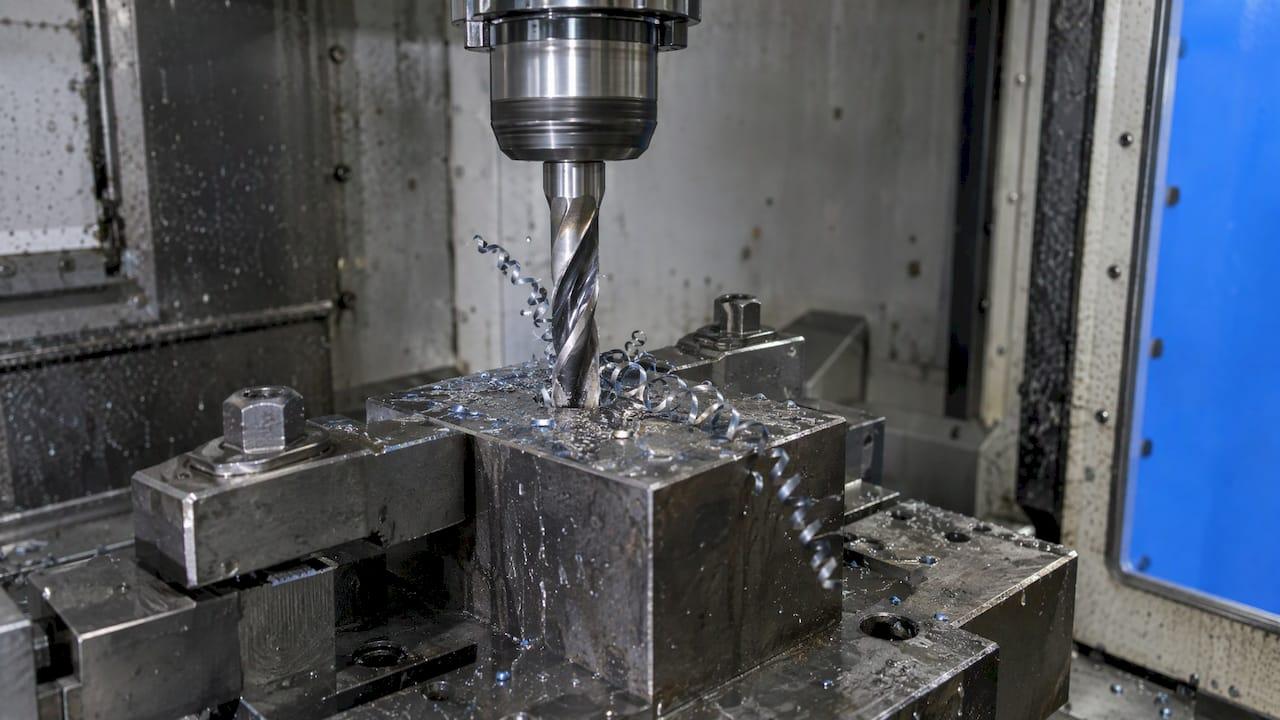
To set drilling feeds and speeds, pick a surface speed (SFM) for the material and drill, convert it to spindle RPM with RPM = SFM × 3.82 ÷ drill diameter, then multiply RPM by feed per revolution (IPR) to get the feed rate in inches per minute. Everything else in this guide is about choosing good starting numbers, correcting them for hole depth, coolant and rigidity, and reading the drill to see when to change them.
TL;DR
- RPM = SFM × 3.82 ÷ drill diameter (in). Feed rate (IPM) = RPM × IPR.
- Starting carbide SFM runs roughly 350 for aluminum, 200 for low carbon steel, 100 for stainless and 100 for Ti-6Al-4V on a solid carbide drill (Tru-Edge, 2020). Other makers publish wider ranges, so use the middle of your drill maker's range first.
- As a feed check, 1% to 3% of drill diameter per revolution suits materials strong enough to support the cut.
- Past 3× diameter, cut speed and start pecking; past 5× diameter, reduce both speed and feed unless you have coolant through the tool.
- Chip sound, chip shape and wear pattern tell you which number to move.
Table of Contents
- The two formulas behind every drilling chart
- Worked examples: from SFM to a feed rate you can program
- Starting carbide drill speeds by material
- Feed per revolution: how much is enough
- What changes the numbers: depth, coolant and rigidity
- Peck drilling parameters
- Reading the drill: signs that something needs to change
- Our perspective
- Run your drilling numbers in one place
- FAQ
- Sources
The two formulas behind every drilling chart
A drill chart is a lookup table feeding two equations. The University of Florida's machining notes give them as N = 12 × V ÷ (π × D) for spindle speed and f = N × fr for feed rate, where V is cutting speed in SFM, D is diameter in inches and fr is feed per revolution (University of Florida, Speeds and Feeds). Tooling makers fold 12 ÷ π into a single constant, so the shop-floor version is:
- RPM = SFM × 3.82 ÷ D
- IPM = IPR × RPM
Rock River Tool, Lexington Cutter and Guhring all publish those same forms (Rock River Tool drilling chart, Guhring drilling formulas). Guhring's sheet also gives the reverse: SFM = RPM × D ÷ 3.82 and IPR = IPM ÷ RPM, useful when you inherit a program and want to know what surface speed it actually runs.
One point trips people moving from milling. Drilling feed is per revolution, not per tooth. Charts for drills are typically built around 2-flute drills, so you do not multiply by flute count (CCTool Tech Tip #30). If you need to convert between the two conventions, our guide on feed per tooth vs feed per rev walks through it.
Worked examples: from SFM to a feed rate you can program
The SFM figures below come from the tooling charts in the next section. The IPR values are illustrative picks inside the 1% to 3% of diameter rule of thumb, so replace them with your drill maker's figure for the diameter.
Example 1: 1/4" solid carbide drill in 1018 steel
- Start at 200 SFM, the low carbon steel figure on Tru-Edge's sheet.
- RPM = 200 × 3.82 ÷ 0.25 = 3,056.
- Pick 0.003 IPR (1.2% of diameter).
- IPM = 3,056 × 0.003 ≈ 9.2.
Example 2: 1/2" solid carbide drill in 6061 aluminum
- Start at 350 SFM.
- RPM = 350 × 3.82 ÷ 0.5 = 2,674.
- Pick 0.008 IPR (1.6% of diameter).
- IPM = 2,674 × 0.008 ≈ 21.4.
Example 3: 1/4" solid carbide drill in 304 stainless
- Start at 100 SFM, the moderate stainless figure.
- RPM = 100 × 3.82 ÷ 0.25 = 1,528.
- Pick 0.002 IPR (0.8% of diameter, low because stainless work hardens if the drill rubs instead of cutting).
- IPM = 1,528 × 0.002 ≈ 3.1.
Notice how the stainless run is a third of the steel run in feed rate for the same drill. That gap is why one chart value never serves every job.
Starting carbide drill speeds by material

Every chart is a starting recommendation. Rock River Tool says so plainly: machine, fixture and tooling rigidity, horsepower and coolant application all move the right answer (Rock River Tool). Melin Tool says the same, and adds that its values can go up or down with machine condition, hole depth, finish and coolant pressure (Melin Tool data).
The table compares three published sets. Note the drill type: two are for solid carbide, one for carbide-tipped, and the ranges differ because the tools do.
| Material | Tru-Edge solid carbide (2020) | Amana Tool solid carbide | Rock River carbide-tipped (2024) |
|---|---|---|---|
| Aluminum alloys | 350 SFM | 300–600 SFM | 250–350 SFM (wrought) |
| Low carbon steel | 200 SFM | 150–300 SFM | 125–175 SFM (low and medium carbon) |
| Medium carbon steel | 175 SFM | 100–200 SFM | 125–175 SFM |
| Gray cast iron | 250 SFM | not listed | 130–225 SFM |
| Stainless steel | 100 SFM (moderate), 75 SFM (hard) | 50–100 SFM (work hardening) | 100–150 SFM (400 series, free machining) |
| Titanium Ti-6Al-4V | 100 SFM | 40–100 SFM (hard titanium alloys) | not listed |
Some more specific figures worth knowing:
- Rock River's carbide-tipped guidance for steels is 200–300 SFM for free machining steel (1215, 12L14), 140–220 SFM for alloy steel (4140, 4340, 8620) and 90–150 SFM for 304 and 316 stainless, with C5/C6 grade carbide for steels (Rock River speeds and feeds).
- Coolant-fed solid carbide drills run much faster. Melin's Accupro data lists 700–1,000 SFM for aluminum and 550 SFM for low carbon steel at RC-24 or less, but only 50–80 SFM for nickel base alloys (Melin Tool data).
- Coatings matter. One general purpose chart lists 100–175 SFM uncoated and 140–210 SFM with AlTiN for low carbon steels (Productivity Inc. chart).
How to pick a number inside a range
Haas Tooling's instructions for its carbide drill chart are a good default procedure: find your material, start with the middle or average value for cutting speed and feed, then adjust to your conditions (Haas Tooling carbide drill chart). Move toward the low end when the setup is soft: long stick-out, a worn spindle, a thin-walled part, a hand-held coolant nozzle. Move toward the high end with a rigid fixture, through-tool coolant and a coated drill.
Feed per revolution: how much is enough
Feed is where drilling punishes mistakes fastest. Sandvik Coromant notes that high feed cuts time in the hole but raises the risk of drill breakage, while low feed makes long, thin chips and speeds up wear (Sandvik Coromant drilling tips).
Two quick sanity checks:
- Rule of thumb: the University of Florida puts feed per revolution at 1% to 3% of drill diameter for materials strong enough to support drilling (University of Florida). For a 1/4" drill that is 0.0025 to 0.0075 IPR.
- Chart scale: Tru-Edge lists 0.002–0.012 IPR for aluminum across drills from 1/16" to 3/4"+, and 0.0005–0.006 IPR for low carbon steel (Tru-Edge sheet). Productivity's chart runs from 0.0005–0.0015 IPR at 1/8" to 0.0015–0.0040 IPR at 1/2" in low carbon steel (Productivity Inc.).
Small drills sit at the bottom of every range. A 1/8" carbide drill has little torsional strength, so a feed that looks timid on paper is normal.
If you also run reamers after the drill, the same logic carries over, and our reaming speed and feed guide covers the finishing pass.
What changes the numbers: depth, coolant and rigidity
Hole depth
Chart values assume shallow holes. The University of Florida's assumptions are adequate lubrication, a stiff workpiece and depth under 3 drill diameters. For deeper holes (more than 3×D) without high-pressure through-spindle coolant, it recommends cutting spindle speed a further 50% (University of Florida). Melin's coolant-fed data says to reduce both speed and feed once depth passes 5 diameters (Melin Tool data). Which rule applies depends on whether your coolant reaches the cutting edge under pressure.

Coolant
Through-tool coolant is what lets coolant-fed carbide drills run at the high figures above and clear chips from deep holes. With flood only, treat the lower half of the range as your starting point for anything past 3×D.
Rigidity and carbide grade
Rock River lists spindle condition, tool holder concentricity and fixture rigidity as the variables that move results, along with coolant delivery and carbide grade: C-2 grades for non-ferrous metals and cast iron, C5/C6 for steel alloys (Rock River speeds and feeds). A drill that walks or chatters at chart speed often has a holder or fixture problem, not a speed problem.
Peck drilling parameters
Pecking means drilling a short distance, retracting, and going back in. Irwin's catalog describes holes three or more diameters deep as deep-hole drilling and says pecking lowers the chance of chips lodging in the flute while letting lubricant back into the hole (Irwin Unibit catalog).
Starting parameters:
- When: begin considering pecks at about 3×D with flood coolant, and treat 5×D as the point where reduced speed and feed (or through-tool coolant) is expected.
- Peck depth: the University of Florida suggests one drill diameter per peck with flooded coolant, or half a diameter when oil is applied manually (University of Florida).
- Cycle: in Haas G83, Q is the incremental peck depth and P is the dwell at the bottom in seconds. With I, J and K specified, the first peck is I, each following peck shrinks by J, and K is the minimum peck (Haas G83 reference). Shrinking pecks make sense because chips have farther to travel as the hole deepens.
A typical 1/4" drill, 1" deep in steel (4×D), could run G83 with Q0.25 at your calculated RPM and IPM. If chips pack, shorten Q before you touch speed. Our post on chip evacuation problems covers fixes by chip type.
Reading the drill: signs that something needs to change
Sandvik Coromant explains the signals (Sandvik Coromant):
| What you see or hear | What it points to | First adjustment |
|---|---|---|
| Interrupted sound, long bent chips, uneven hole wall | Chip jamming | Shorter pecks or better coolant delivery, then review feed |
| Rapid flank wear, plastic deformation, poor hole quality | Cutting speed too high | Lower SFM in 10% steps |
| Built-up edge, poor chip evacuation, long time in cut | Cutting speed too low | Raise SFM within the chart range |
| Drill breakage | Feed too high for the drill | Lower IPR, check rigidity |
| Long, thin chips and fast wear | Feed too low | Raise IPR toward the chart's middle |
Change one variable at a time and write down what worked. A logged result for a material and drill combination beats any generic chart the next time the job comes up.
Our perspective
We built Availzye Machinist Pro around one observation: the formulas for drilling are simple, but the decisions around them are not. RPM and IPM take seconds. Deciding which SFM suits this drill, in this alloy, at this depth, on this machine, is where scrap and broken drills come from.
That is why we keep the calculators and the shop records in the same cloud-based application. Our Feeds & Speeds, Power & Torque and Tool Deflection tools are designed to help you set cutting parameters from physics, while the Tool Crib's tool life logging gives you a place to record what a drill actually delivered. The next time that material comes up, your own numbers are there, not a guess from a wall chart.
Chart values are starting points. A system that keeps your calculations, your tool history and your team's notes together lets you refine them quickly and share the result with every operator on every shift.
Availzye
Run your drilling numbers in one place
If you calculate drilling parameters daily, a spreadsheet and a paper log get old fast. Availzye Machinist Pro puts the Feeds & Speeds calculator next to Tool Deflection, Chatter Prediction and G-Code analysis, and ties it to the Tool Crib for stock alerts and tool life logs.

Plans are Individual at 9.99 CAD per month, Small Shop at 24.99 CAD per month and Team at 49.99 CAD per month, each with a 7-day free trial. See the plans on our site and pick the seat count that fits your shop. For the wider method behind these calculations, read our guide to calculating feeds and speeds.
FAQ
What is a good starting SFM for a carbide drill?
It depends on the material and on whether the drill is solid carbide, carbide-tipped or coolant-fed. One solid carbide sheet lists 350 SFM for aluminum, 200 for low carbon steel and 100 for moderate stainless (Tru-Edge). Start at the middle of your drill maker's range and adjust.
How do I convert SFM to RPM for a drill?
Multiply SFM by 3.82 and divide by the drill diameter in inches. A 1/2" drill at 350 SFM gives 350 × 3.82 ÷ 0.5 = 2,674 RPM. Then multiply RPM by IPR to get the feed rate in inches per minute.
When should I peck drill?
Start pecking when depth reaches roughly 3 diameters, which Irwin classes as deep-hole drilling (Irwin catalog). A peck of one drill diameter with flood coolant is a common starting point. Shorten it if chips pack in the flutes.
Do carbide drills run faster than HSS?
Yes. Carbide drills generally run at higher surface speeds than HSS, and coolant-fed carbide drills run far above the figures for uncoated tools, for example 700–1,000 SFM in aluminum on one maker's data (Melin Tool). Carbide needs a rigid setup to take advantage of that speed.
How do I know my drilling speed is wrong?
Listen and look at the chips. Interrupted sound or long bent chips point to jamming, rapid flank wear points to speed that is too high, and built-up edge points to speed that is too low (Sandvik Coromant).
Sources
- University of Florida, Speeds and Feeds
- Rock River Tool, Drilling Speeds & Feeds (2024)
- Rock River Tool, Speeds & Feeds Parameters for Carbide Tipped Tools
- Guhring, Drilling Formulas
- Tru-Edge, Solid Carbide Drills Feeds and Speeds (2020)
- Amana Tool, 4 Facet Solid Carbide Fractional Drill Recommendations
- Melin Tool, Speed and Feed Data
- Productivity Inc., Drills general purpose carbide chart
- Haas Tooling, Carbide Drills speeds and feeds
- Haas CNC, G83 Normal Peck Drilling Canned Cycle
- Irwin Unibit catalog, Metal Drilling
- Sandvik Coromant, Drilling tips