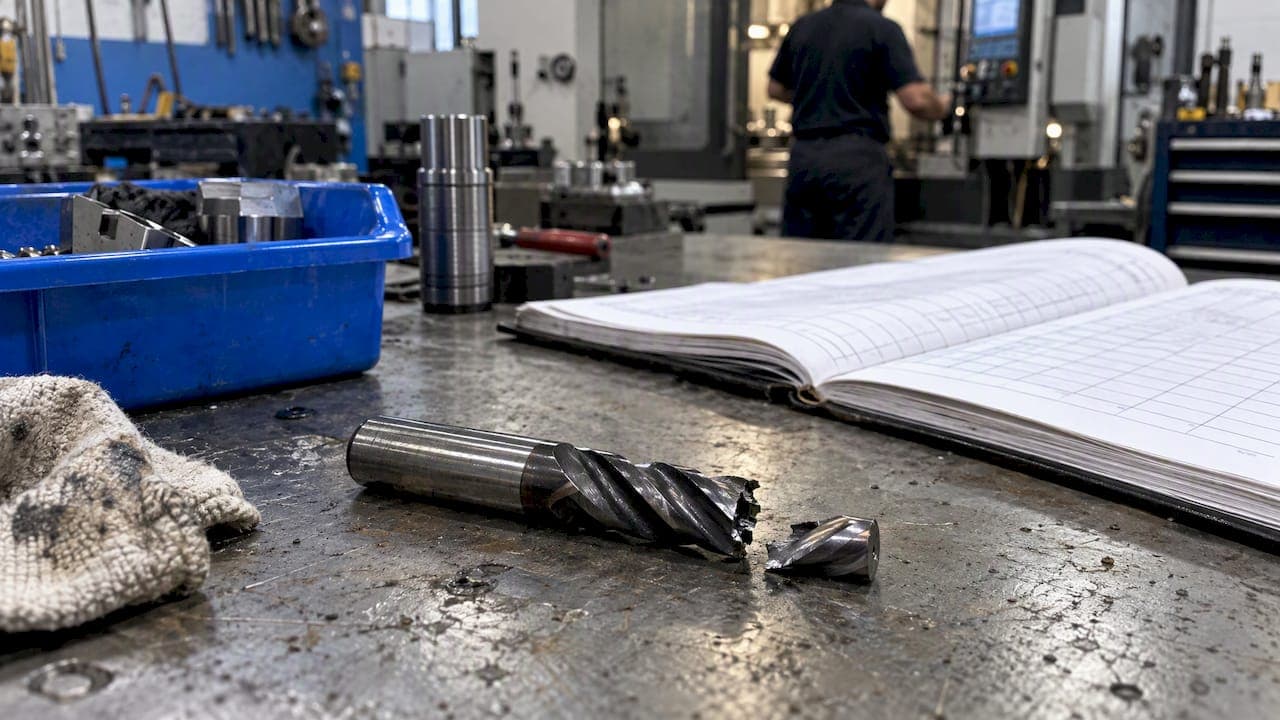
Tool breakage tracking is the habit of recording every broken cutter: which tool, which job, which machine, what the cut was doing and what it cost you. Then you review those records until the pattern shows. Detection hardware tells you a tool broke. Tracking tells you why it keeps happening. This guide covers how the two fit together, what a useful breakage record contains, and how a small shop can run the whole process without buying a sensor for every machine.
TL;DR
- Detection stops the machine when a tool breaks. Tracking is the record you keep afterward so the same break stops recurring.
- Log the same fields every time: tool ID, job, machine, material, parameters, hours on the tool, what you saw, and the cost.
- Review the log monthly by tool, material, operation and shift. Repeat offenders almost always point to a parameter, holder or program problem.
- Sensors and probes are optional for tracking. A disciplined log works on any machine, including older ones with no monitoring.
- Keep the log where operators already work, tied to the job and the tool crib, so entries take under a minute.
Table of Contents
- What tool breakage tracking actually means
- Why a missed break costs more than the tool
- What to record for every broken tool
- How detection feeds your tracking
- Setting up a breakage log that operators will actually use
- Reading the log: finding the cause behind repeat breaks
- What this looks like for a small shop
- Perspective: why we treat breakage as shop data, not bad luck
- Tracking breaks with Availzye Machinist Pro
- FAQ
- Sources
What tool breakage tracking actually means
Two things get lumped together under this keyword, and mixing them up is why many shops buy hardware and still break the same end mills.
Detection happens in the machine, in real time. A probe, laser, sensor or control function checks whether the tool is still there or still cutting. Renishaw's technical paper on tool setting draws the line clearly: tool setting measures geometry such as length and diameter, while tool condition monitoring looks for breakage and returns a broken or not-broken result.
Tracking happens in your records. It answers the questions detection can't: how often do we break tools, which ones, on what, and at what price? A detector with no log gives you a stopped machine and no memory. A log with no detector still gives you the memory, only the stop comes a little later, when somebody notices.
You want both eventually. But if you have to start with one, start with the log, because it costs almost nothing and it tells you where detection money would actually pay off.
Why a missed break costs more than the tool
A snapped $20 end mill is not the expensive part. The expense is what happens in the minutes after it breaks and nobody knows.
Research reviewing tool monitoring finds that CNC downtime caused by tool failures accounts for roughly 20% of total downtime. The same paper notes that breakage tends to be sudden and random, unlike wear, which builds gradually. That is why you can't schedule your way out of it the way you can with a tool-life limit.
What a missed break can set off:
- A damaged workpiece, often one that has already absorbed most of its machining time.
- Damage to the fixture, spindle or other machine components when the program keeps running with a broken or missing tool.
- Lost machine hours and missed delivery dates.
- Safety exposure for the operator.
The list above matches what industry reporting on missed break detection describes. On the cost side, one research paper on retrofitting older mills estimates that a single unexpected day of stoppage on a milling machine can run into six figures in euros. That figure comes from larger production settings, so treat it as an upper bound. A job shop's number will be smaller, but the shape is the same: the tool is cheap, the interruption is not.
A log lets you put your own number on it. After three months, you will know what breakage cost your shop, not a research paper's shop.
What to record for every broken tool
The most common reason breakage logs fail is inconsistency. One person writes "snapped," another writes nothing, and a month later the data can't be compared. Fix that by deciding on a fixed set of fields and making them quick to fill in.
| Field | Why it matters |
|---|---|
| Tool ID and description | Lets you see repeat breaks on the same cutter type, coating or supplier |
| Job or work order | Ties the cost to a customer and a part, and shows whether one program is the problem |
| Machine | Exposes a machine with runout, a worn spindle or a weak coolant setup |
| Material and condition | Hardened, work-hardened or inconsistent stock breaks tools differently |
| Operation and toolpath type | Slotting, plunging, corner entry and tool exit are common break points |
| Speed, feed, depth and width of cut | The first thing to check against your calculated values |
| Stickout and holder | Long stickout drives deflection and fatigue |
| Time on tool before the break | Separates early failures from end-of-life failures |
| What the operator saw or heard | Chatter, a color change in the chip, smoke, a change in sound |
| Consequence | Scrap part, rework, crash, downtime minutes |
| Replacement cost | Tool cost plus scrapped material plus lost machine time |
If your machines expose data, add more. Monitoring setups can log spindle power, calculated cutting force, commanded versus actual feed and vibration from an accelerometer. You don't need any of that to start. The fields in the table come from the operator's hands and eyes.
One field deserves extra care: the cause. Resist the urge to write "operator error" or "bad tool." Those entries end the investigation. Use a short list of probable causes instead, such as excessive load, deflection, chatter, chip packing, runout, wrong parameters, program error, tool at end of life or workholding movement. Pick one, and add a note if you're unsure.
How detection feeds your tracking
If you do have detection on a machine, treat each alarm as a log entry, not just a stoppage.
The methods fall into a few families:
- Contact detection. A touch probe or sensor physically checks the tool between operations. It is reliable for presence and length, but it only tells you what happened at the moment of the check.
- Non-contact detection. Lasers are the common choice here, and they suit fast-spinning small tools because nothing touches the cutter.
- Sensor-based monitoring. Accelerometers, force sensors or power monitors catch the abrupt change in vibration, force or power when a tool breaks.
- Sensorless monitoring. The method infers the break from signals the machine already has. One academic study of a non-contact current-sensing method reports detection within one to three seconds.
The useful part for tracking is what the control does next. On controls with tool quality monitoring, a detected break can stop axis motion and switch to a programmed sister tool, or display a message if no sister tool exists. Both outcomes should end with an entry in the log: which tool, which program line, whether the sister tool took over, and what the operator found when they inspected the part.
Sensorless is attractive for shops that don't want to add hardware, but be realistic. Some industry sources argue that standard controllers can't reliably catch breakage without external sensors, especially in unattended runs. If you run lights-out, that matters. If your machines are staffed, an operator checking after critical tools is a legitimate and cheap first layer.
We've also written about spindle load monitoring and how to calibrate it, which is the data source most shops can reach first.
Setting up a breakage log that operators will actually use
The best system is the one the second shift fills in at 2 a.m. Here is a practical way to build it.
- Decide what counts as a break. Snapped tool, chipped flute that ends the cut, and a tool pulled early because of visible damage are all worth logging. Normal wear-out is a separate record.
- Fix the fields. Use the table above. Cut anything operators won't fill in, and keep the cause list short.
- Put the log where the work is. If the entry lives in a different system from the job, it will be forgotten. Tie each break to the work order and the tool record.
- Link it to inventory. A break should reduce stock and trigger a restock when the count gets low. Otherwise you will track breaks and still run out of the tool.
- Photograph the evidence. A phone picture of the broken tool and the fracture surface helps later. A clean shear tells a different story than a chipped, rubbed edge.
- Log the near-misses. A tool pulled for sounding wrong is a cheap lesson if you write it down.
- Assign an owner. One person, usually the lead machinist or shop manager, reviews entries weekly and closes the loop with the operator.
Role-based access helps here. Operators need to add entries easily. Managers need to see the whole picture. Nobody should be able to quietly edit history, which is why an audit trail on records is worth having.
Reading the log: finding the cause behind repeat breaks
A log is just a list until you review it. Set a monthly review, thirty minutes is enough, and sort the entries four ways.

By tool. If one tool ID accounts for a big share of breaks, the tool is usually being asked to do too much. Check diameter-to-stickout ratio, flute count and whether the parameters match the material.
By material or job. Breaks that cluster on one material or one customer's part point to a program or setup issue, not a bad batch of tools. Hard or inconsistent stock raises the load, and one source on hardened-steel machining describes how adaptive feed systems act like fast circuit breakers, cutting feed before an overload turns into a brittle fracture. Even without adaptive control, that tells you where to look: load spikes during entry, corners and exits.
By machine and shift. A machine that breaks more tools than its twin has a mechanical or setup difference. A shift that breaks more has a training or handoff difference. Neither is a blame exercise. Shift notes are the cheapest fix, because a lot of breaks begin with a parameter tweak someone made and didn't pass along.
By time on tool. Early breaks (a new tool failing in the first few minutes) point to runout, collision or wrong parameters. Late breaks point to wear that wasn't caught. Different problems, different fixes.
Once you have a suspect, test it against the numbers. Recalculate speeds, feeds and chip load for the failing operation. Check how much the cutter deflects at that stickout, since deflection and chip thinning can push a tool past what you thought it was seeing. Our tool deflection calculator is built for exactly that check.
Keep the output simple. Production Machining's coverage of adaptive machining makes the point that shop supervisors and operators need actionable data, not a flood of raw output. A one-page monthly summary with the top three causes, the total cost and one action per cause beats a spreadsheet nobody opens.
A worked example of the review
Say your log shows 14 breaks in a quarter. Eight are the same 1/4 inch end mill, six of those on one aluminum bracket job, and most happened within the first ten minutes. That pattern says: look at the program, not the tool supplier. You pull the job, find a full-width slot at a feed that was copied from a shallower pass, and rewrite the entry. Breaks on that job stop. You have saved tools, scrap and an hour of troubleshooting every time it would have recurred. None of that was visible from the individual events.
What this looks like for a small shop
Small shops often skip breakage monitoring for sensible reasons. A FIR research paper on older milling machines notes that commercial condition monitoring is often held back by high capital cost, proprietary interfaces and integration barriers, and small and mid-sized manufacturers feel that most.
The practical answer is to stage it:
- Start with the manual log and a tidy, organized crib. Good habits around tool control practices in professional shops make it far easier to know what's checked out, what's missing and what was replaced.
- Add spindle load or power monitoring on the machines with the most breaks, using what the control already exposes.
- Only then consider probes or dedicated break detectors, and only for the machines and tools where your log shows the biggest losses, such as small-diameter tools, deep holes or unattended cycles.
The order matters because the log tells you which machines justify the spend. Buying hardware for the whole floor before you have data is how shops end up with systems they don't use.
It also connects to maintenance. Breaks that follow a pattern on one machine often trace back to spindle condition, a drawbar or coolant problem. If that sounds familiar, our CNC maintenance log template and the broader piece on predictive maintenance for machining show how to keep service history next to the breakage record.
Perspective: why we treat breakage as shop data, not bad luck
We build Availzye Machinist Pro for machinists and shop owners, and the pattern we see in how shops work is consistent: breakage information lives in people's heads, on paper, or in a spreadsheet that gets updated when someone remembers. The knowledge that a certain cutter fails on a certain job leaves with the person who learned it.
Our view is that the calculation and the record belong together. The parameters you chose, the deflection you expected and the tool you pulled from the crib are the same story as the break that followed. When those live in separate apps, nobody connects them. When they sit in one cloud-synced place, a break becomes a lesson tied to a job, a machine and a set of numbers.
We also think detection hardware is worth having where the losses justify it, and that most shops should earn that decision with their own data first. A simple log, reviewed consistently, will pay for itself before any sensor does.
— Availzye
Tracking breaks with Availzye Machinist Pro
If you want the log, the tool inventory and the calculators in one place, Availzye Machinist Pro covers that. The Tool Crib handles inventory with low-stock alerts, tool life logging, check-in and check-out, restock and write-off, so a broken tool is written off and reordered in one flow. The Job Tracker ties activity to the work order, and shift notes and role-based access keep operators and managers on the same page.
Plans are Individual at $9.99 CAD per month, Small Shop at $24.99 CAD per month and Team at $49.99 CAD per month, each with a 7-day free trial. You can see them on the Availzye Machinist Pro plans page.
FAQ
What is the difference between tool breakage tracking and tool breakage detection?
Detection is a real-time check in the machine that flags a broken or missing tool, usually with a probe, laser, sensor or control function. Tracking is the record of every break and its context, kept so you can review causes later. Detection prevents the next few minutes of damage. Tracking prevents the next break.
What should I write down when a tool breaks?
Record the tool ID, job, machine, material, operation, speed, feed and cut depths, stickout, time on the tool, what the operator noticed, the probable cause and the cost. Use a short fixed list of causes so entries can be compared. Add a photo of the broken tool when you can.
Do I need sensors to track tool breakage?
No. A consistent manual or software log works on any machine. Sensors add real-time stopping and richer data, and they make the most sense on unattended machines or where your own log shows costly breaks.
How often should we review breakage records?
Monthly is a good default for most shops, with a quick weekly check by the lead machinist to catch repeat breaks early. Sort by tool, material, machine, shift and time on tool, then assign one action per top cause.
Sources
- Renishaw: tool setting and broken tool detection
- ScienceDirect: tool breakage monitoring driven by real-time prediction
- FIR: tool wear prediction upgrade kit for legacy CNC milling
- AMS: why CNC machines need broken tool detection sensors
- Reducing tool breakage in hardened steel with adaptive feeds
- PMC: tool breakage detection technology study
- Hurco: tool quality monitoring
- Production Machining: adaptive machining for automated production
- Tool control practices in professional shops