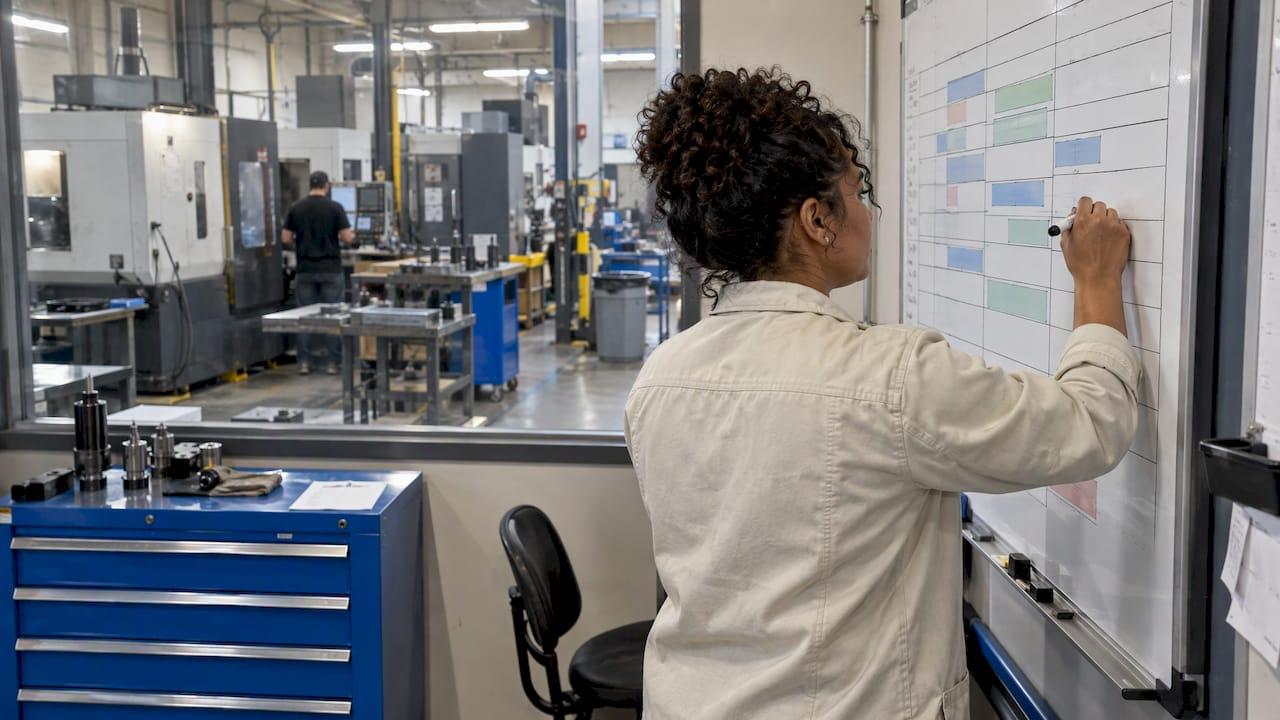
Finite scheduling (also called finite capacity scheduling) is a way of building a production schedule that respects what your shop can actually do. Each job is placed on a real machine, for a real amount of time covering setup, run and teardown, in a real shift. If the capacity isn't there, the job moves to a later slot, so the due date you quote comes out of the schedule and doesn't have to be forced onto it. For a CNC shop, that means a dispatch list the floor can really finish.
TL;DR
- Finite scheduling loads work only up to what machines, people, tooling and material can handle, so start and finish times are achievable.
- Infinite scheduling starts from the due date and then checks capacity. Finite scheduling starts from capacity and tells you when the job will finish.
- The schedule is only as good as its data: honest cycle times, setup times, machine downtime and tool availability.
- You can start small: a bottleneck machine, a few routings and a weekly review beat a big software project that nobody keeps current.
- Keep the schedule alive by feeding it job status, maintenance events and tool inventory every day.
Table of Contents
- What finite scheduling means in a machine shop
- Finite vs. infinite scheduling
- How a finite schedule is built
- What the schedule needs to know
- Where finite scheduling pays off
- Where finite schedules go wrong
- Putting finite scheduling into practice
- Keeping the schedule current
- Quoting from the schedule
- Try it with your own shop data
- A simple example: one constraint, five jobs
- Choosing how to schedule
- FAQ
- Sources
What finite scheduling means in a machine shop
At its simplest, finite capacity scheduling blocks out operation time on machines, including setup, run and teardown. It then calculates when each operation starts and stops and gives the shop floor a detailed, achievable dispatch list, as The Fabricator describes it.
The word "finite" is the point. A machine has only so many hours in a shift. An operator can run only so many spindles. A fixture exists once. A schedule that ignores those limits is a wish list, and everyone on the floor knows it.
Picture a three-machine shop with one vertical mill that is the only machine able to cut a certain family of parts. On paper, five jobs are due Friday. An infinite schedule shows all five starting Monday on that mill. A finite schedule stacks them one behind another, shows that the fourth job can't finish before the following Tuesday, and lets you decide what to do while there is still time: move a job, add a shift, or call the customer early.

Finite vs. infinite scheduling
The Institute for Manufacturing at Cambridge explains the difference this way. Finite capacity scheduling takes capacity into account from the very outset. Infinite capacity scheduling, the approach used in MRP II, schedules from the customer's due date and then tries to reconcile the result with the capacity available.
The practical consequences for a shop:
| Infinite scheduling | Finite scheduling | |
|---|---|---|
| Starting point | The due date | The capacity available |
| Machine load | Can exceed 100% in a given week | Capped at what the machine can run |
| Output | Planned start dates that may not be achievable | Start and finish times per operation |
| When the shop is full | Overloads show up late, as expedites | The job is pushed out to a later slot |
| Best use | Rough-cut planning and material requirements | The schedule you actually run |
Neither is wrong. Infinite planning is useful for a quick look at material needs and long-range load. Finite scheduling is what you hand to the floor on Monday morning.
How a finite schedule is built
Microsoft's documentation for Dynamics 365 describes finite capacity as an approach that shows how much work can be produced in a specific period once resource limits are considered. If there isn't enough capacity, the delivery date is pushed out and the job is scheduled when capacity is available. That is the core logic, whatever tool you use, even a whiteboard.
The Cambridge researchers describe three broad approaches:
- Order-based scheduling. Tasks are scheduled by order priority. Highest priority gets the first available slot.
- Constraint-based scheduling. Also called synchronised manufacturing. It finds the bottleneck and makes sure it is always loaded, then schedules everything else around it.
- Discrete event simulation. It loads all resources at a point in time and resolves contentions and queues before moving to the next set of events.
For most job shops, the constraint-based idea is the most useful way to think. You don't need to schedule every machine with the same precision. You need to know which machine limits your output, keep it fed, and schedule the rest to support it.
What the schedule needs to know
The original finite schedulers looked at machine capacity only. According to The Fabricator, finite capacity scheduling has since evolved into advanced planning and scheduling (APS) software that considers the totality of capacity: tooling, labor, space in ovens and material availability, alongside the machines.
For a CNC shop, the data that matters most is:
- Machine availability. Shifts, planned maintenance and known downtime.
- Setup time. Often the largest hidden block of hours. Different from run time, and often different by part family.
- Run time per part. Based on the cutting parameters you will actually use, not an optimistic guess.
- Operation sequence. Which operation must finish before the next begins, and where a part leaves for heat treat or plating.
- Labor. Who can run which machine, and on which shift.
- Tooling and fixtures. Whether the tools for a job are in the crib, in good condition and not already committed to another machine.
- Material. Whether the bar or plate is on the shelf or still on order.
The Fabricator also notes that modern systems reserve capacity as operations are scheduled and push operations forward or backward in time based on priority, with room for user-defined rules that reflect the shop's own process and equipment. In other words, the rules can match how your shop really runs.
Where finite scheduling pays off
The benefits follow from the logic. They are not magic, and they depend on the data you feed in.
More credible delivery dates. Because the schedule respects capacity, the date it gives you is the date the shop can reach. Quoting from the schedule replaces quoting from instinct.
Bottlenecks show up early. When a machine is overloaded, the schedule shows it weeks ahead. That is the time to move work to another machine, outsource an operation, or plan overtime.
Fewer surprise expedites. Overloads that used to appear as a late Thursday panic become a planning decision on Monday.
Better use of the machines that matter. Keeping the constraint machine loaded means the shop's most expensive hours aren't sitting idle while a job waits for a tool or a fixture.
Honest what-if answers. A rush order from a good customer is no longer a guess. You can see what gets pushed and by how much before you say yes.
Where finite schedules go wrong
A finite schedule is a model, and models drift when the shop changes faster than the data does. The common problems are about discipline more than technology:
- Setup and run times copied from old quotes. If the numbers are wrong, the schedule is wrong, just more precisely.
- Nobody updates job status. If operators don't report what finished, the schedule keeps planning around work that is already done.
- Breakdowns missing from the calendar. A machine down for a spindle repair is not available, whatever the plan says.
- Tooling treated as unlimited. A schedule that assumes a tool exists when the crib is empty fails at the machine.
- Too much detail too soon. Scheduling every operation on every machine in week one often ends with the system being abandoned.
The fix for each is the same: make the data entry part of the normal work, and keep the first version simple.
Putting finite scheduling into practice
You can begin with a spreadsheet, a whiteboard or software. The method is the same.
1. Find your constraint
Look at where work waits. The machine with the longest queue, or the one that everyone asks about, is usually the constraint. Schedule that machine first and in the most detail.
2. Clean up your times
For your top ten recurring parts, write down setup time and cycle time as they really occur. Compare them to what the quote assumed. If your cycle times come from guesses, a feeds and speeds calculator helps you set cutting parameters you can defend, so the run time you schedule matches the run time the machine delivers. If setups are the big block, our guide on how to reduce setup time covers where those hours usually hide.
3. Build the calendar
Enter shifts, holidays, planned maintenance and who is qualified on which machine. Treat every hour not on this calendar as unavailable.
4. Load jobs in priority order
Place each job's operations into the earliest slot where the machine, the operator, the tools and the material are all available. If no slot exists before the due date, that is the signal to act, not to squeeze.
5. Release a short dispatch list
Give the floor one or two shifts of work at a time, not the whole month. A short list is easier to follow and easier to correct.
6. Review daily
A ten-minute look at what finished, what slipped and what broke keeps the schedule honest. Reschedule the remainder, not just the late job.
Keeping the schedule current
The hard part is not building the first schedule. It is keeping it true after Tuesday's rush job, a worn-out insert or a machine that went down at noon. Three streams of information do most of the work.
Job status. Every work order needs a clear state: not started, in setup, running, waiting on inspection, done. If the status is recorded where the whole team can see it, rescheduling takes minutes.
Machine downtime. Logging service events and breakdowns gives you real availability numbers over time. They show how much of the nominal calendar you can count on, which is what keeps the next schedule realistic. If you want to go further, see how shops approach predictive maintenance for machining.
Tool and material availability. A job can't start without its tools. Tracking stock levels, tool life and low-stock alerts keeps the crib from becoming a surprise constraint. Our posts on setting min/max inventory and on tool crib layout show how to set that up without a heavy system.
If you are bringing in new software to hold this information, roll it out in stages. A pilot-to-launch playbook helps a small group prove the habit before the whole shop depends on it.
Quoting from the schedule
Once your schedule reflects capacity, the quote can use it. The finish date comes from the next open slot on the constraint machine, and the price comes from honest machine and labor time. A machining cost estimation process that uses the same setup and cycle times as your schedule keeps price and promise date consistent. You stop quoting a number the floor can't meet.
What we see in shops
Most scheduling trouble we hear about is a data problem dressed up as a planning problem. The schedule looks wrong because the cycle time was optimistic, the tool wasn't in the crib, or nobody recorded that the machine was down. Finite scheduling only works when the numbers underneath it are the numbers of the shop floor.
That is why we built Availzye Machinist Pro as one cloud-synced application instead of a set of disconnected tools. The calculators help you set cutting parameters and cycle times you can trust. The Job Tracker holds work orders, the Maintenance Tracker records machine downtime and service, and the Tool Crib tracks inventory, tool life and low-stock alerts. When those live together, the facts a good schedule depends on are in one place, so you aren't chasing them across spreadsheets and paper logs.
Our advice is to start with the constraint machine, keep the dispatch list short, and make updating status a habit for the whole team. The best schedule is the one your shop keeps current.
Availzye
Try it with your own shop data
Availzye Machinist Pro brings the inputs a realistic schedule depends on into one place: Feeds & Speeds and other calculators for dependable cycle times, a Job Tracker for work orders, a Maintenance Tracker for downtime and service logs, and a Tool Crib with low-stock alerts and tool life logging. Team features include role-based access and shift notes, so the whole shop works from the same information.
Plans are Individual at CA$9.99 per month, Small Shop at CA$24.99 per month and Team at CA$49.99 per month, each starting with a 7-day free trial. See the plans and start your trial.
A simple example: one constraint, five jobs
Take a shop where a single horizontal machining center is the constraint. Five jobs are waiting. The numbers below are illustrative, not data from a real shop.
| Job | Setup (hrs) | Run (hrs) | Total (hrs) | Due |
|---|---|---|---|---|
| A | 2 | 6 | 8 | Day 2 |
| B | 3 | 10 | 13 | Day 4 |
| C | 1 | 5 | 6 | Day 5 |
| D | 2 | 12 | 14 | Day 5 |
| E | 4 | 8 | 12 | Day 6 |
At 16 machine hours per day (two shifts), the five jobs need 53 hours, or a little over three days of machine time. An infinite schedule would show all five starting on day 1 and finishing on time on paper. A finite schedule loads them one after another on the machine. Job A finishes within the first day. Job B follows and finishes early on day 2. Job C is done by mid-day 3, and so on, with a clear finish time for each. The point isn't the arithmetic, which is simple. It is that the schedule exposes any day where the load exceeds the hours, and that is where your decisions live.
Now add an unplanned two-day spindle repair. A finite schedule shows right away which jobs move and by how much. If the Maintenance log already shows the machine's history, you also know how much downtime to expect in future schedules.

Choosing how to schedule
The right level of tooling depends on the shop.
- A few machines, a handful of jobs. A whiteboard or spreadsheet with a machine-by-day grid is enough. Focus on the constraint.
- A growing shop with multiple shifts. You need status, downtime and tooling captured digitally so rescheduling doesn't depend on one person's memory.
- A large, complex shop. Dedicated advanced planning and scheduling software with custom rules makes sense, as the Fabricator describes. It also needs clean data to feed it.
Whatever the level, the same discipline applies: honest times, honest availability, short dispatch lists and a daily review.
FAQ
What is the difference between finite and infinite scheduling?
Infinite scheduling starts with the customer's due date and then tries to reconcile the plan with available capacity. Finite scheduling accounts for capacity from the start, so jobs are placed only where machines and other resources can handle them. The result is a schedule you can run, with finish dates you can quote.
Do small CNC shops need finite scheduling?
If a shop has a constraint machine, shared operators or tooling that several jobs compete for, the idea helps at any size. A small shop can apply it with a simple machine-by-day grid for its busiest machine. The goal is a realistic promise date, and you don't need heavy software to get that.
What data does a finite schedule need?
At minimum: machine availability, setup and run times, operation sequence, labor, tooling and material. Each of these can block a job even when a machine looks free. The more accurate these inputs are, the more reliable the schedule.
How often should the schedule be updated?
Review it every day, and reschedule whenever a job finishes late, a machine goes down or a rush order arrives. A short daily check on job status, downtime and tool availability usually keeps the schedule close to reality. Releasing only one or two shifts of work at a time makes the corrections smaller.
Is finite scheduling the same as finite capacity planning?
The two terms overlap and are often used together. Planning looks at capacity over a longer horizon, while scheduling sets the start and finish time of each operation on each resource. Both rest on the same idea: work is limited to what the shop can actually do.
Sources
- Finite capacity scheduling evolves for the job shop (The Fabricator)
- Finite Capacity Scheduling (Institute for Manufacturing, University of Cambridge)
- Finite capacity planning and scheduling (Microsoft Learn)