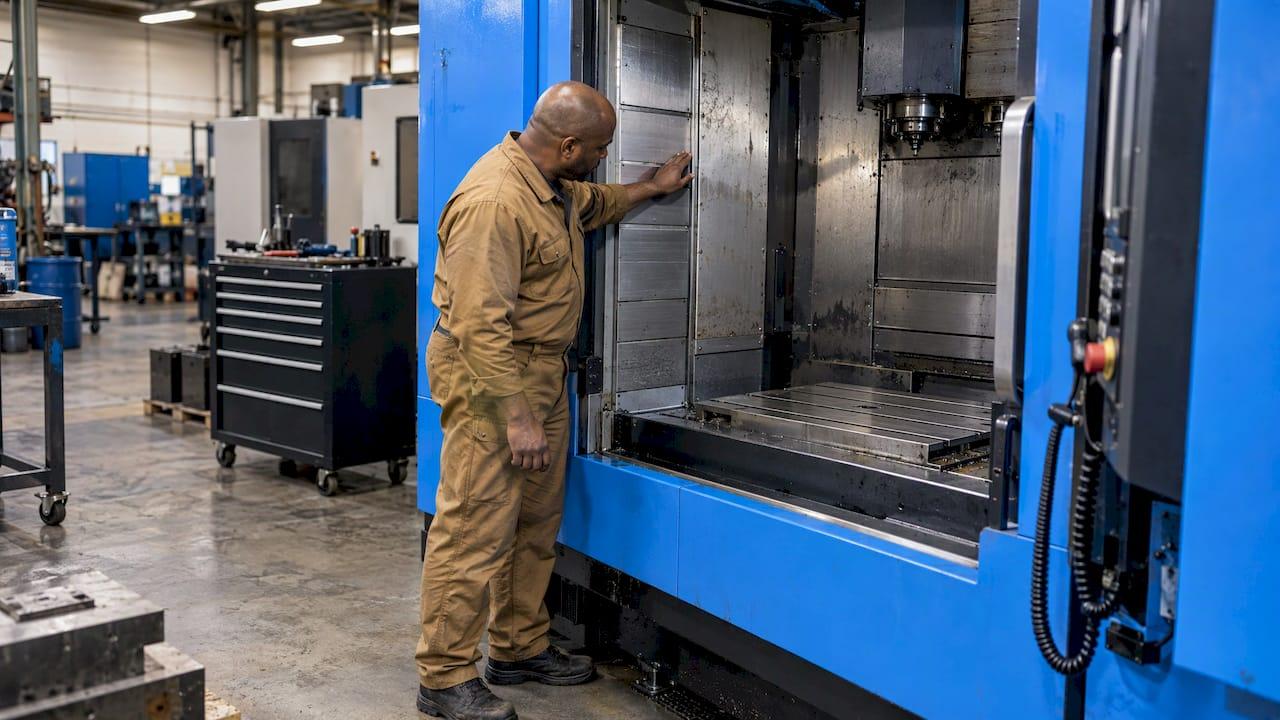
A good CNC preventive maintenance schedule does three things. It takes its tasks and intervals from the machine builder's manual. It converts hour-based intervals into calendar dates using the hours each machine really runs. And it records every service with a meter reading, so you can tighten or relax the intervals with evidence. We built Availzye Machinist Pro with a Maintenance Tracker for machine downtime and service logs, so the schedule, the history and the next due date sit in one place instead of a binder and a spreadsheet.
This guide walks through the cadence a machining shop actually uses (every shift, weekly, monthly, quarterly, annual), the way to set intervals, and the log that makes the schedule worth following.
TL;DR
- Start from the builder's manual. Haas, Okuma and others publish task lists by system and by interval, and your schedule should mirror them.
- Split tasks into time-based and hour-based. Convert hours to calendar dates by dividing the interval by the hours the machine runs per day or week.
- Put daily work on the operator, weekly and monthly work on a named person, and six-month and annual work on a certified technician where the builder says so.
- Log what was found, what was replaced and the meter reading, then review intervals every quarter in the first year.
- Lock out and de-energize before servicing. It is a legal requirement, not a preference.
Table of Contents
- What a CNC preventive maintenance schedule is
- Start with the manual, not a generic template
- The CNC maintenance cadence, task by task
- How to set CNC maintenance intervals
- Organizing the schedule in a spreadsheet or software
- What to record after every service
- Safety: lock out before you service
- A sample weekly and monthly rhythm
- Common reasons schedules fail
- Our perspective
- Put the schedule in one place
- FAQ
- Sources
What a CNC preventive maintenance schedule is
A preventive maintenance (PM) schedule is a planned set of inspection, cleaning, lubrication, adjustment and testing tasks, each with an interval and an owner, done in low-impact production windows so minor issues get fixed before they become failures. The point is to move from firefighting to managing your own calendar. Haas says much the same in its VMC maintenance schedule: a maintenance program lets a shop manage its schedule instead of being caught by surprises.
The schedule differs from the plan. The plan is the policy: what gets maintained and why. The schedule is the calendar: which machine, which task, which day, who signs off.
Fanuc's own scheduling advice describes the same structure of daily, weekly, monthly and annual maintenance, moving from checks, cleaning and lubrication toward calibration and replacement of worn parts.
Start with the manual, not a generic template
Generic templates from fleet and facilities sites are written for trucks and HVAC units. A mill or lathe has its own lubrication system, coolant system, tool changer and control cabinet, and the builder has already decided how often each needs attention. Take your intervals from there.
Three manufacturers show how the same job looks in practice:
- Haas lists intervals by system in its VMC schedule and training guide. At 50 hours of running it calls for cleaning chips from the tool changer, cleaning chips from way covers and the bottom pan, greasing pull studs, and cleaning and lubricating the spindle taper (Haas Maintenance Training Guide).
- Okuma publishes a preventive maintenance checklist with daily, weekly, three-month, six-month and annual sections.
- Fanuc frames the cadence as daily through annual, as noted above.
The numbers differ by machine, which is why one shop-wide template fails. A 2018 American Machinist piece makes the same point: base schedules on usage patterns, because not all hardware needs the same frequency, and schedule work ahead of problems at times that will not interrupt production.
The CNC maintenance cadence, task by task
Use the tables below as a frame, then replace the numbers with those in your manual.
Every shift or every day
These are operator tasks. They take minutes and catch most of the cheap problems. Okuma's daily list includes checking hydraulic pressure (4.5 MPa on its checklist) and fluid level, checking chuck pressure and greasing the chuck as the builder recommends, verifying way-lube level and topping up, checking the cooling unit level if the machine has one, clearing chips from the chip pan, cleaning the door window and light, and wiping and lubricating stainless-steel way covers with hydraulic oil (Okuma checklist).
On any machine, the daily pass usually comes down to:
- Check lubricant and coolant levels.
- Clear chips from the table, tool changer, way covers and pan.
- Wipe down the machine and look for leaks.
- Listen for unusual noise on start-up.
- Write anything odd in the shift notes.
Coolant is the item most often skipped. If concentration and condition slip, everything downstream suffers, so we cover it separately in cutting fluid management and daily checks.
Weekly
Okuma calls for cleaning the control cabinet air filter weekly, or every 40 hours, to keep cooling air moving. For machines with an automatic pallet changer, Haas's VMC schedule lists weekly cleaning of debris from the APC and receiver areas and from the receiver pallet clamped switch, plus greasing the plunger. It also lists weekly cleaning of chips from the side-mount tool changer (Haas RD0080).
Monthly
Monthly work is inspection-heavy. On Haas pallet changers that means inspecting the pallet wipers, checking that the door operates properly and greasing the door side guide rails. In most shops this is also the point to check coolant concentration, inspect way covers and the chip conveyor, and check air pressure.
Quarterly, six-monthly and annual
Okuma's three-month (or 500-hour) tasks are greasing and checking the chain on the chip conveyor and checking and cleaning the coolant tank filters. Its six-month and annual items are the ones some builders reserve for a certified engineer or local distributor (Okuma). Respect that split in your schedule and name the outside technician as the owner.
Haas's training guide gives a good picture of how hour-based work stacks up (Haas Maintenance Training Guide):
| Interval | Example tasks |
|---|---|
| 50 hours running | Clean chips from tool changer, way covers and pan; grease pull studs; clean and lubricate spindle taper |
| 200 hours running | Inspect tool changer cambox oil level and axes grease reservoir tank level |
| 200 hours powered on | Inspect gearbox oil levels |
| 1,200 hours powered on | Clean coolant filter, replace coolant, clean coolant tank; check probe batteries and calibration |
| 2,400 hours running | Grease tool changer cams; replace and clean oil, oil filters and oil tanks |
| 2,400 hours powered on | Replace gearbox oil |
Notice that Haas distinguishes hours running from hours powered on. Your schedule has to track both if your machine's builder does. Our CNC maintenance checklist mapped to 160–200, 500 and 1,000 hours goes deeper on the hour-based tiers.
How to set CNC maintenance intervals
Step 1: List every machine and tag each task as time-based or hour-based
Copy the intervals from each manual. Mark which tasks run on the calendar (clean the filter weekly) and which run on operating hours (grease the cams at 2,400 hours). A shop with a 2005 lathe and a 2022 VMC will end up with different lists, and that is correct.
Step 2: Measure real production hours
Spindle hours are not clock hours. A machine on a single shift may cut for only a fraction of the day. Pull the actual running time from the control or from your job records for a few weeks.
Step 3: Convert hours to calendar dates
Divide the hour interval by the hours the machine runs per week. A machine that runs about 80 hours a week reaches a 250-hour interval in roughly three weeks (250 ÷ 80 ≈ 3.1) and a 500-hour interval in roughly six. The same machine on one shift at 40 hours a week takes twice as long. This is why copying someone else's calendar dates fails.

Step 4: Add usage and condition triggers
Hours are only a proxy. Add triggers that reflect how hard the machine is working: part or cycle counts, a rise in alarm frequency, repeated unplanned stops, or a drift in dimensions. Any of these can pull an inspection forward. If an alarm keeps coming back, work through five checks before clearing a G-code alarm before assuming it is a maintenance fault.
Step 5: Schedule in low-load windows
Put work into changeovers, between jobs, end of shift or weekends. Look at the job queue first; a planned lube service that lands on a rush order will be skipped. Linking the schedule to your work orders is what keeps it honest. Our Job Tracker holds work orders in the same application as the Maintenance Tracker.
Step 6: Assign owners and sign-off
Every line needs a person: the operator for daily tasks, a lead or maintenance tech for monthly ones, a certified technician for those the builder reserves. Team plans use role-based access, so operators can log tasks and managers can review them.
Step 7: Review intervals on a cycle
In the first year, review quarterly. If a task has found nothing for several cycles, consider stretching it one step. If unplanned stops or scrap show a pattern, shorten the interval. Write down why. Never stretch an interval below what the builder requires for warranty or safety.
Organizing the schedule in a spreadsheet or software
A spreadsheet is a fine start for a one-machine shop. The columns you need are machine ID, task, interval type (days, running hours, powered-on hours), last done date, meter reading at last service, next due date, next due meter, owner and status.
The problems show up at scale. Meter readings go stale because nobody updates them. Due dates need to be recalculated by hand whenever production hours change. Two people edit different copies. And the history lives in a file nobody opens when a spindle starts to whine.
With Availzye Machinist Pro, the Maintenance Tracker logs machine downtime and service in the same cloud application as the Tool Crib, shift notes and job records, so a shop avoids switching between apps, spreadsheets and paper logs. The Tool Crib adds low-stock alerts and tool life logging, which helps when a PM task needs a filter, grease cartridge or part on the shelf. See the Tool Crib for how it handles consumables.
What to record after every service
A schedule without a log cannot improve. A useful entry is one that someone else can act on a year later: not "fixed pump" but what failed, what was found when the machine was opened, what was replaced and with what part number, and what was adjusted.
At a minimum, record:
- Machine ID, date and the meter reading (hours or cycles), since this is what lets you see whether a part fails early or a calendar interval should really be use-based.
- Type of work: scheduled PM, breakdown repair, inspection or adjustment.
- The fault as the operator described it, and the cause as found.
- Parts used with part numbers, downtime hours and who did the work.
- Open findings: a leak noticed but not repaired becomes an open action with an owner and a due trigger.
- Next due by date and by meter.
Records also matter for compliance. Ohio State University's machine shop safety program lists repair and maintenance records among the documents a shop supervisor keeps, along with inspection checklists, training records and manufacturer manuals, and recommends a shop inspection at regular intervals, with a biannual inspection.
We go through field choices in our CNC maintenance log template, and the downtime playbook shows how to use those logs to find your real bottlenecks.
Safety: lock out before you service
Most PM tasks above put hands near spindles, tool changers, pallet changers and hydraulics. OSHA's control of hazardous energy standard, 29 CFR 1910.147, covers servicing and maintenance of machines where unexpected start-up or release of stored energy could injure employees. Build lockout steps into the task list for anything beyond a simple wipe-down, and have the person doing the work, not the person scheduling it, apply the lock. If you are unsure whether a task falls under the standard, ask your safety officer or your state OSHA office.
A sample weekly and monthly rhythm
Here is how a single-shift shop with three machines might lay it out. Treat it as a pattern, not a specification, and replace each task with the line from the manual.
| When | Who | What |
|---|---|---|
| Start of every shift | Operator | Lube and coolant levels, chip clearing, leak check, notes |
| Friday end of shift | Operator or lead | Control cabinet filter, tool changer chips, APC debris if fitted |
| First Monday of month | Maintenance lead | Coolant concentration, way covers, chip conveyor, air pressure |
| Every 500 running hours | Maintenance lead | Chip conveyor chain, coolant tank filters |
| Every 1,000 and 2,000 running hours | Certified technician where the builder specifies | Deeper inspections and replacements |
The weekly slot is deliberately at the end of the week, when a machine can sit for a few hours without costing a job. Adjust it to when your shop is quietest.
Common reasons schedules fail
- The schedule lives on paper. It gets lost, or nobody can see it from the office.
- Hours are guessed. Intervals drift from reality because nobody measures running time.
- Tasks have no owner. A task assigned to "the shop" is done by no one.
- Findings vanish. A leak is noticed, mentioned and forgotten because nothing records it as an open item.
- Nobody reviews. The same intervals run for years without ever being tested against downtime data.
- Training is thin. Operators skip steps they do not understand, which is why a practical software training plan matters as much as the schedule itself.
Our perspective
Most shops do not fail at maintenance because they do not know what to do. The manual tells them. They fail because the schedule, the machine hours, the parts on the shelf and the history of what broke last time all live in different places.
That is why we put calculation tools and shop management in one cloud-synced application. A maintenance task that is tied to the same machine, the same job queue and the same tool crib is easier to schedule, easier to assign and harder to forget.
Our approach to the schedule is simple: take the interval from the builder, convert it to your real hours, name an owner, log what you find, and review it every quarter. Software should make each of those steps quicker, not add a new one.
Availzye
Put the schedule in one place
If you want the schedule, the service log and the tool crib together, Availzye Machinist Pro has three plans: Individual at 9.99 CAD per month, Small Shop at 24.99 CAD per month and Team at 49.99 CAD per month, with a 7-day free trial. The Maintenance Tracker holds machine downtime and service logs, and role-based access lets owners, leads and operators see what they need. You can start on the plans page.
If your next step is about the other half of the picture, how to move from calendar-based to condition-based work, read our guide to predictive maintenance for machining.
FAQ
How often should a CNC machine have preventive maintenance?
There is no single answer because it depends on the machine and how hard it runs. Builders usually split work into daily, weekly, monthly, quarterly, six-month and annual tasks, or into hour-based tiers such as 50, 200, 1,200 and 2,400 hours. Use your manual as the reference and convert hours to dates using your real production hours.
What is the difference between a PM plan and a PM schedule?
The plan is the policy: which machines and systems get maintained and to what standard. The schedule is the calendar that puts each task on a date, with an owner and a sign-off. You need both, but the schedule is what the shop floor actually follows.
What are the main types of preventive maintenance?
The common split is time-based (calendar), usage-based (hours, cycles or parts), and condition-based (triggered by alarms, noise, leaks or measurements). Most CNC shops combine the first two and add condition triggers as they collect data. Each type needs a log to work.
Can I build a CNC maintenance schedule in Excel?
Yes, with columns for machine, task, interval type, last done, meter reading, next due, owner and status. It works for a few machines. It gets harder when meter readings go stale or several people edit different copies, which is when a shared cloud tracker pays off.
Sources
- Haas VMC Maintenance Schedule RD0080
- Haas Maintenance Training Guide
- Okuma Preventive Maintenance Checklist
- Fanuc: 10 Tips for Scheduling CNC Maintenance
- American Machinist: Tips for Implementing CNC Machine Preventive Maintenance
- Ohio State University Machine Shop Safety Program
- OSHA 29 CFR 1910.147, The control of hazardous energy